On https://school.apple.com, I've noticed some strange behavior with Orion's autofill.
When Orion prompts me to save the password, it saves it for idmsa.apple.com, not school.apple.com. Next time I go to school.apple.com, it does not show the account under the popup menu in the password field. Instead, I need to manually create a password entry in Settings > Passwords for school.apple.com for Orion to pick up on it.
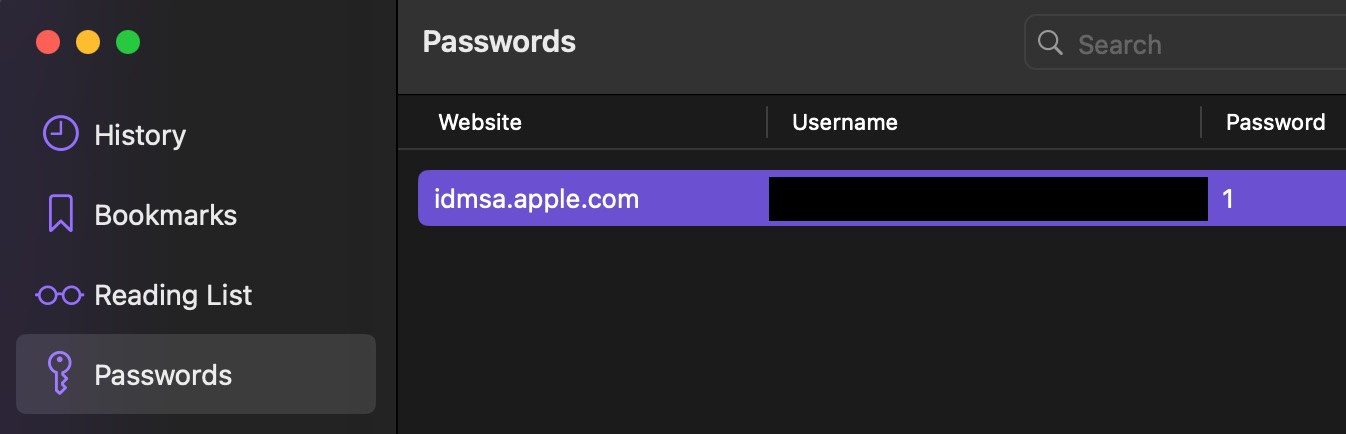
Additionally, during the first login, when Apple prompts for a 2FA code via SMS, Orion incorrectly saves the last digit of the 2FA code instead of the actual password. On the second login, when the browser is trusted, Orion prompts me to update it with the correct password.
Safari also saves the password for idmsa.apple.com, but it still presents it as an option on school.apple.com. I'm not sure if this is because Safari somehow knows that idmsa.apple.com is involved, or if it exposes all apple.com domain passwords to all subdomains.
I also noticed that Orion will not prompt me to save the password at all when using my personal Apple ID on icloud.com.
Below are complete steps to reproduce. Note, however, that personal Apple IDs cannot be used for Apple School Manager, so this might be difficult to test on your end if you do not have an enterprise account with Apple. Also, Apple Business Manager at business.apple.com is basically the same thing, just with a different name for different enterprise customers. I assume it would behave the same way, though I am not able to test that myself.
Create a clean Orion profile, with no passwords imported.
Load Apple School Manager (ASM) at https://school.apple.com
Enter an ASM-capable Apple ID.
Check the "Remember Me" box and continue.
When the password field appears, enter the password.
After completing 2FA, save the password when Orion asks.
Check the password in Settings > Passwords. It will be the last digit of the 2FA code. e.g. if the code was 123456, the saved password in Orion will simply be "6". Apple uses a different text field for each digit, so it seems like Orion just grabs the last one. See screenshots: 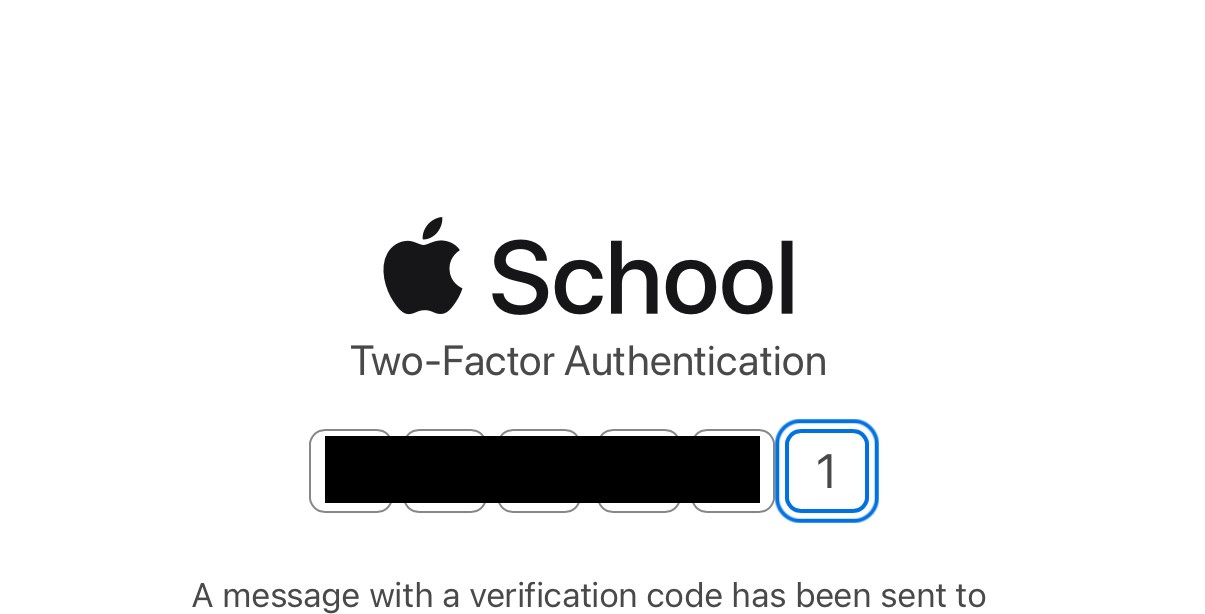
When Apple asks if you want to trust this device, click "Trust".
Log out of ASM
Reload https://school.apple.com. The username will already be filled because of the "Remember Me" box. The password will not fill.
Re-enter the password. Login will complete without 2FA this time.
Log out of ASM again. Only now will Orion prompt you to update the password. The correct password will now be visible in Settings > Passwords, but it will still not autofill because it is for idmsa.apple.com, not school.apple.com.
Manually add a new password entry for school.apple.com.
Reload https://school.apple.com
The password is still not autofilled, but the account is now visible under the little key popup menu in the password field.
If you choose NOT to check the "Remember Me" box in ASM, the experience is a little better, since Orion will display the account when you click on the empty username field, but not when you click on the empty password field or the pre-filled username field. For comparison, Safari will display the accounts when clicking on either the username OR password field, regardless of whether they are empty or filled.
The ideal behavior would be:
- The password is saved correctly on the first login attempt, rather than grabbing a 2FA field.
- The password is available with autofill for the site I started on (school.apple.com) rather than any redirects that occur during signin.
- Accounts/passwords are presented to the user without the need to click on a very small popup menu.
- As an option: it should be possible to have the username and password autofill immediately when the page loads, without the need to click an account name at all.
With the exception of number 4, this is how Safari behaves.
Version 0.99.126.4.1-beta (WebKit 618.1.2), macOS 14.3.1
Sonoma (14)
