When using the Bitwarden browser extension in Orion, inline autofill does not work and no accounts are shown when interacting with login input fields directly.
Steps to reproduce:
- Open Orion on macOS.
- Install the Bitwarden extension (Version 2025.12.0), (Tested via Firefox Add-on and Chrome Web Store (same version)).
- Log in to Bitwarden and ensure vault is unlocked.
- Navigate to a website with saved credentials.
- Click into the username or email input field.
- Click the Bitwarden icon shown inside the input field or attempt inline autofill.
Observed result:
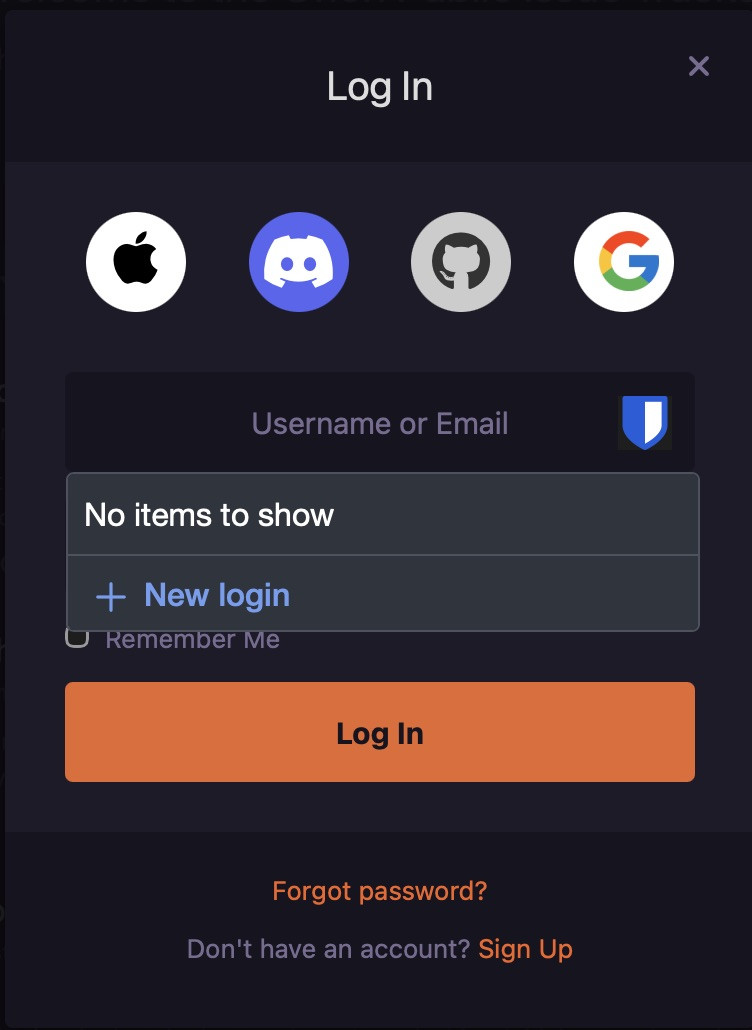
- The Bitwarden popup shows “No items to show”.
- No accounts are listed for the current website.
- Inline autofill does not work.
Important note:
Autofill only works when:
- Clicking the Bitwarden icon in the top menu / toolbar
- Manually selecting an entry and triggering autofill from there
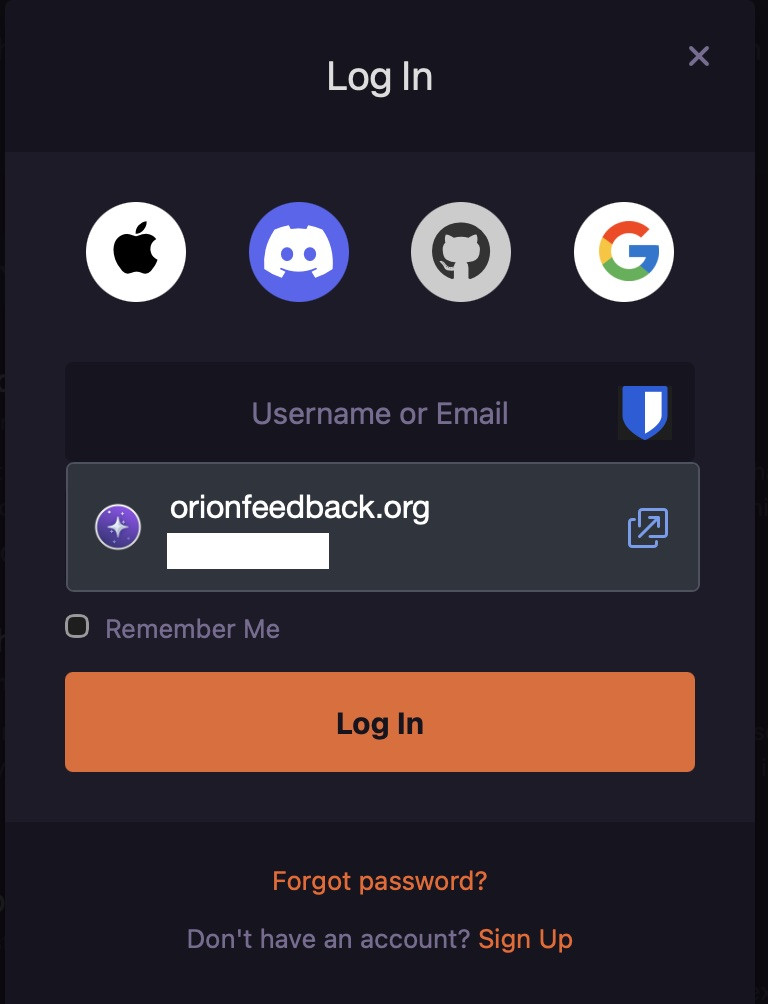
- This behavior is visible in the attached screenshots.
Does it happen in Safari (WebKit)?
No.
Using the same Bitwarden version (2025.12.0) in Safari:
- Inline autofill works
- Accounts are shown directly in input fields
Console / Errors
- No JavaScript errors or warnings appear in the browser console.
- No blocked requests or permission-related errors are visible.
- The extension loads normally, but inline form detection appears to fail silently.

I expected Bitwarden to:
- Detect login forms correctly
- Show matching accounts when clicking the Bitwarden icon inside input fields
- Trigger inline autofill without requiring manual selection from the toolbar
This is how Bitwarden behaves in Safari and other supported browsers.
Additional information / Question
- The issue affects inline autofill and field-level account detection only.
- Manual autofill via the toolbar works as a workaround.
- Has any other Orion user experienced the same issue with Bitwarden or other password manager extensions?
MacOS: 26.2; Orion Version 1.0.2 (141) WebKit 624.1.2.19.2
Tahoe (26)

