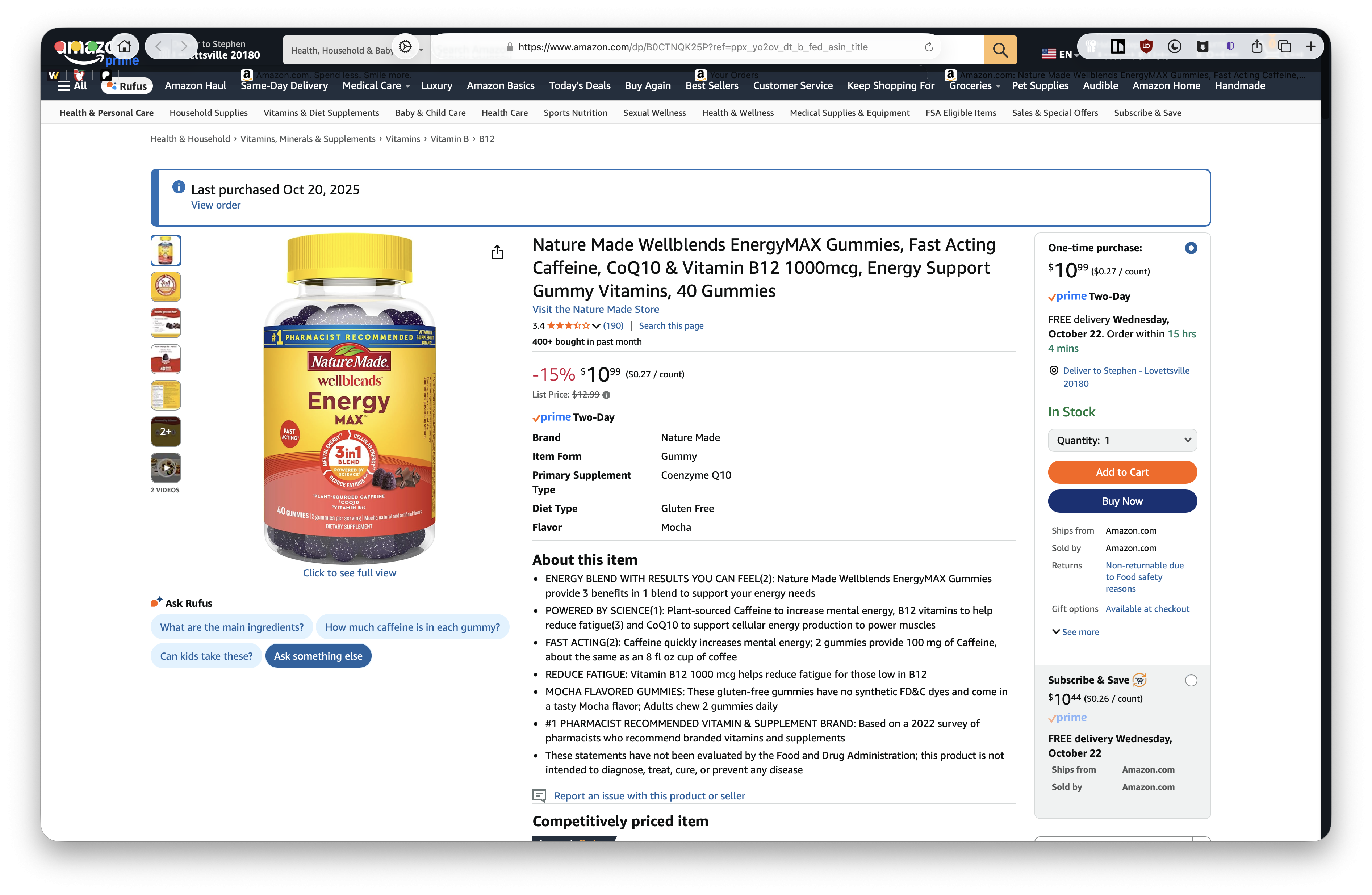
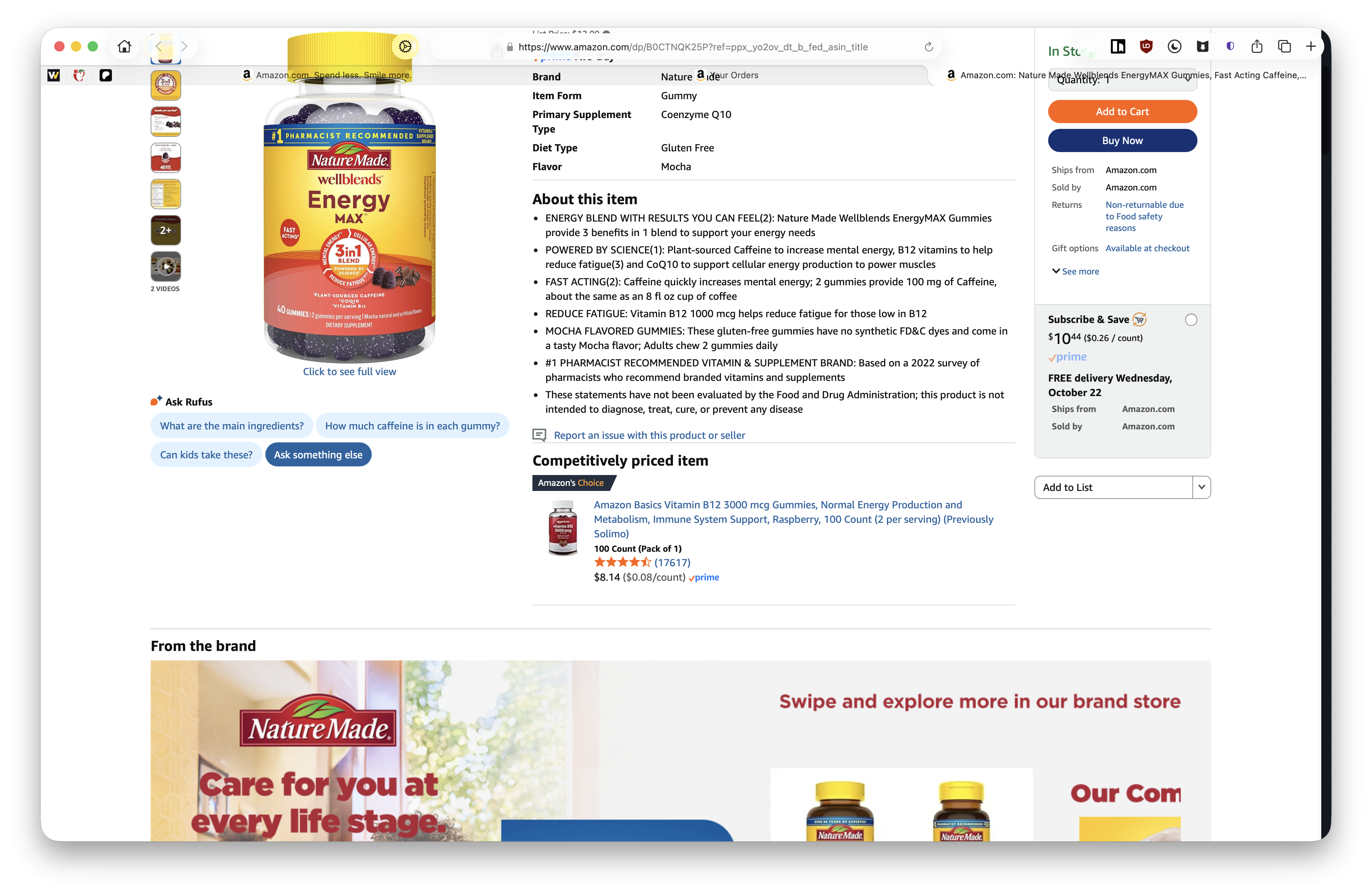
Visiting some web pages and cmd-clicking links to open in a new tab, the newly opened page, when switching to the new tab, has been rendered way outside of the expected drawing area, going up beneath the URL bar and the full window
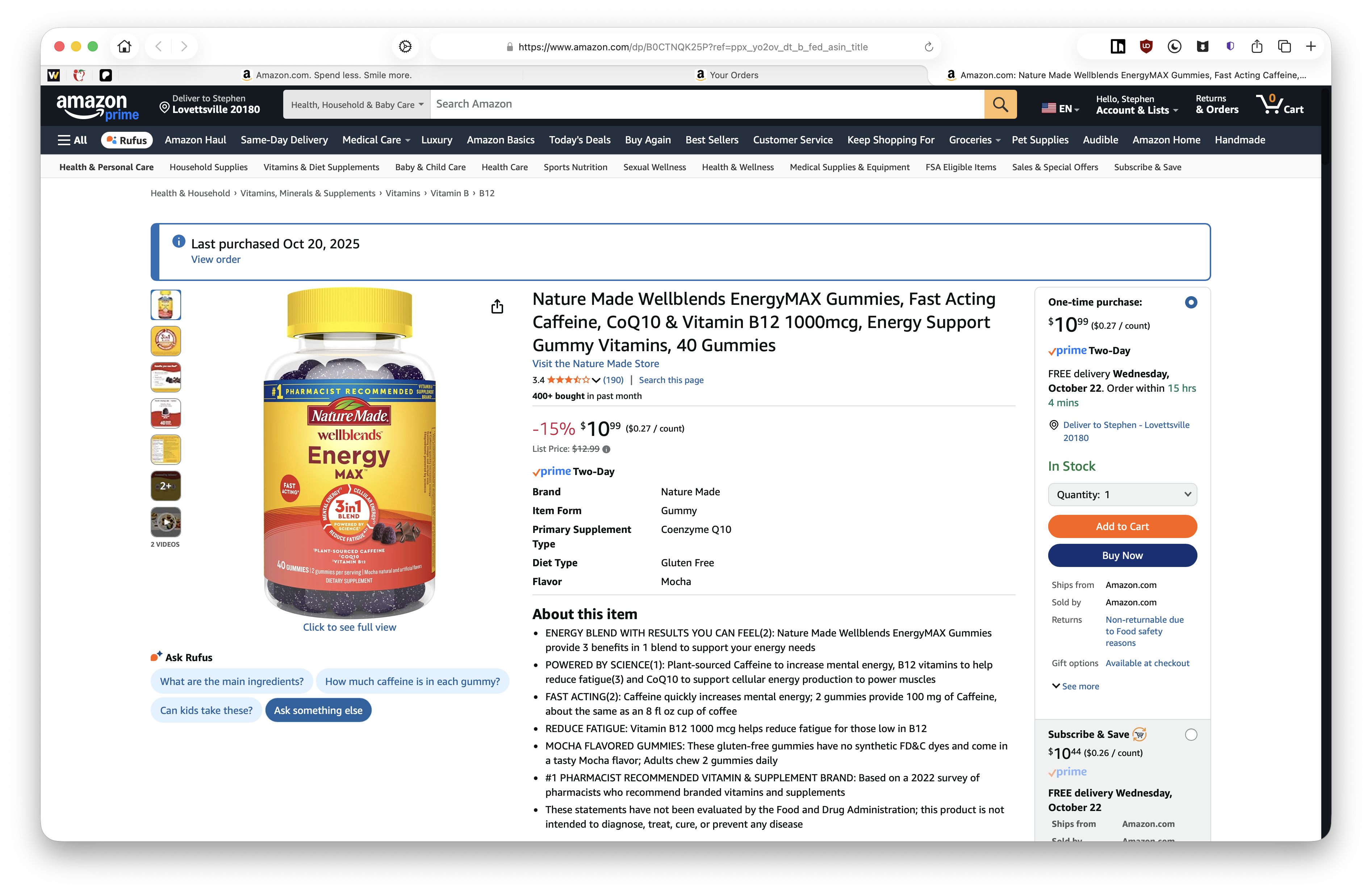
After a reload of the page it however shows up in the expected region...

No reproduction in Safari. and same behavior in Private Window. Will try a new clean profile shortly after submitting this
The starting URL from the screenshot above is https://www.northmill.com/se/kort/bankkort/ and the Cmd-clicked link is the link labeled "Läs mer om Betala senare" in the "Allt kan inte planeras" section just below the TrustPilot rating.
(Somewhat side story, but for the first time ever I've had to force quite Orion due to eating 28+GB of RAM, when my normal memory utilisation is generally at a very manageable level. This however coincided so neatly with the bug described above, would be a neat memory leak if that level of visible 😀)
Page rendered within the browser drawing area!
No loose items in the window panels! 😃
Version 0.99.137-beta (WebKit 623.1.8.0.0) Build date October 24, 2025 Mac mini (macOS Tahoe 26.0.1 build 25A362)
Tahoe (26)