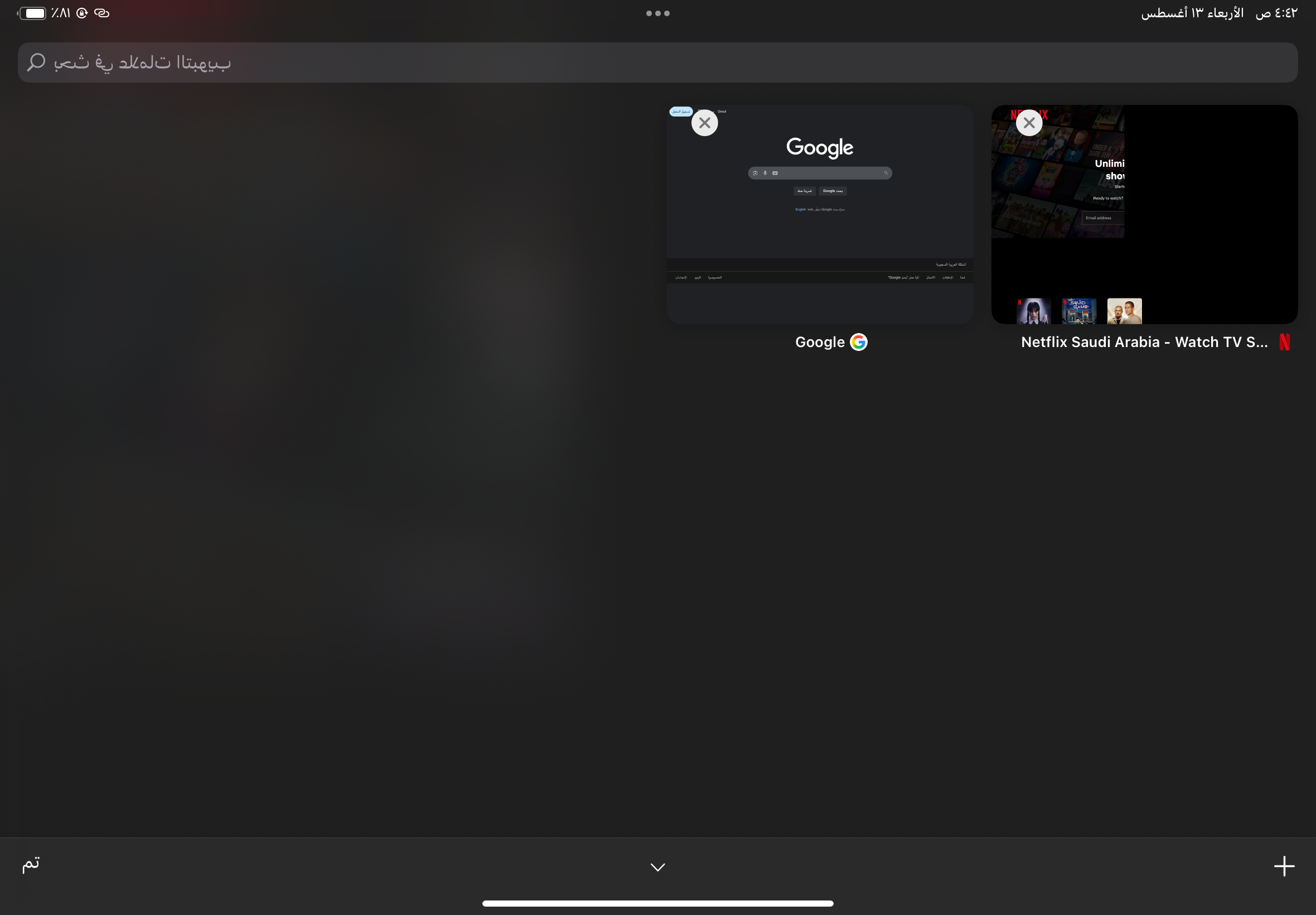
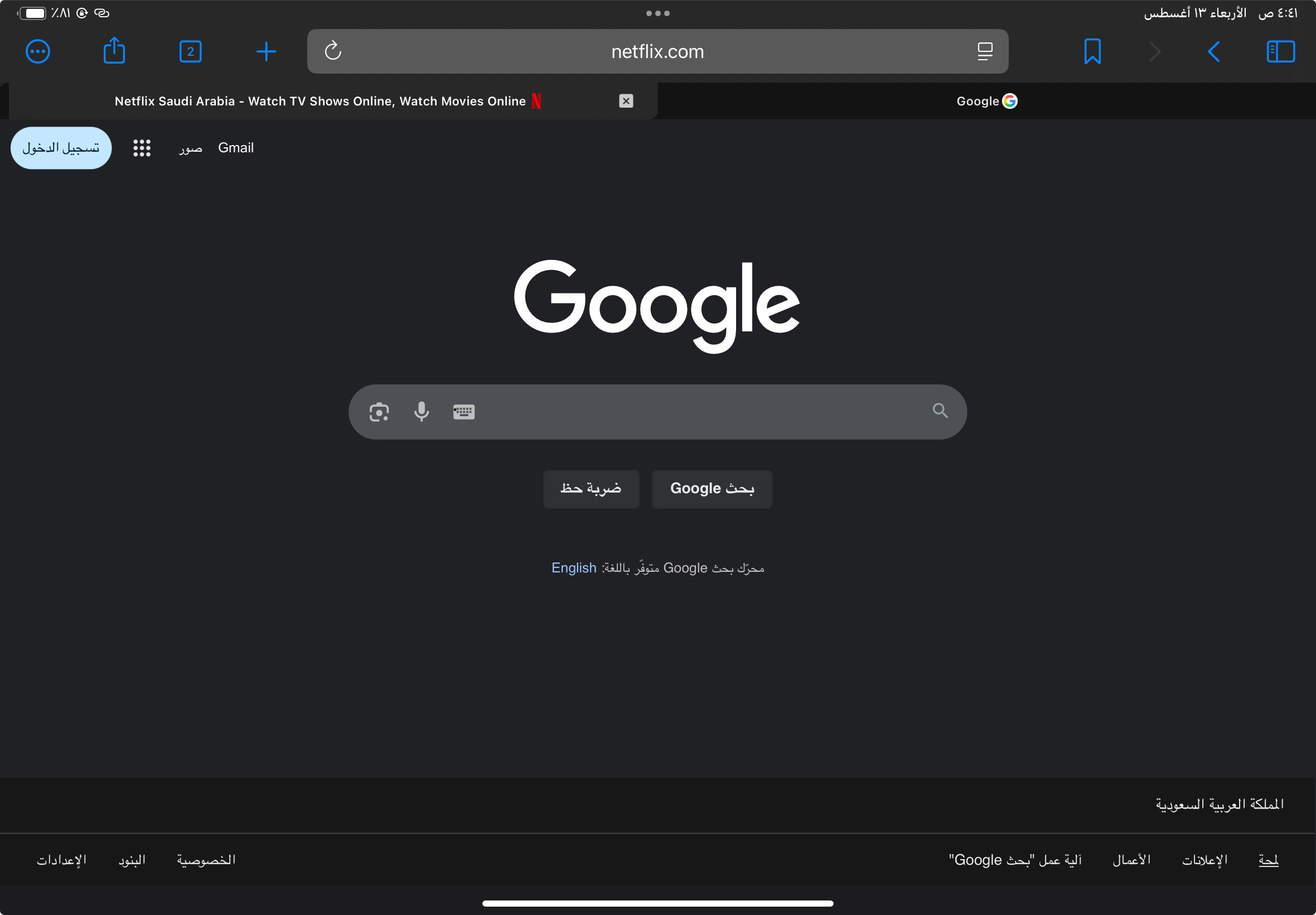
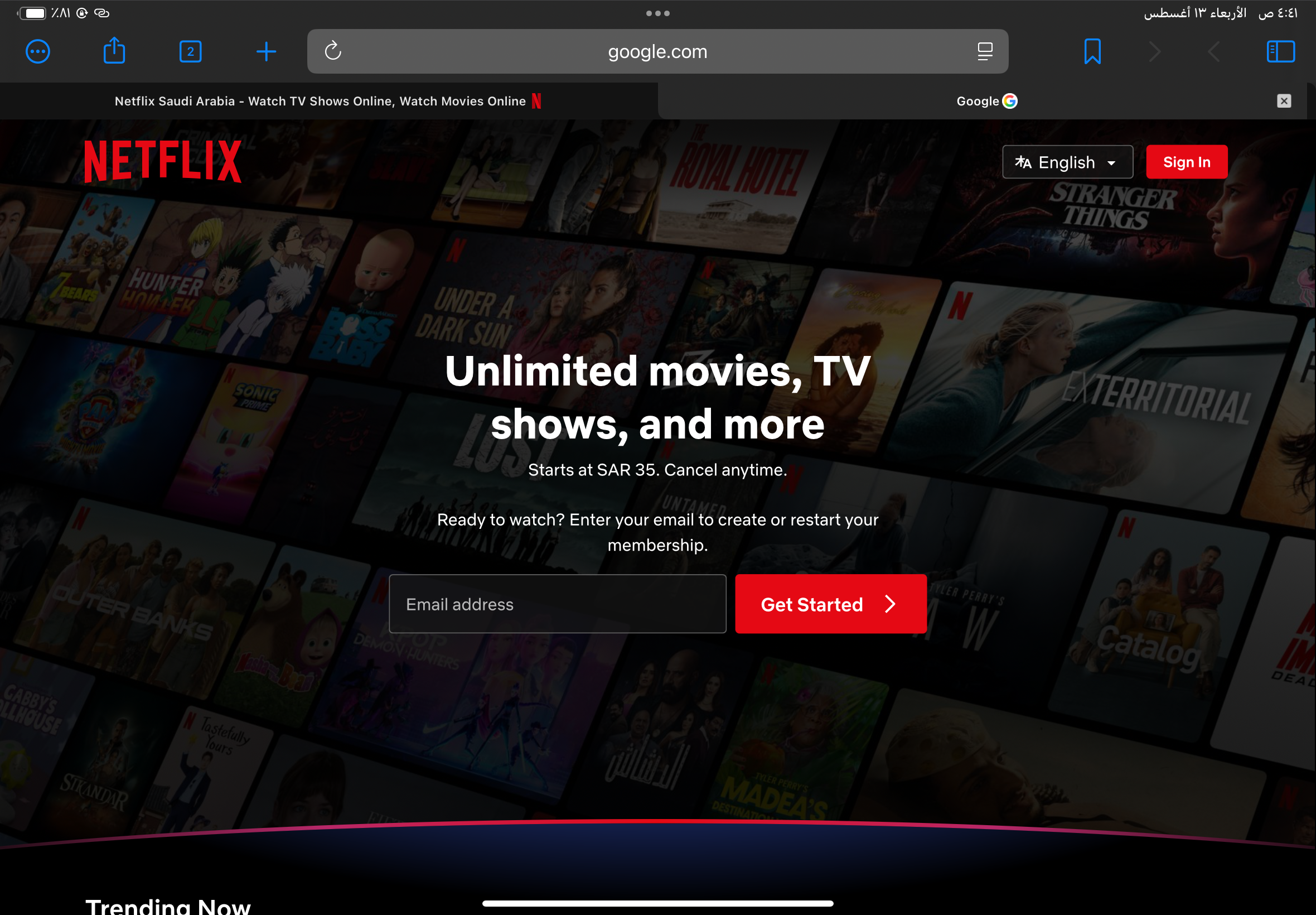
The bug occurs consistently on my iPad when the browser language is set to Arabic. When opening two or more tabs (e.g., Netflix in one tab and YouTube in another), the browser always displays the wrong tab title and favicon. Clicking on the Netflix tab opens the YouTube tab instead, and vice versa, causing incorrect tab selection and misleading tab labels.
Additionally, in the “View All Tabs” screen, some Arabic text at the top appears reversed (characters displayed in the wrong order), making it difficult to read.
This is the best and only browser I have found that fully supports Chrome extensions and runs them efficiently. I hope you can add a built-in Console and HTML view feature inside the browser itself — it would be an amazing addition. I also hope you continue developing it and making it even better.
I expected each tab to show the correct title and favicon corresponding to the website opened in that tab. When clicking on a tab, the browser should switch to that exact tab without mixing it up with others. Also, Arabic text in the “View All Tabs” screen should display correctly, without any reversed or misordered characters.
1.3.26(9)
18