iPhone 16 Pro, iOS 18.5
Reproduction:
Have a website with "Universal Links" active.
go to Orion settings.
click General.
click App Opener.
screenshot on phone 100% zoom
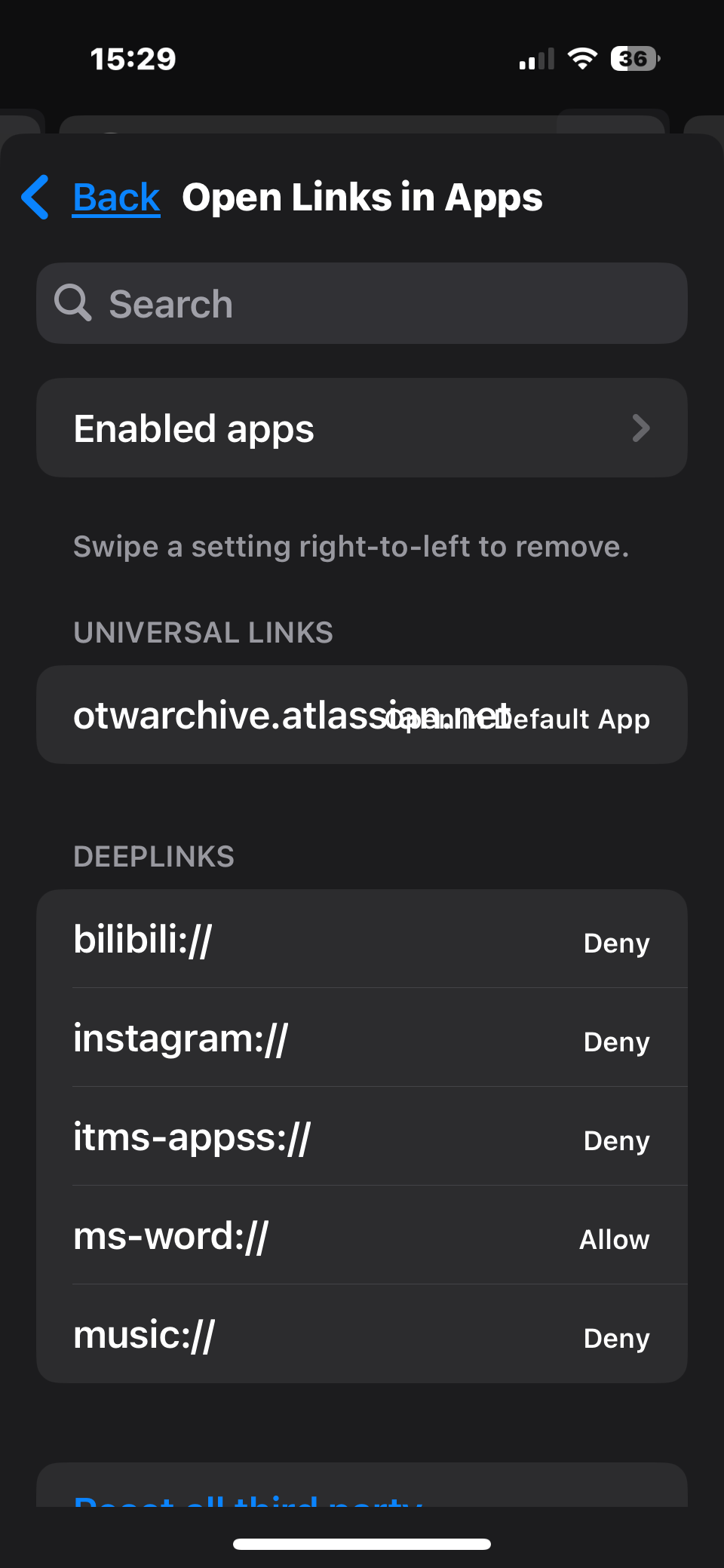
screenshot on phone 120% zoom
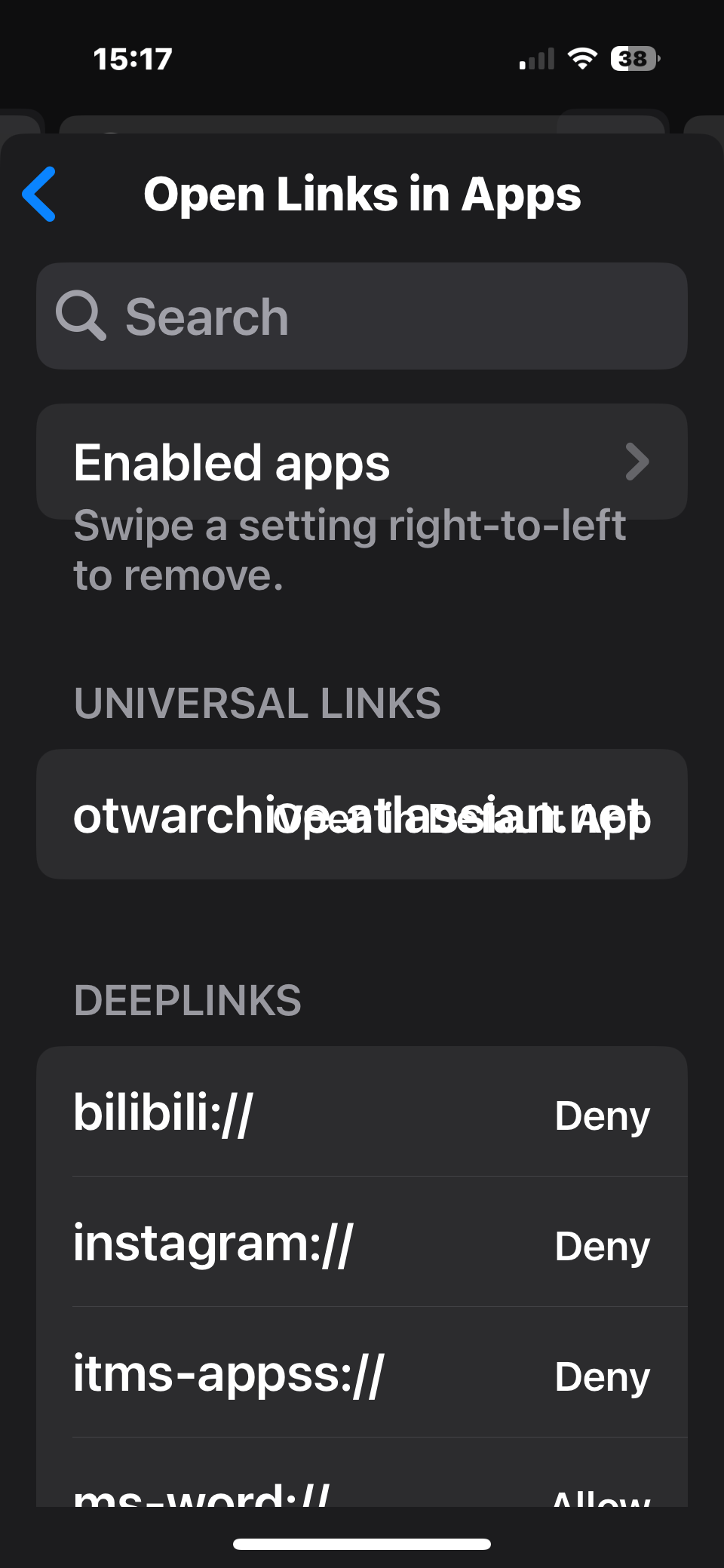
screenshot on phone 190% zoom
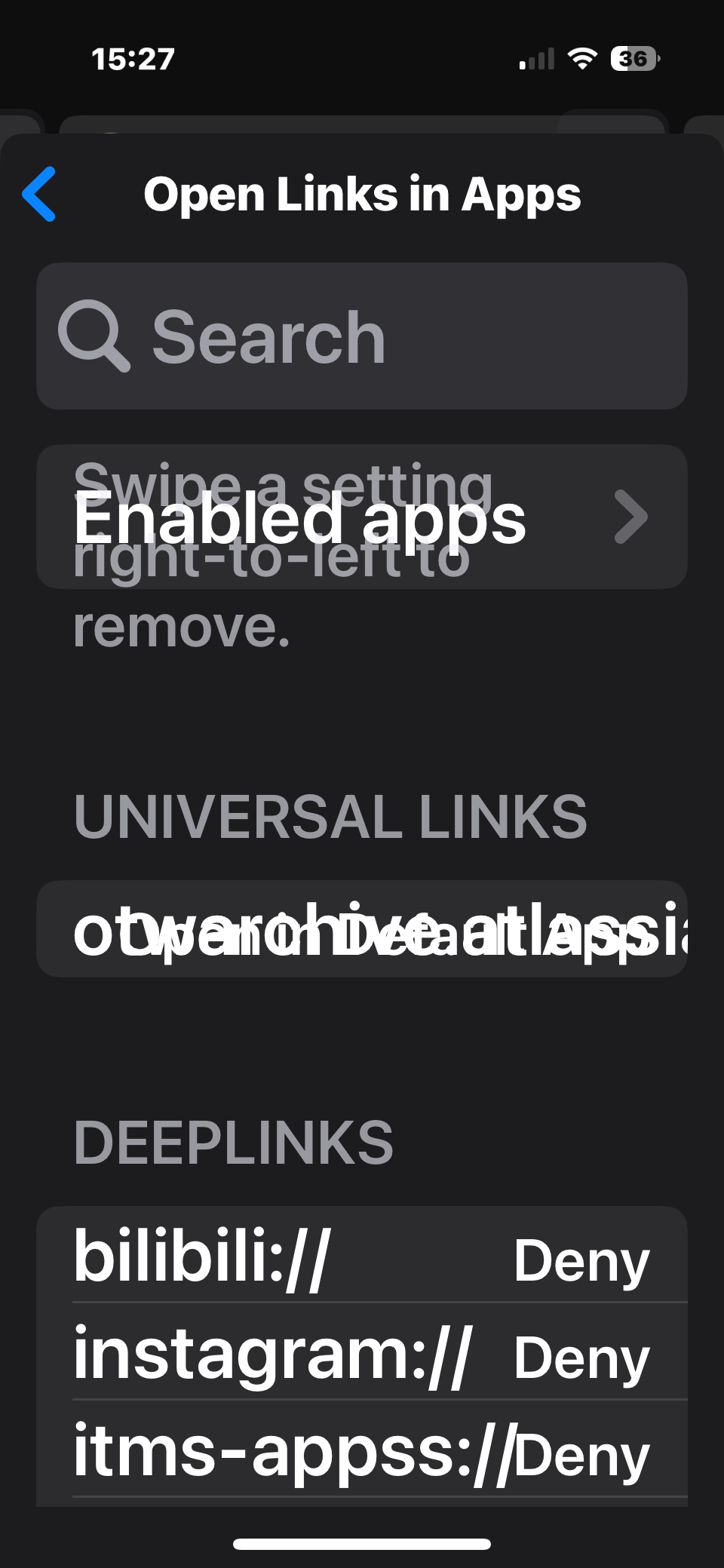
For the URL of the website and whatever other text is there (I can't quite make it out) to not be overlapping. Maybe displaying the text above the URL or vice versa, or putting the URL and text next to each other on the same line and wrapping if needed.
For the text "Swipe a setting right-to-left to remove." to stay below the "Enabled apps" button even on higher zooms, instead of overlapping it.
1.3.24 (2) (WebKit 8621.2.5.10.10)
18
