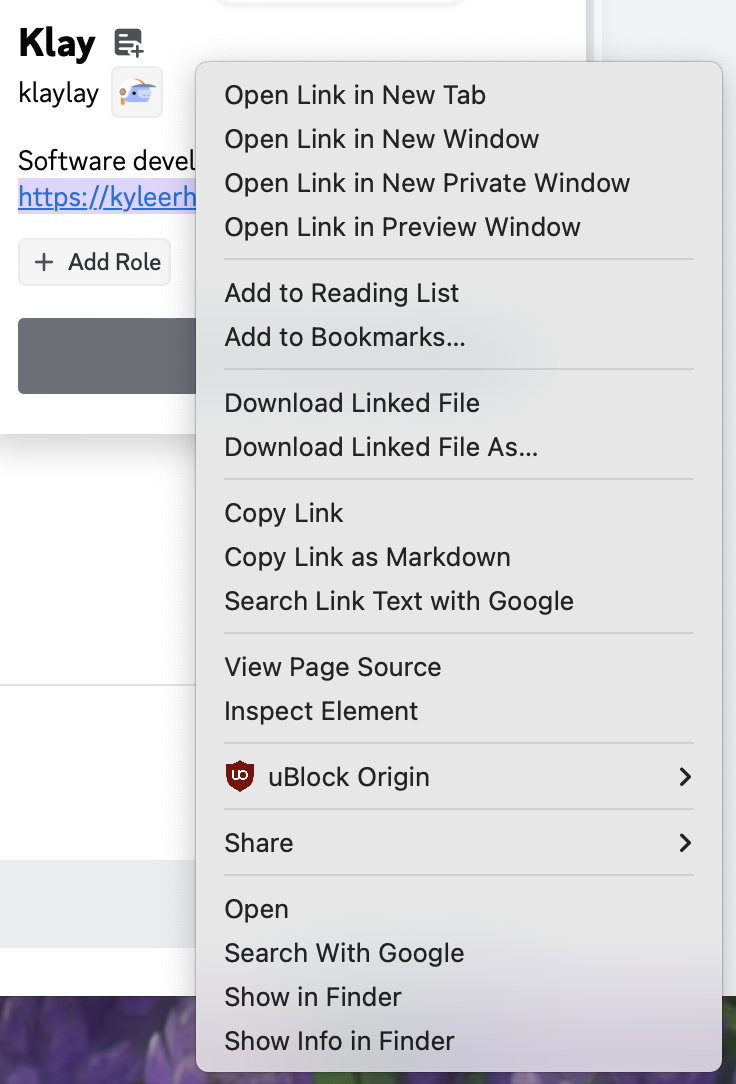
I regularly use Orion's Quick Searches to open websites I commonly visit very quickly. I find it to be a very useful tool, but one only invokable via the address bar with an assigned keyword (say, !yt for YouTube). I'm proposing quick searches be made available via a menu (most likely contextual) so users can invoke it on selected text. The goal in this is to eliminate the step of transferring text on a web page to the address bar and formatting it to activate quick search.
When a user activates the contextual menu (i.e. via right click or Control-Click), a menu item for searching the selected text via a quick search would appear. This menu item would itself be a menu leading to menu items for each registered quick search.
For a quick search to be available via the menu, it would need a %s to substitute with the selected text. In my opinion, a quick search should be configured by the user to appear in the menu (say, via a toggle), rather than letting Orion infer it (a person may only want a subset to appear, or completely disable it).
I think the best location for the menu would be in its own section above "View Page Source". This would be below "Search Link Text with ..." or the lowest common denominator relating to search. Take the two screenshots listed at the end of this post where one selects plain text while the other selects text in a URL. To illustrate its exact structure, it could appear as the following:
...
- - -
Quick Search -> [icon] YouTube
[icon] Wikipedia
...
- - -
View Page Source
Inspect Element
- - -
...
The main issue I see with this design is it would need to perform a network request for the icon. The name, however, could be borrowed from the bookmark's title.