Summary
Add the ability to set a custom icon for a tab, to overwrite the current page’s favicon.
Motivation
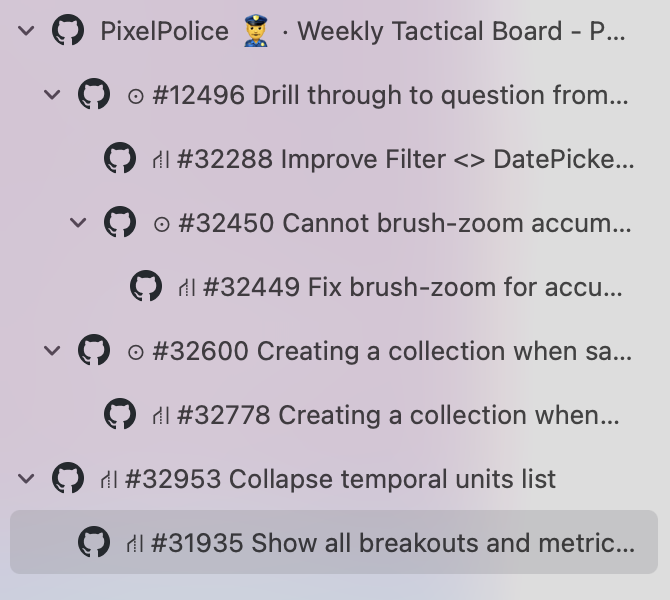
Sometimes giant web apps will use the same favicon for every page, making it difficult to scan and organize tabs within the web app. This isn’t really an issue with other browsers, but Orion allows nested tabs 🙌, which encourages me to keep many them open and organized in a tree, but the default favicons were not designed to help signify the page inside a tree (and the company brand is not useful). See example below.
Example
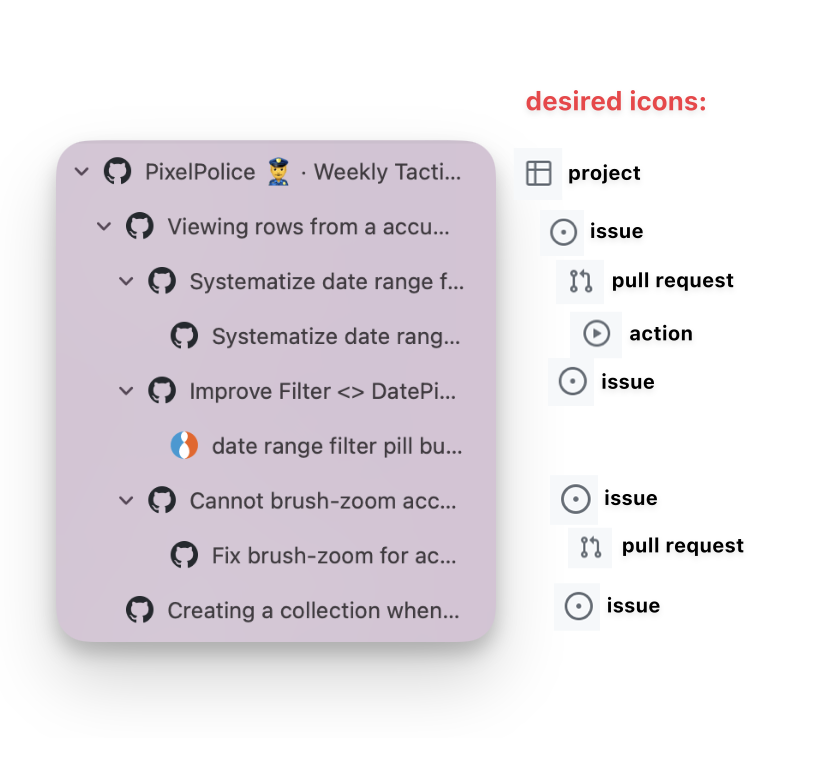
At my job, we use a GitHub project board to track issues. So I open a nested tab for each issue that I’m working on. And for each issue I have a nested tab for each related Pull Request. Nesting them helps me track everything, but the icons are always mismatched to their function and it makes me stumble when going through.
Here’s a screenshot of my tabs in GitHub with icons I would use to help me navigate them more easily:
Proposal
Since favicons can’t be changed dynamically in JS, this can’t be done as a plugin. If you’d like to take this on, I see two approaches, manual or automatic:
- Automatically setting an icon based on a list of URL-regex/icon pairs.
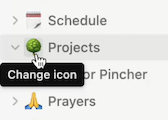
- Or manually setting an icon for each tab, as in Notion:
Thank you. Nested tabs are really great. I hope you will consider icon customization if this is inline with your vision for organizing them.