Brief Summary
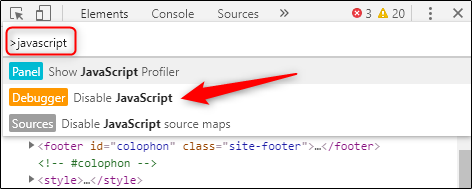
Adding the Same/Similiar features as Chrome’s developer tools as a Pop-up for iPhone Orion App Websites.
Details:
A user would open the Orion Settings and tap “Developer Tools”, then a small Pop-up they readjust to their needs on the left/right side of the screen would have tabs such as “Elements”, “Console”, and “Network”. The user could click Elements, Select an element from the screen, and then edit/remove it. The User could also go to the Console and run JS Commands or edit settings such as manually turning off JavaScript [Please do this b/c Anti-Anti-Adblock isn’t working on here] for different sites. The User could also go to network and see the contents and HTML requests sent to the webpage and be able to download those files and inspect them for personal use.
Image/Video: