Steps to reproduce:
- Open System Settings on macOS 26 Tahoe.
- Navigate to Appearance.
- Under the "Icon and widget style" (Оформление значков и виджетов) section, select the "Clear" (Прозрачное) option.
- Look at the Orion browser icon in the Dock
The Orion app icon does not become transparent while it's active. It remains solid and retains its default opaque background style, which breaks the uniform look of the Liquid Glass interface in the Dock.
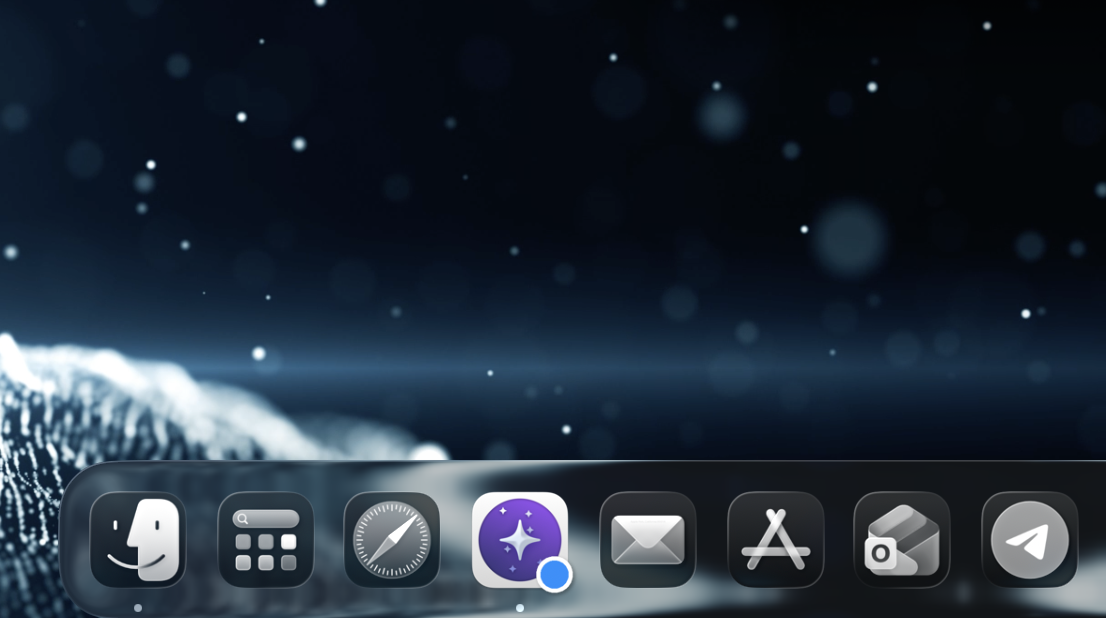
The Orion app icon should adapt to the OS setting, remove its default background shape, and become a transparent/glassy tinted icon like the standard macOS apps.
1.1.3 (152)
Tahoe (26)
