What happened?
The Bitwarden browser extension fails to initialize upon startup or authentication attempt. The developer console throws an uncaught exception: TypeError: Symbol.dispose is not defined. The exception is also displayed as seen in the picture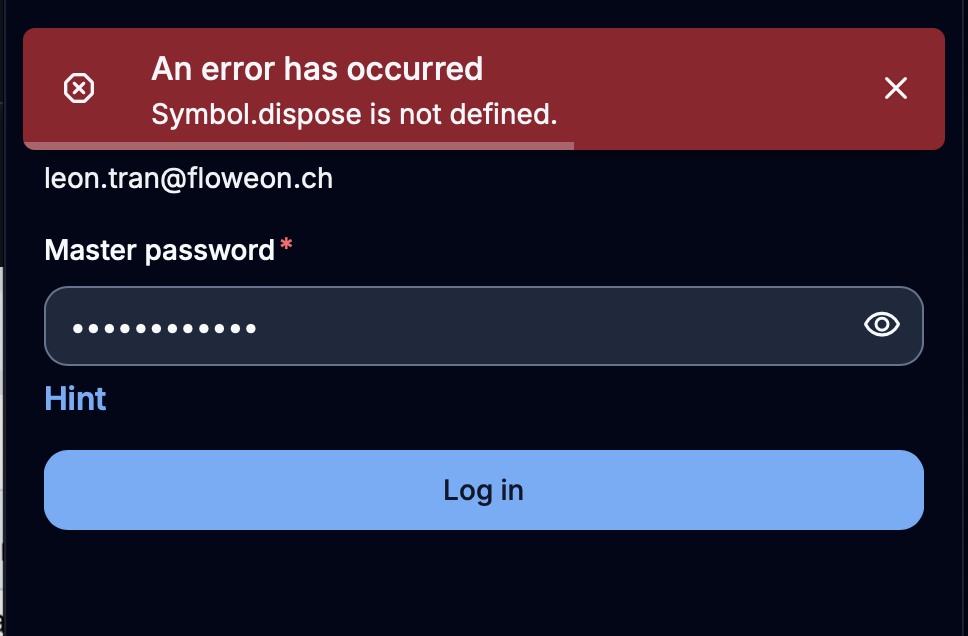
How did it happen?
In recent client refactors (specifically around architectural dependency updates and internal SDK adjustments), Bitwarden adopted the modern ECMAScript Explicit Resource Management API (Symbol.dispose). However, this feature was deployed globally within the shared codebase without a proper runtime environment check or polyfill fallback for non-Chromium/non-Gecko JavaScript environments.
Steps to reproduce (from a clean Orion profile):
- Launch Orion Browser.
- Create and switch to a new, clean profile via Orion -> Profiles -> Manage Profiles to isolate the environment.
- Navigate to either the Chrome Web Store or Firefox Add-ons store and install the Bitwarden extension.
- Click on the Bitwarden extension icon in the toolbar or attempt to access a self-hosted server vault.
- Result: The extension panel displays an error. Checking the extension's background inspect console also reveals the TypeError: Symbol.dispose is not defined error stack.
Does it happen in Safari?
Yes, conditionally. This is inherently a WebKit/JavaScriptCore infrastructure bug. Apple's WebKit engine lagging behind Google's V8 or Mozilla's SpiderMonkey engines on full Symbol.dispose native scope integration causes this error to manifest on any WebKit-powered shell (such as Safari or Orion) if the host OS/Safari version lacks the specific engine update.
The extension should detect the absence of the native global Symbol resource management primitives at runtime and gracefully implement a polyfill fallback, allowing the vault interface to load, authenticate, and safely execute sync commands against self-hosted Bitwarden instances without an engine-level crash.
Version 1.1.3 (152), WebKit 625.1.8
Tahoe (26)
27
