When opening a new tab and subsequently closing it on an iPad browser, the viewport and UI layout suffer from rendering and positioning defects. Instead of returning to the standard layout, the browser exhibits one of two layout bugs affecting the top and bottom screen boundaries.
Environment
Device: iPad
Action Trigger: Opening a new tab and then closing it.
Steps to Reproduce
- Open the browser on an iPad.
- Open a new tab.
- Close the newly opened tab, returning to the active single-tab view.
- Observe the resulting UI distortion at the top or bottom of the screen.
Observed Behavior
Issue 1 (Bottom Shift & Top Clipping): The bottom gray space normally reserved for the iPad home indicator shifts upward into the view, causing the content at the top of the web page to become clipped.
Issue 2 (Persisting Address Bar Space): The gray spacing background intended for the address tab or multiple-tab bar remains visible at the top of the screen even though only a single tab is active.
Expected Behavior
After closing a tab, the browser viewport should properly reset to standard dimensions.
The iPad home indicator area should remain at the bottom without shifting page contents.
The address bar/tab spacing should dynamically collapse when only a single tab is active, leaving no residual gray space at the top.
image 1: 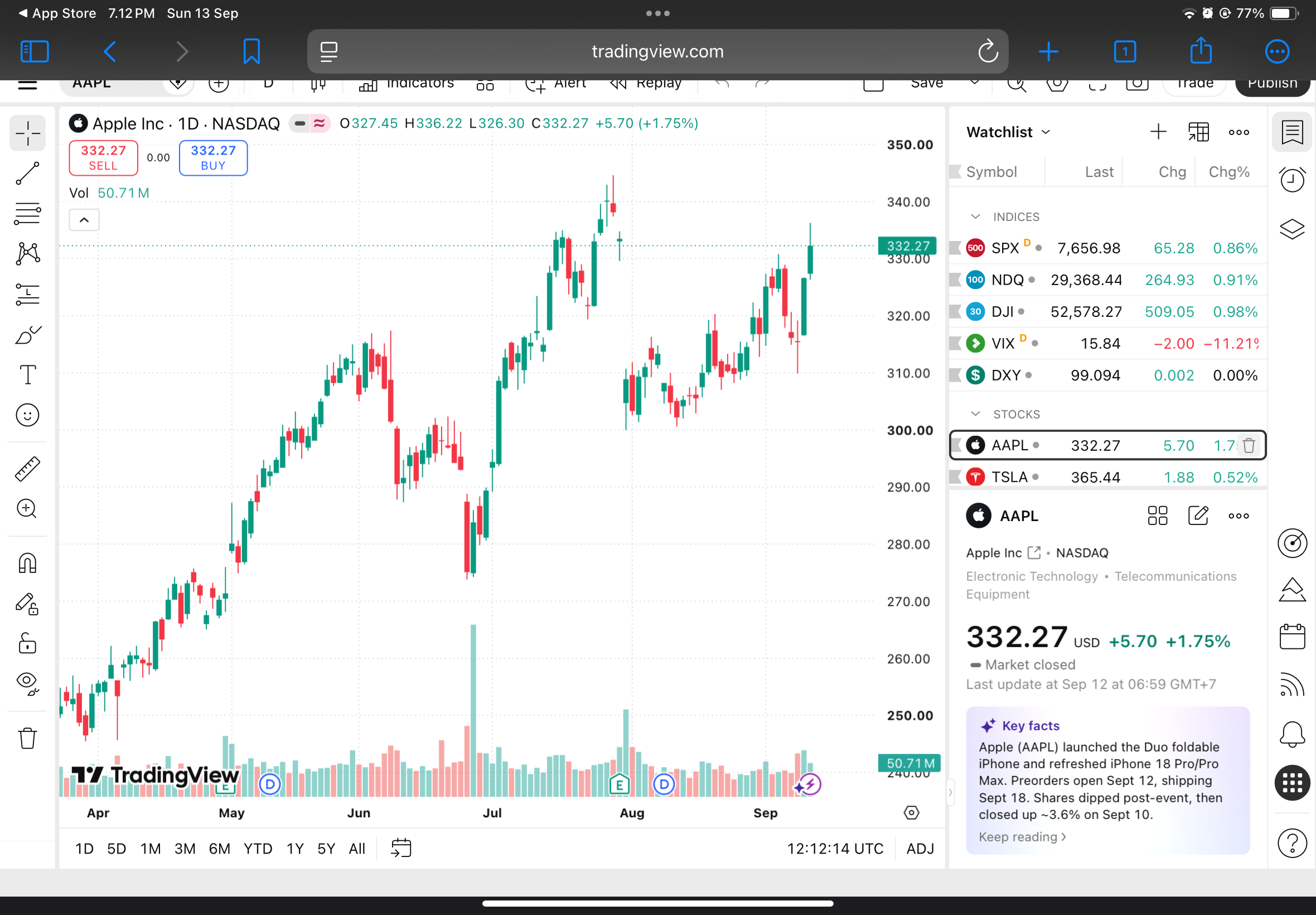
image 2: 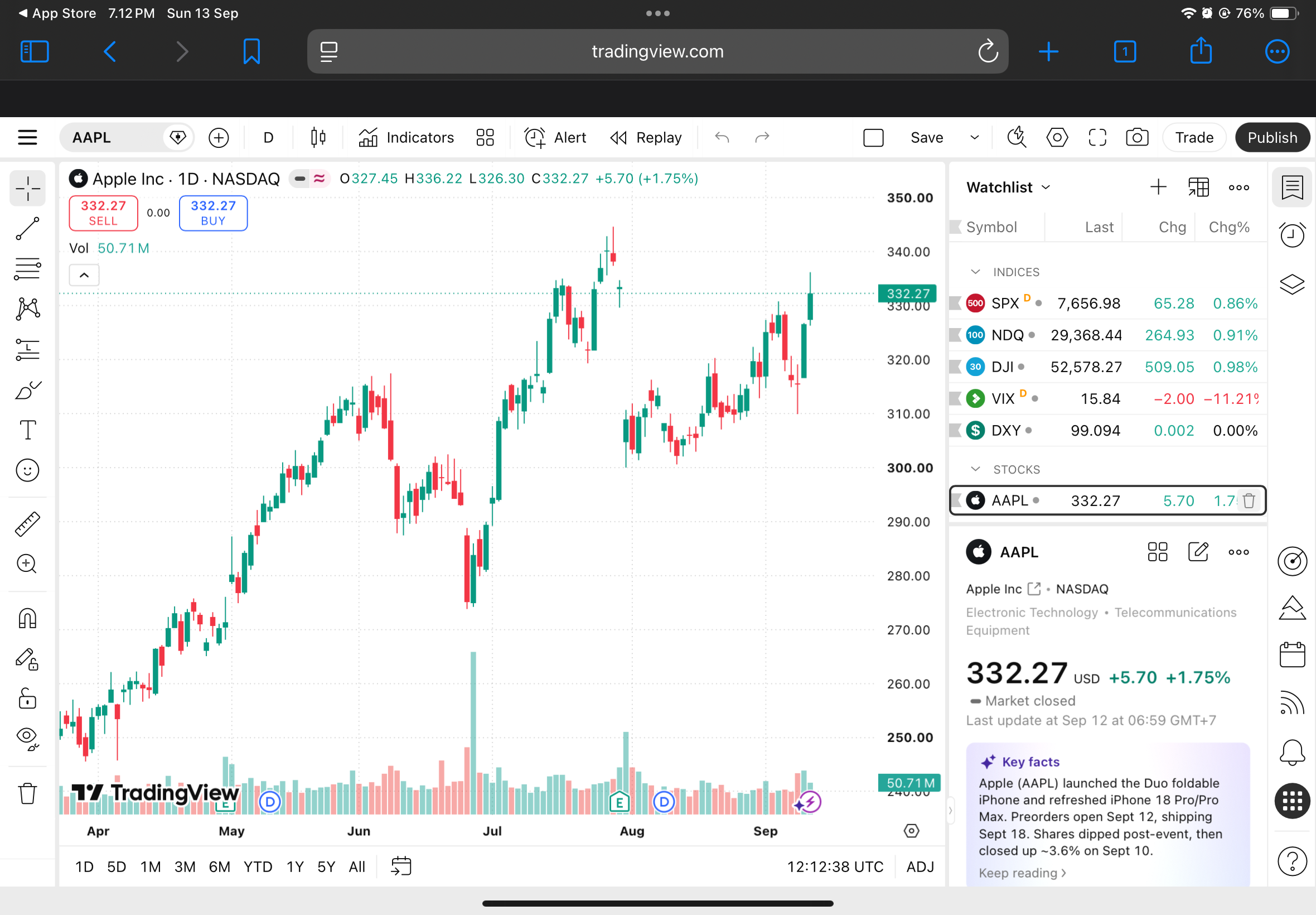
all happen to another website. not just tradingview. all tested on safari and on safari its normal. problem only on orion
fox ot properly so its dont eat the website display and maximize the web display
1.5.2 (4) (WebKit 8621.1.15.10.7)
18

