The button for the menu in the URL bar becomes invisible on websites without Favicons on the new UI. I see that the Favicon has become the show menu button but was confused at first when I tested the new Orion with several websites I use. I figured out the menu is still there but hidden and then realized that is where the Favicon appears for other websites.
Below are some screenshots from two websites:
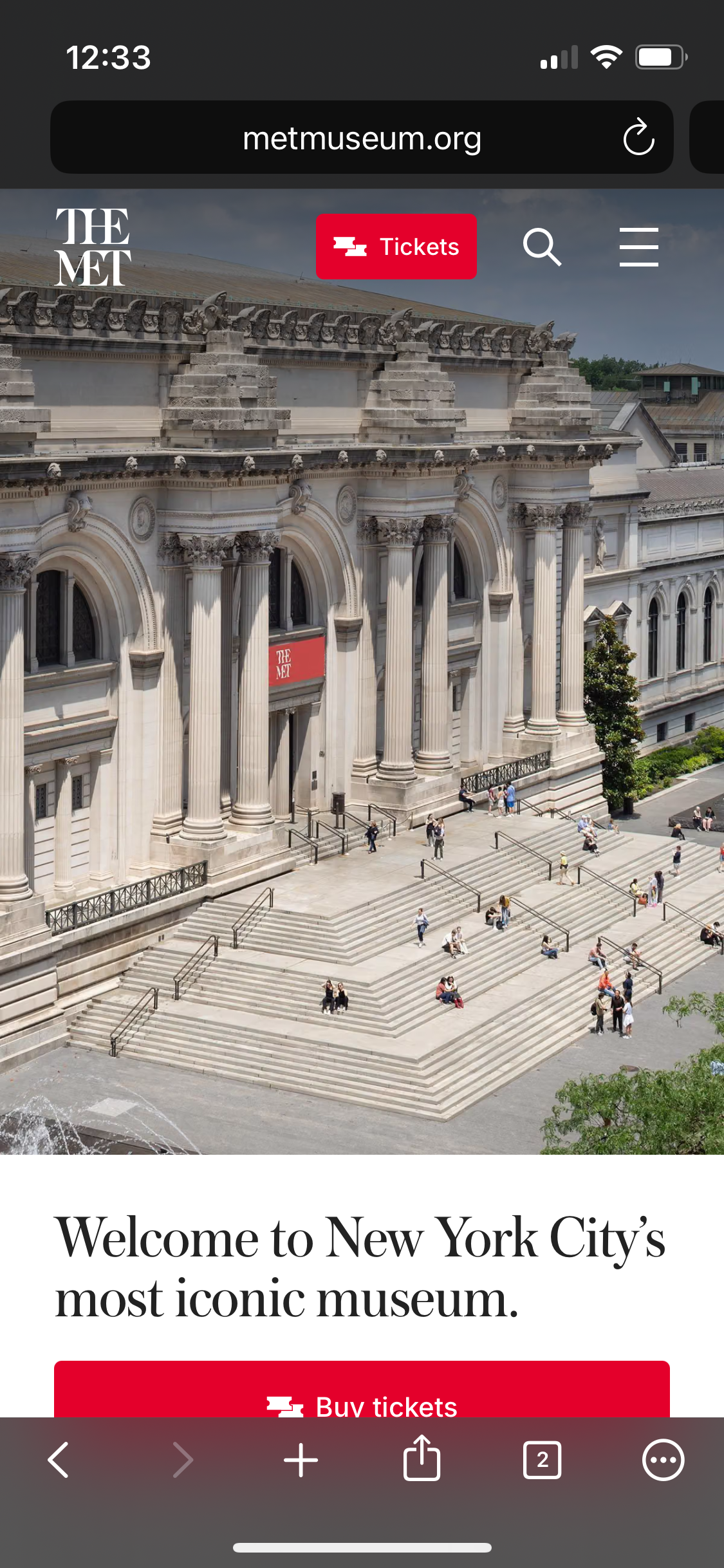
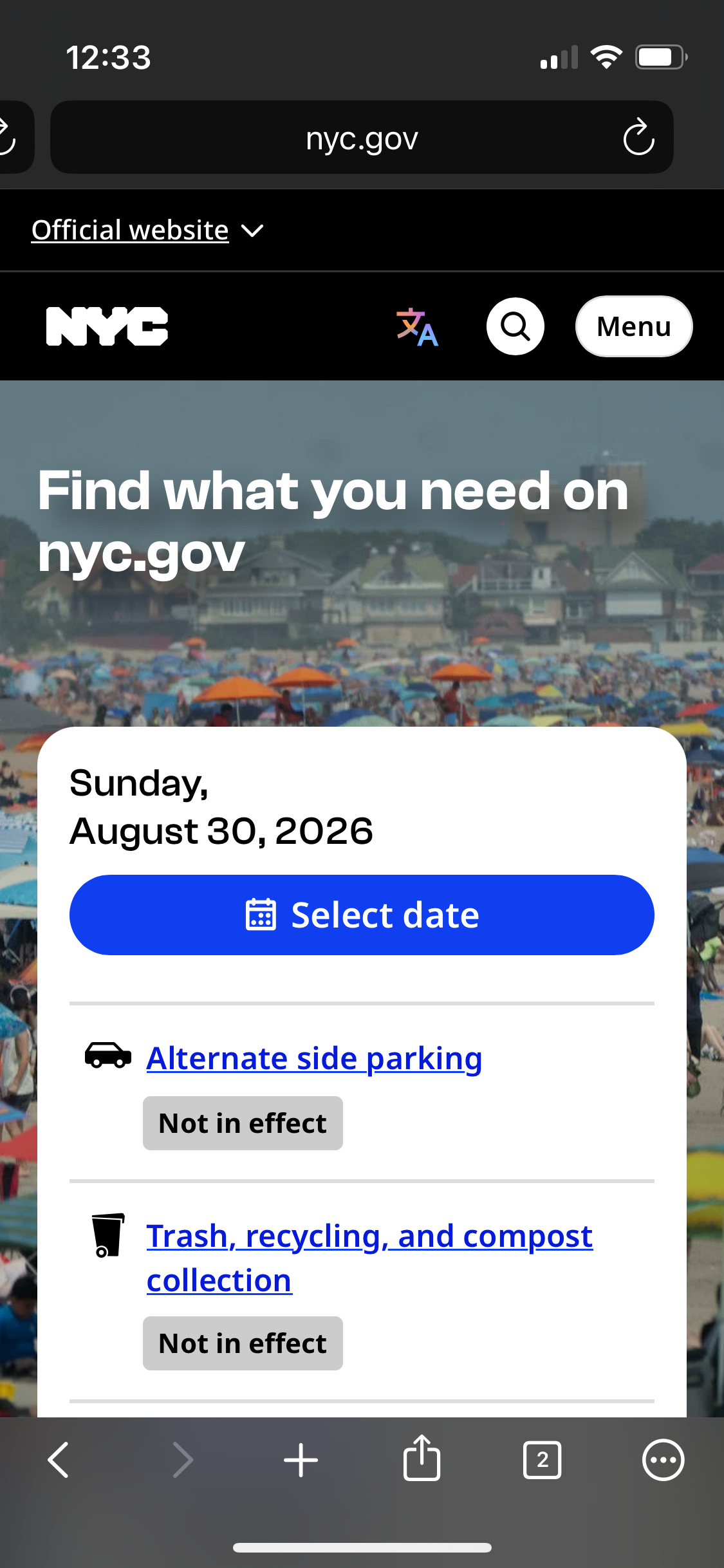
Also, another error that was there before but didn't report: notice how the refresh button is partially offscreen on the 2nd one (and there is a start of a text box on the first). This doesn't happen when I have one tab open in Orion but starts appearing with the second. Note that this is on a Mini iPhone and guessing this doesn't happen on full-sized iPhones.
What I would suggest on the 1st issue is showing the old generic menu icon for sites that don't offer a Favicon. Additional examples where this happens include www.wsj.com and www.nytimes.com.
On the layout issues on smaller iPhone screens, I am sure previewing in one of the iPhone Mini models in Xcode iOS Simulator would make the needed changes clear. Generally Orion should look like it does on the full sized phones but of course with less available screen real estate (but more than say an iPhone 8 or SE1 that were presumably supported previously under older iOS).
1.5.2 (4)
18
