Every time I activate my desktop from sleep (from having closed the lid or manually put it to sleep), the 1Password extension both doesn't work as expected and requires the main password to unlock TouchID.
Steps to reproduce:
- Ensure 1Password extension in Orion is logged into and working, and autofill works on a login form for a page
- Put the desktop to sleep
- Start the desktop from a sleep state
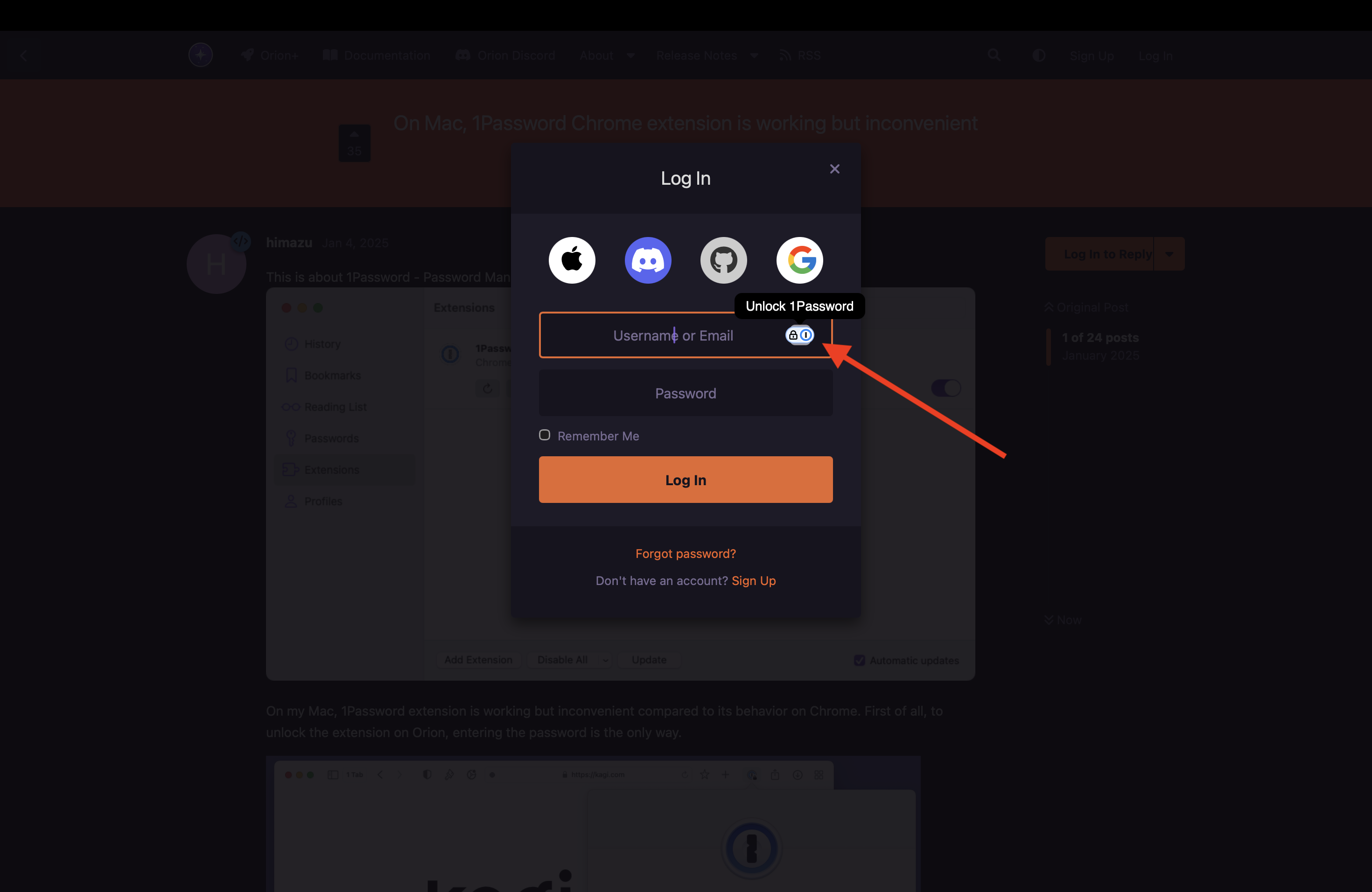
- View this page in Orion with a login form and see that the autofill ("unlock 1password" button) does not work when clicked (doesn't even activate to indicate the need for login)
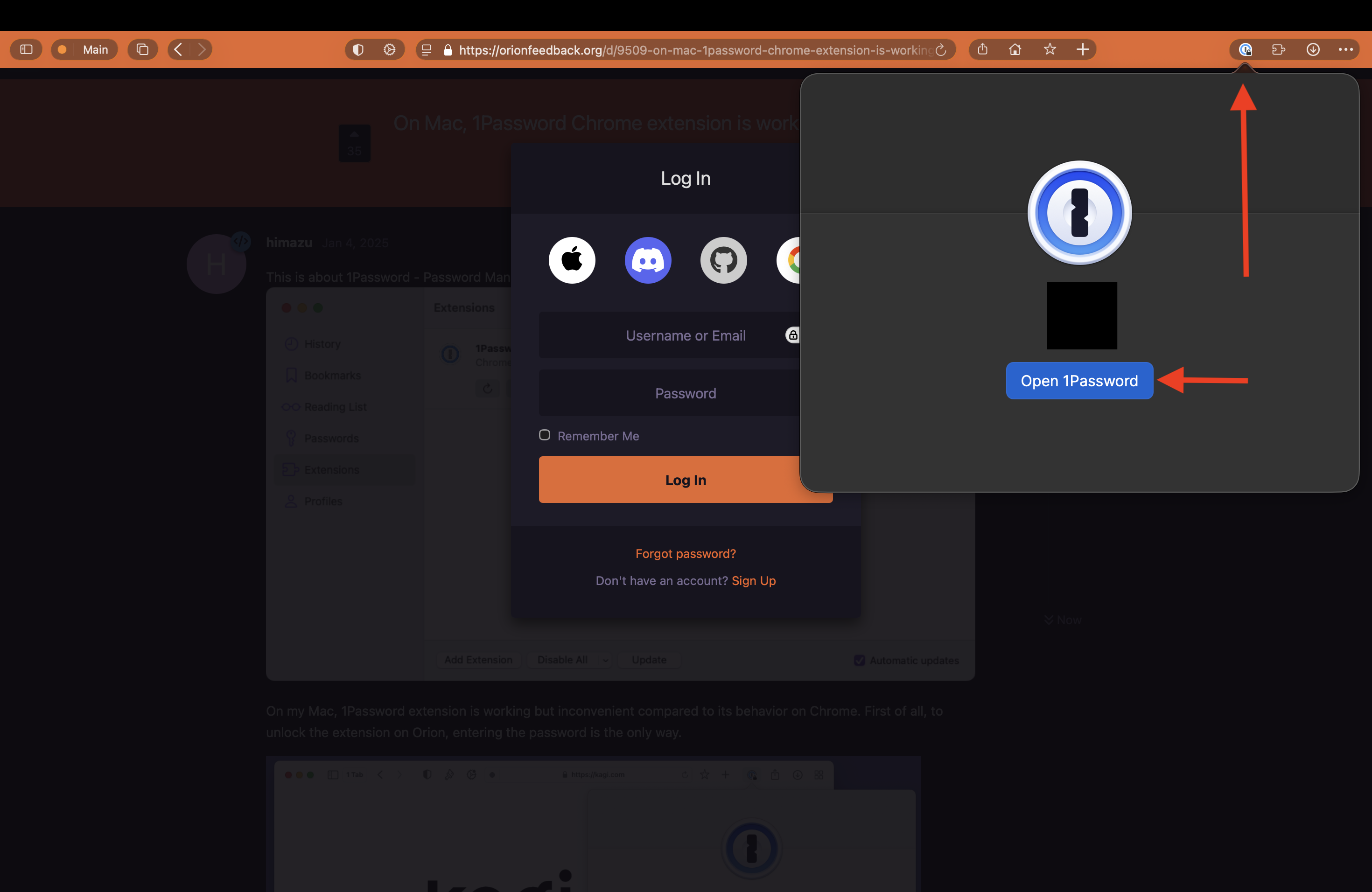
- Open the 1Password extension in the status bar and either (I can't find a consistent reproduction of what results in which case):
a. click "Open 1Password", it does nothing
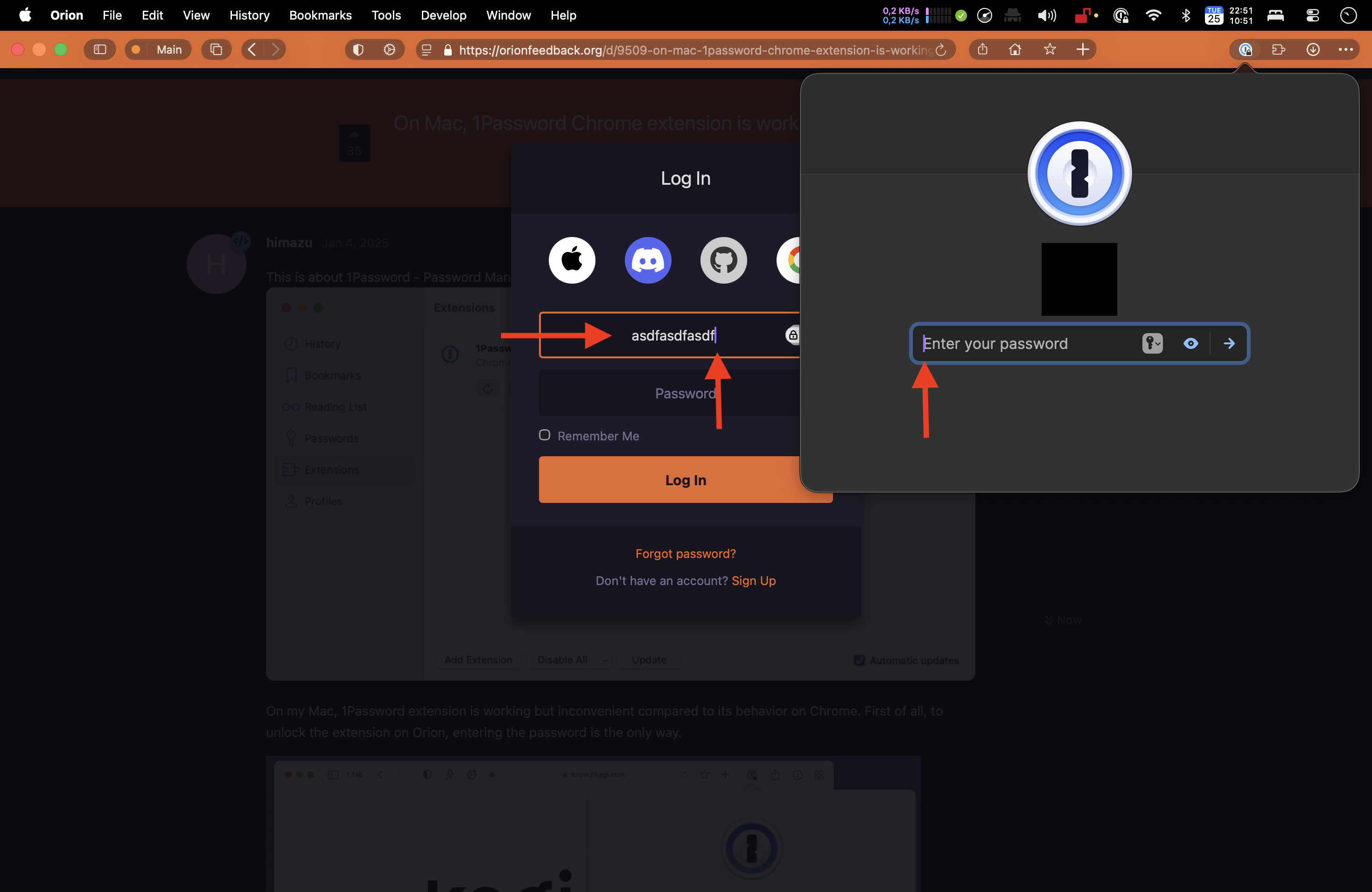
b. the "Enter your password" input is available, and is selected (the cursor is blinking in it) but the focus is still on the original input form (not the 1Password extension input form, the form of the page) so it looks like both are focused, but typing your password types into the email input of the page's input form.
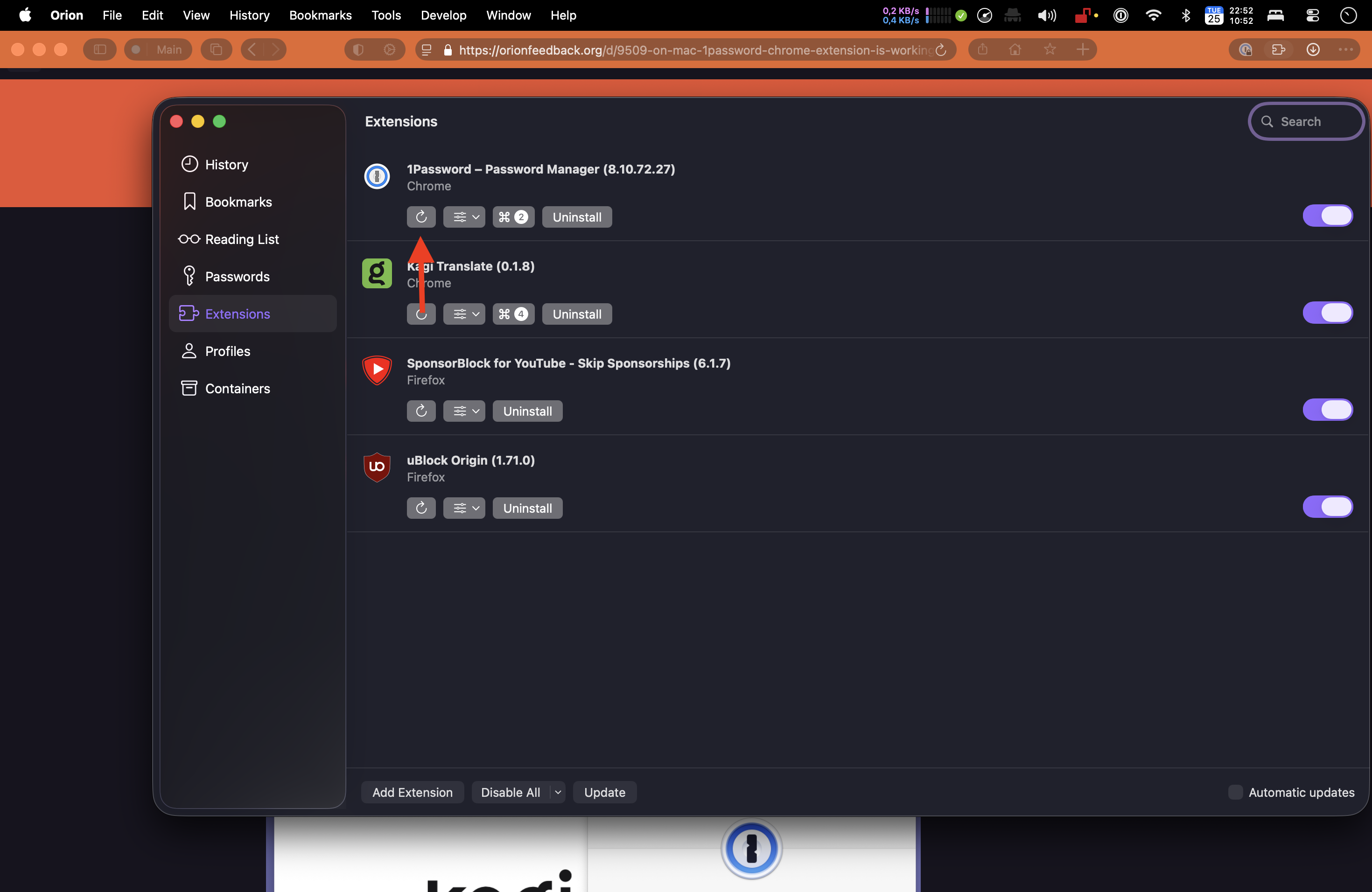
- Open the Extensions in Orion and reload 1Password - the extension is now logged in and everything works as expected
Versions:
- Version 1.1.2 (151), WebKit 625.1.8, Build date August 18, 2026
- MacBook Air (macOS Tahoe 26.5.2 build 25F84)
- 1Password Chrome Extension v8.10.72.27
Expected behavior:
- Ensure 1Password extension in Orion is logged into and working, and autofill works on a login form for a page
- Put the desktop to sleep
- Start the desktop from a sleep state
- View this page in Orion with a login form and see that the autofill ("unlock 1password" button) works when clicked
Version 1.1.2 (151), WebKit 625.1.8
Tahoe (26)
