Download progress indicator in top-right toolbar causes action buttons to stretch (iPad)
Steps to reproduce:
- On Orion for iPad, trigger any file download (not specific to one site)
- Watch the top-right area of the toolbar while the download is in progress
Expected behavior:
The download progress indicator should render in its own contained space without affecting the size or spacing of the other toolbar buttons.
Actual behavior:
When a download starts, the progress indicator appears in the top-right of the toolbar, and this pushes/stretches the neighboring action buttons container (share, downloads icon, etc.) out of their normal compact proportions. The whole top-right button cluster looks misaligned and stretched for the duration of the download.
Environment:
- iPad (iPadOS, VPN active)
- Orion Browser
- Trigger: any file download, not tied to a specific website
This happens on any download, so it’s a toolbar rendering issue rather than a site-specific one.
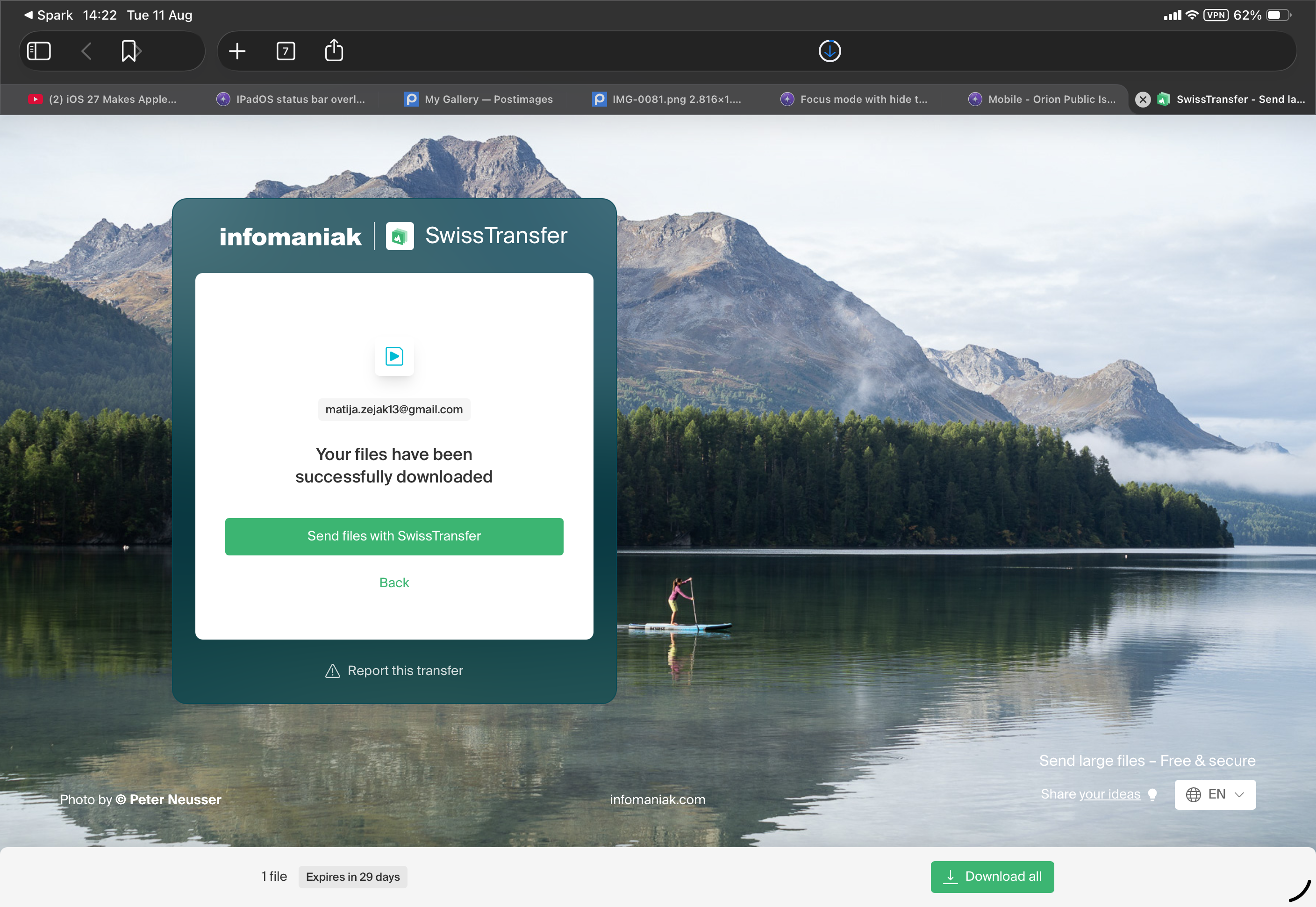
The download progress indicator should render in its own contained space without affecting the size or spacing of the other toolbar buttons.
1.5.1
26
