Steps to reproduce:
- Enable Focus Mode in Orion
- Enable “Hide Toolbar on Scroll”
- Scroll down on any page so the toolbar hides
- Observe the top of the screen
Expected behavior:
With the toolbar hidden, the iPadOS status bar (time, signal, battery, etc.) should either hide along with it, or sit in its own space above the page content.
Actual behavior:
The iPadOS status bar stays fixed on screen and overlaps the page’s own UI elements underneath it. In my case scrolling a YouTube video page, the status bar sits directly on top of the tab strip and video controls, making them partially unreadable/unusable (see screenshot: the status bar clock/icons overlap the tab title text).
Environment:
- iPad (iPadOS, VPN active)
- Orion Browser
- Focus Mode: ON
- Hide Toolbar on Scroll: ON
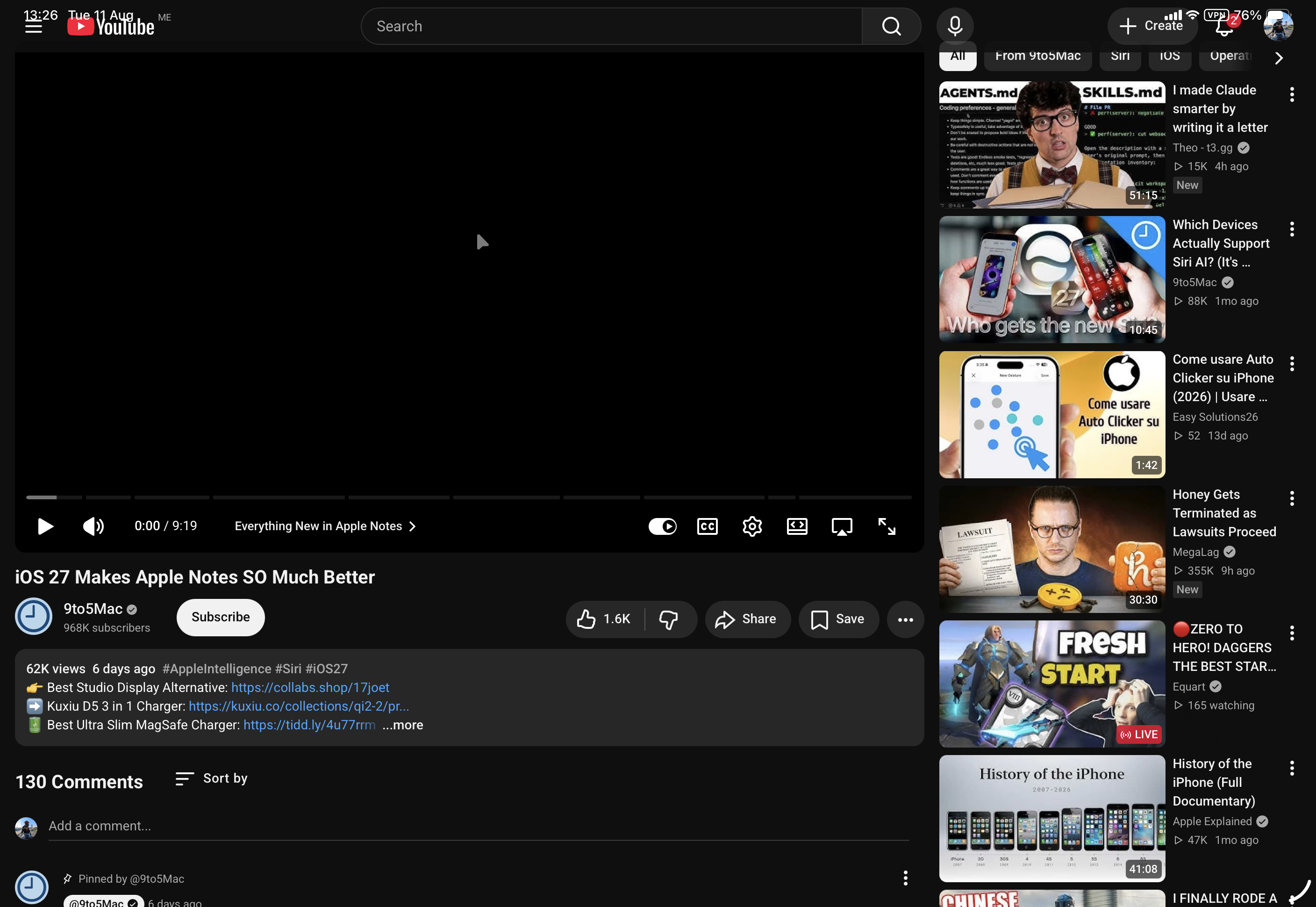
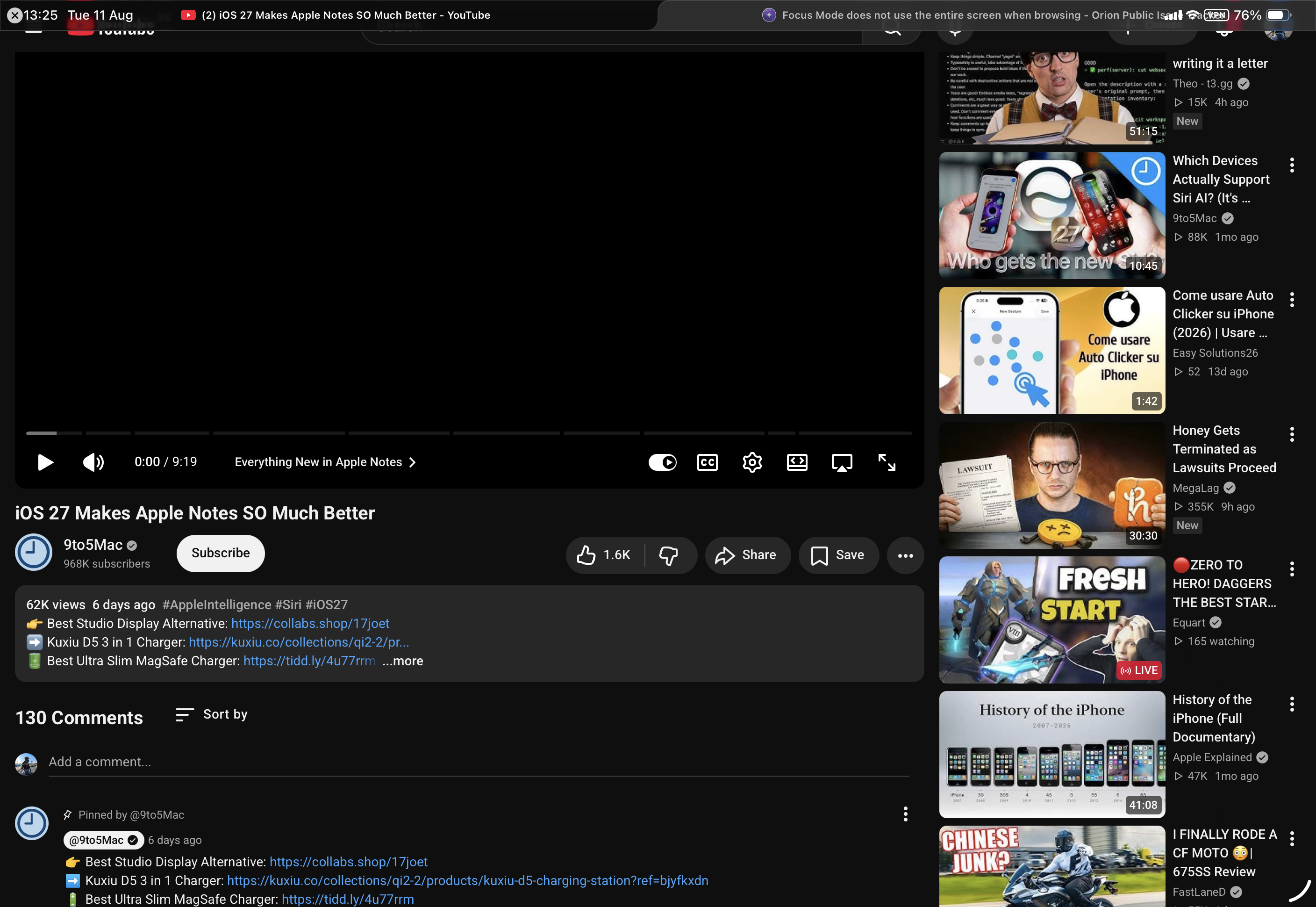
With the toolbar hidden, the iPadOS status bar (time, signal, battery, etc.) should either hide along with it, or sit in its own space above the page content.
1.5.1
26
