I am sharing a successful workaround for academic researchers trying to use Mendeley Web Importer in Orion Browser on an iPad.
Environment
- Device: 13-inch iPad Pro M4
- Operating system: iPadOS 26.6
- Orion version: [insert Orion version from Orion Settings/About]
- Extension: Mendeley Web Importer
- Mendeley Cite is installed and working in Microsoft Word for iPad
Problem with the Chrome extension
The Chrome Web Store version of Mendeley Web Importer installs successfully in Orion and its interface opens. However, selecting “Connect to Mendeley” fails during authentication with the following JavaScript error:
Authentication failed: undefined is not an object (evaluating ‘parameters.length’)
Signing into Mendeley normally, clearing cookies and disabling content blockers did not resolve the Chrome-extension authentication error.
Chrome extension:
https://chromewebstore.google.com/detail/mendeley-web-importer/dagcmkpagjlhakfdhnbomgmjdpkdklff
Working solution
The Firefox Add-ons version of Mendeley Web Importer works successfully in Orion on the same iPad.
Steps:
- Open Orion Settings.
- Under Extensions, enable Firefox extensions.
- Remove or disable the Chrome version of Mendeley Web Importer.
- Open Firefox Add-ons from Orion’s extension manager.
- Install Mendeley Web Importer from:
https://addons.mozilla.org/firefox/addon/mendeley-web-importer/
- Open a PubMed or journal article.
- Launch Mendeley Web Importer.
- Select “Connect to Mendeley.”
- Complete the Elsevier/Mendeley authentication.
- Add the reference to the Mendeley library.
Authentication succeeds with the Firefox extension. The importer detects the article and saves it to the Mendeley cloud library. The new reference then appears in Mendeley Cite in Microsoft Word for iPad after refreshing the library.
The completed workflow is:
Article webpage → Firefox Mendeley Web Importer in Orion → Mendeley cloud library → Mendeley Cite in Word for iPad
Why this is important
Mendeley’s official Safari extension is limited to macOS, while ordinary Chrome and Firefox for iPad cannot install desktop extensions. Many researchers using an iPad as their primary computer therefore assume that direct Mendeley web importing is impossible.
The fact that the Firefox build works in Orion provides a practical desktop-like academic workflow on iPadOS. It avoids manually copying every DOI into Mendeley and allows the imported references to be inserted as active citations using Mendeley Cite in Word for iPad.
It may be useful for Orion to:
- Document the Firefox version as the currently working Mendeley option on iPadOS.
- Investigate why the Chrome build receives an undefined authentication-parameter object.
- Add Mendeley Web Importer for Firefox to Orion’s list of known-working academic extensions.
I have attached a screenshot showing the authentication error produced by the Chrome extension.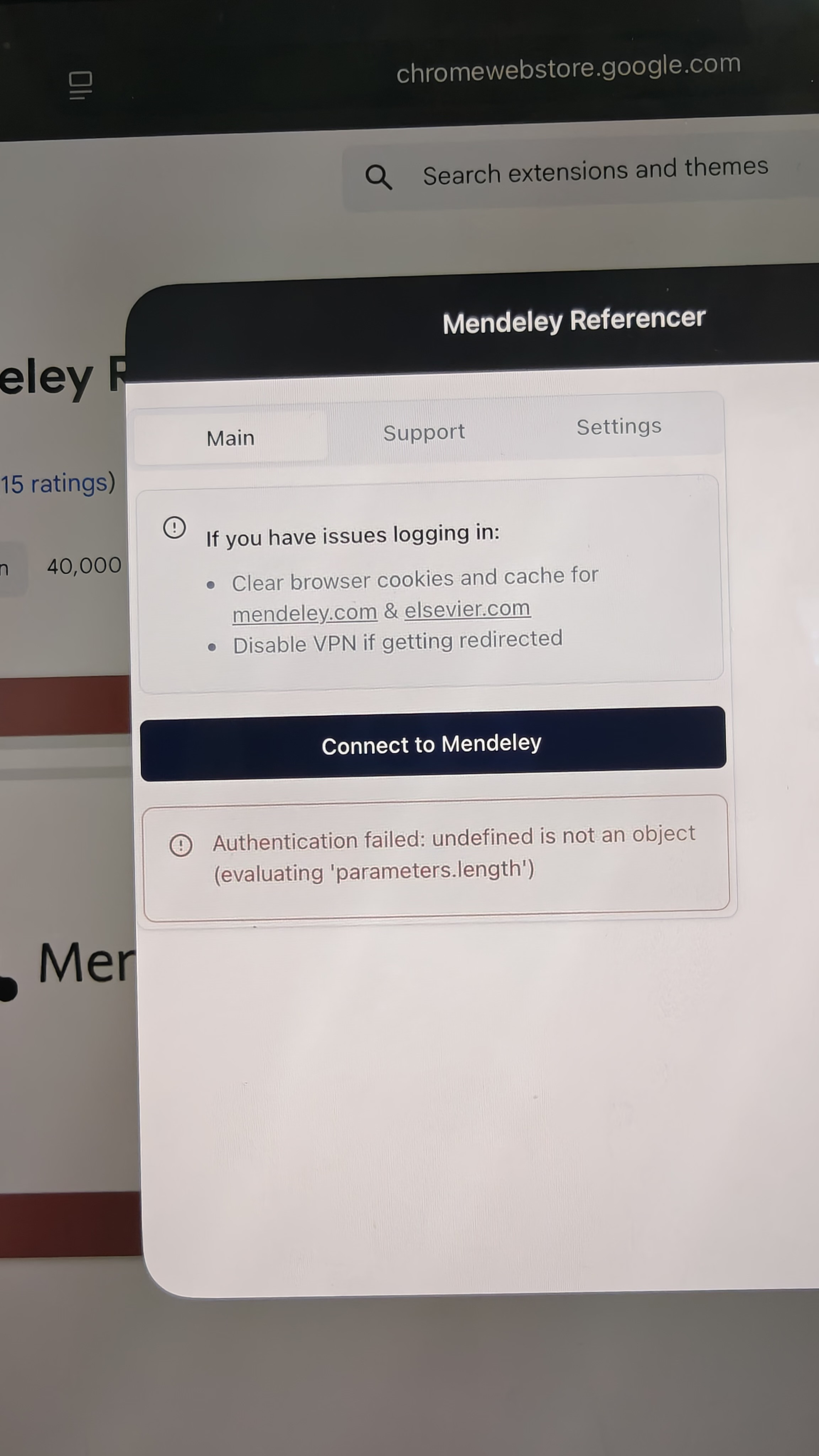
as above
iPad
26
