Right now, in compact mode, the new tab button is after the last tab, which means the button location depends on the number of tabs. This makes it hard to have a "muscle memory" where you subconciously know where the new tab button will be.
With a keyboard, I can of course Cmd+T to make a new tab, but when I'm doom scrolling with a mouse, I want to be able to quickly make a new tab without having to engage my keyboard or look for where the new tab button is, exactly.
However, I recognise that if we just make the new tab button part of the right button group (like Safari, see below), it will affect users who are already used to the new tab button being where it has been so far. Hence I'm suggesting to make the new tab button part of this panel
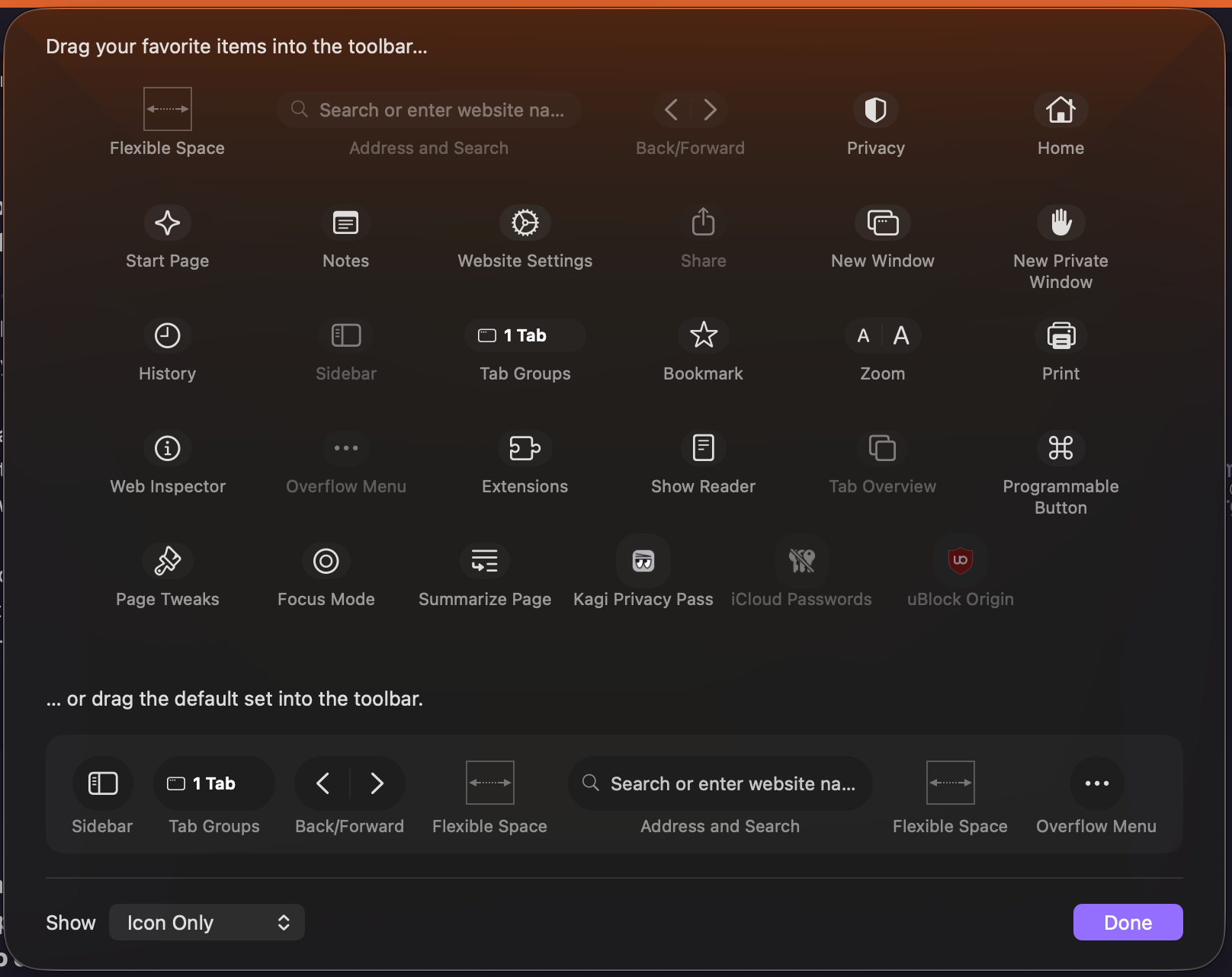
so that although there is no change by default compared to the current UI, I can customise my toolbar and move the new tab button to the right button group (or somewhere stable that I can get used to).
Safari's new tab button is always in the same place in both compact mode and standard mode.

I am so used to the new tab button being there that to create a new tab with a mouse, I always know where the button is without conciously looking for it.
