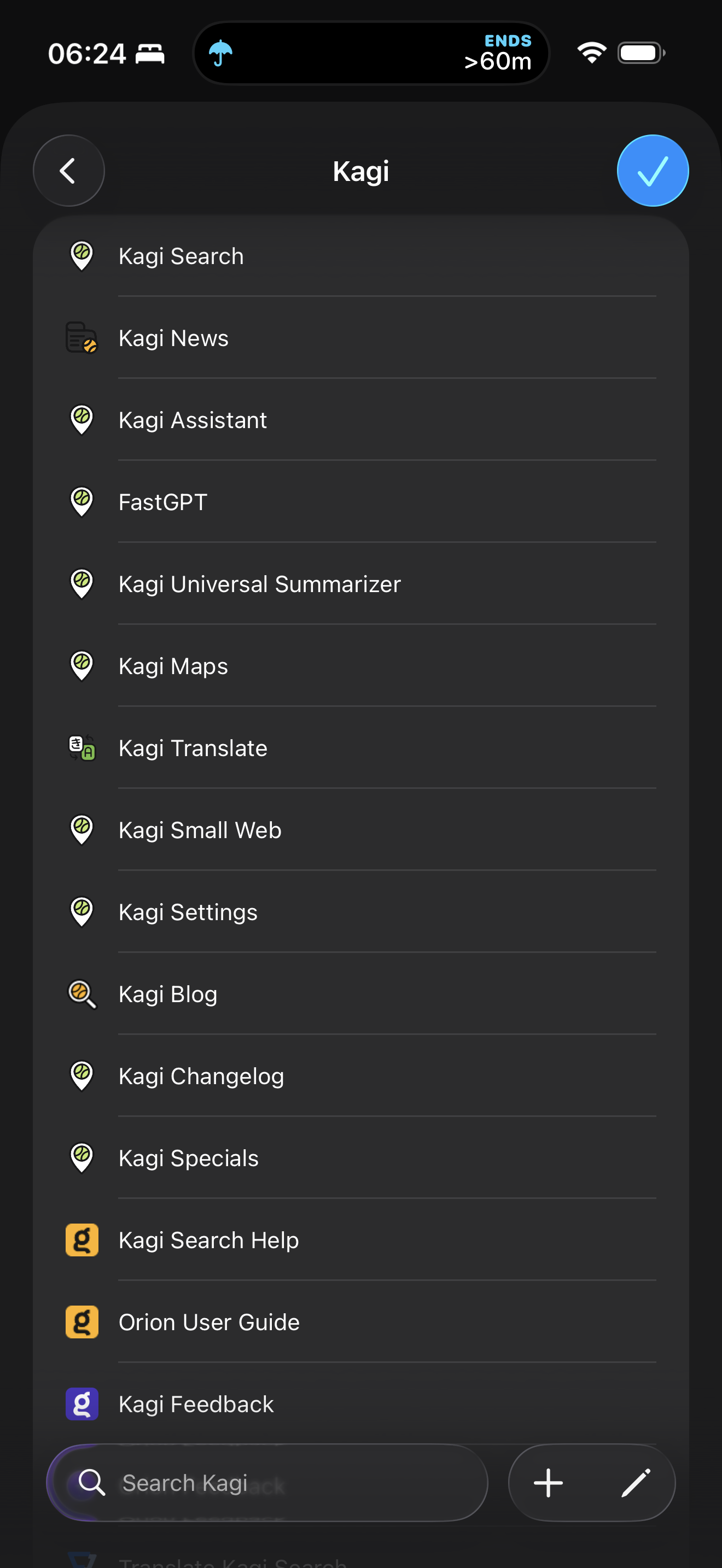
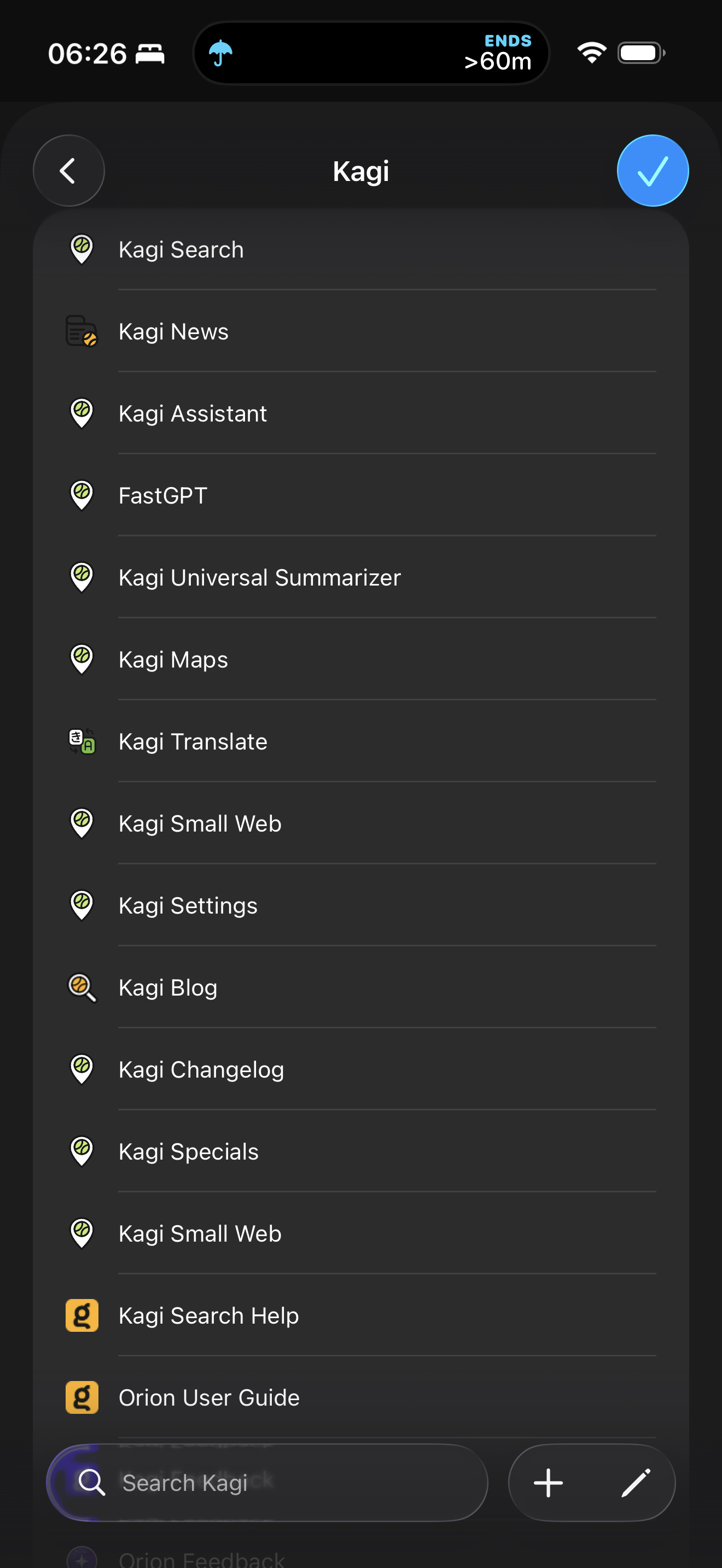
I just installed Orion and added a bunch of bookmarks for Kagi websites into a Kagi folder inside the Favorites folder. When I tap on the Bookmarks toolbar button, the bookmarks have the wrong icon/favicon.
If I open a new tab and open the same folder from the Favorites new tab section, the icons are correct - up until I add a new bookmark with yet another icon.
Anything on the same hostname shares the same icon, e.g. Kagi Search, Kagi Maps, Kagi Assistant, and so on. Kagi News is OK as it has its own domain.
At the moment, they all use the Kagi Maps icon, but if I visit Kagi Small Web, they’ll likely change to that.
The problem temporarily gets fixed if I clear the cache, but comes back once I start visiting the bookmarked websites.
I assume this will be a problem for any bookmark that has the same hostname but a different URL and favicon.
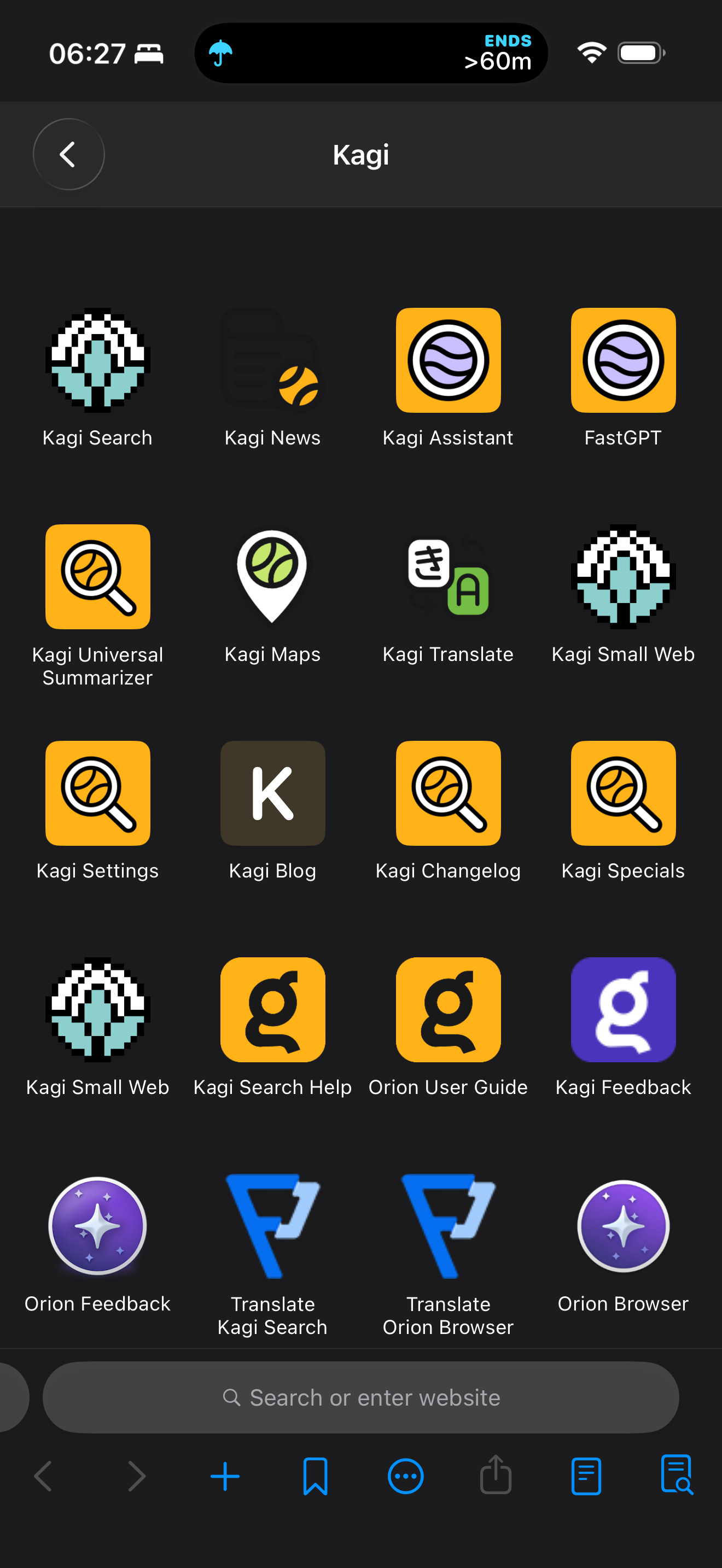
The bookmarks menu shows the correct icon for each bookmark, as shown in the tab when visiting the bookmarked website.
1.4.13 (8) (WebKit 8624.1.16.10.6)
26
