When viewing favourites in the blank new tab page, sites often load favicons incorrectly, misformatted/misaligned, or not at all. This can be irritating to deal with, especially on such a commonly viewed and interacted with page, with the issue also applying to the address bar view.
I understand the issue of some sites behaving strangely with redirects, which may not have correct favicons to pull from, however a simple option to allow uploaded favicons would be a simple way to alleviate the issue, if so desired.
As you can see below, a some favourites are correctly rendered (Instagram, Wikipedia) whereas Netflix is clipped, and the Timetabling site is completely missing.
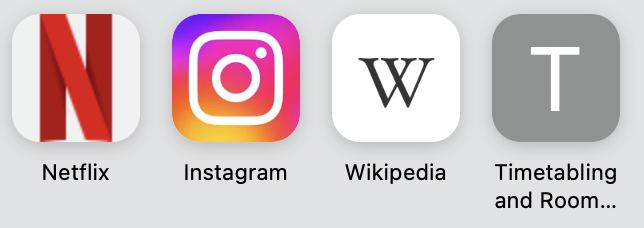
I propose adding a simple drop down selector in the edit menu to allow for icon changes to alleviate the issues in this interaction.
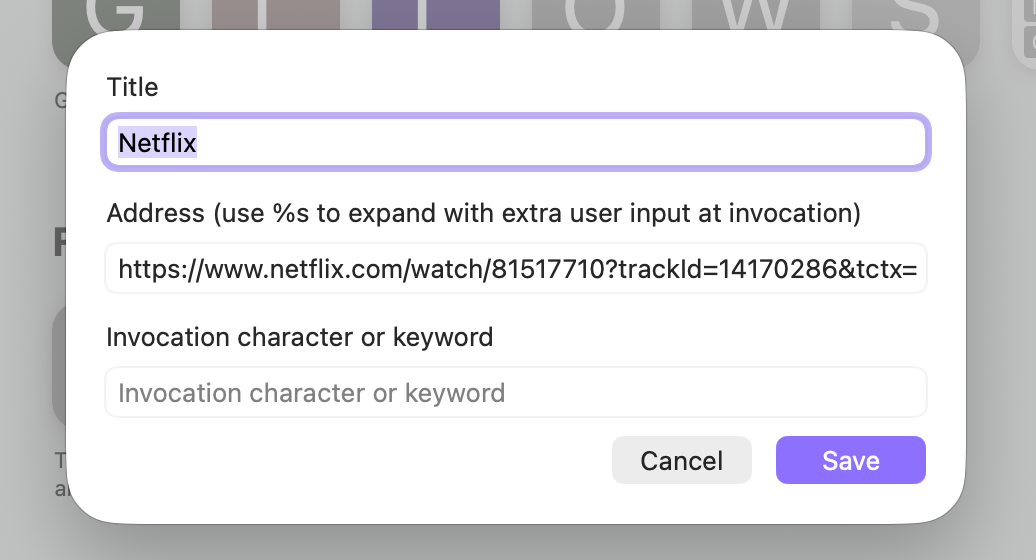
- Favourites are added from websites, some missing favicons or using incorrectly formatted favicons
- Favourites can be viewed from new tab/address bar view
- User can simply enter the existing 'edit menu' via secondary click
- User is able to select the icon and 'edit' it, allowing simple image uploads. This could additionally allow for cropping and rotating, but may be out of scope for this feature
- Once selected, the user selects Save and the icons are appropriately updated.
- New icon is now visible in favourites views. Could potentially also affect favicon view when browsing the URL.
