The Apple Developer (developer.apple.com) and App Store Connect (appstoreconnect.apple.com) websites fail to render correctly and prevent login on Orion. Even with Compatibility Mode enabled and User Agent set to Safari, the UI elements (login fields, buttons) are missing or non-functional. Safari works perfectly under the same conditions.
Steps to reproduce:
Open Orion Browser.
Maps to https://appstoreconnect.apple.com or https://developer.apple.com.
Observe that the UI is incomplete (missing buttons, broken layout).
Attempt to enter credentials and log in (the process hangs or does not respond).
Expected behavior:
The websites should render fully and allow successful authentication, similar to Safari.
Actual behavior:
The UI is broken, and the login process is stuck. Interestingly, the Web Inspector Console remains empty even though resources are clearly failing to load or render.
Orion, OS version; hardware:
Orion version: [Điền phiên bản Orion của bạn, ví dụ: 0.99.127.2-beta]
macOS version: [Điền phiên bản macOS của bạn, ví dụ: macOS 16.3]
Hardware: [Ví dụ: MacBook Pro M3]
Troubleshooting already tried:
Enabled Compatibility Mode (ON).
Disabled Intelligent Tracking Prevention (ITP).
Changed User Agent to Safari (macOS).
Tested with a clean/new profile (still failing).
Cleared all Apple-related cookies and website data.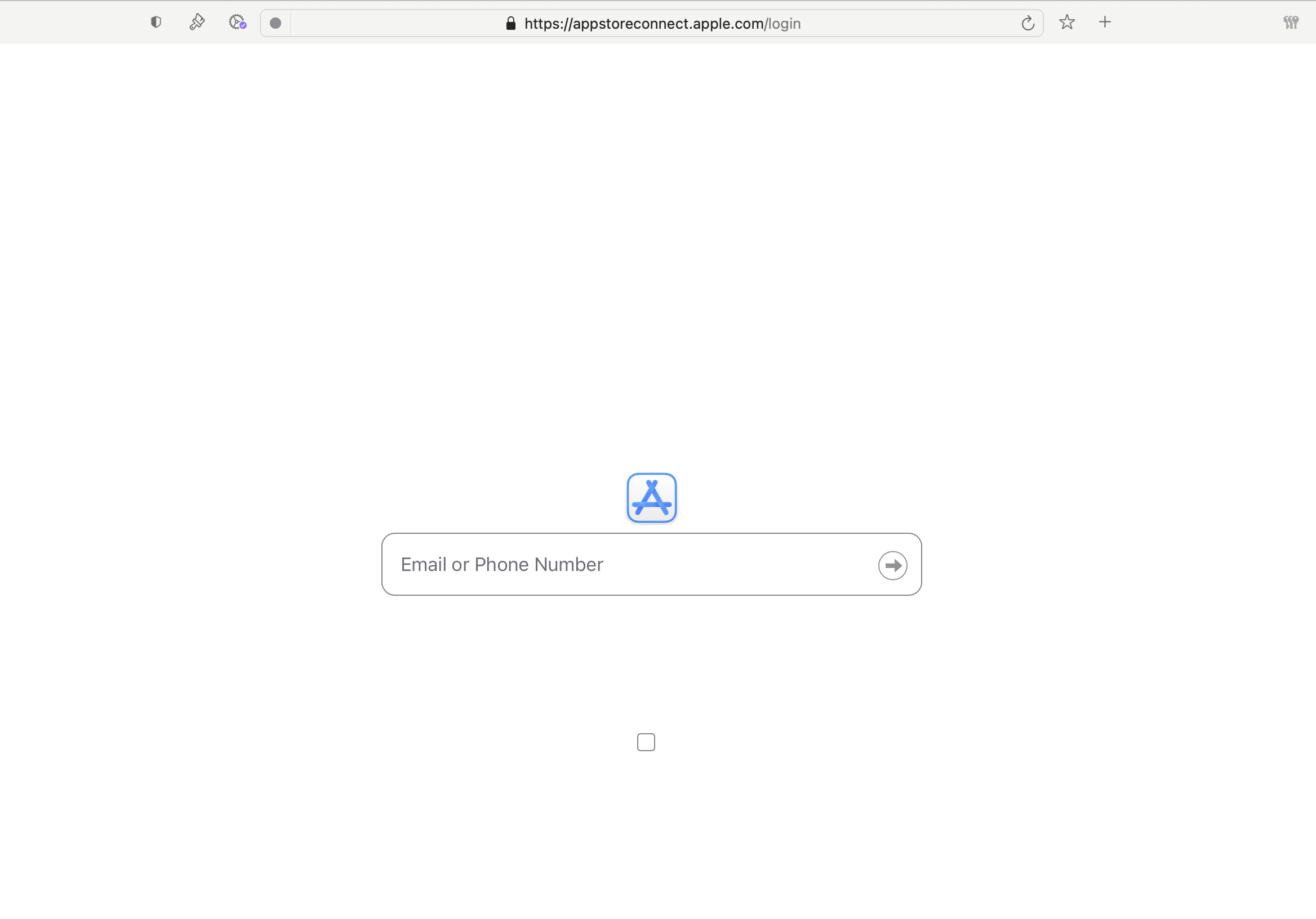
Orion version Version 1.0.4, MacOS 15.7.3
Sequoia (15)


