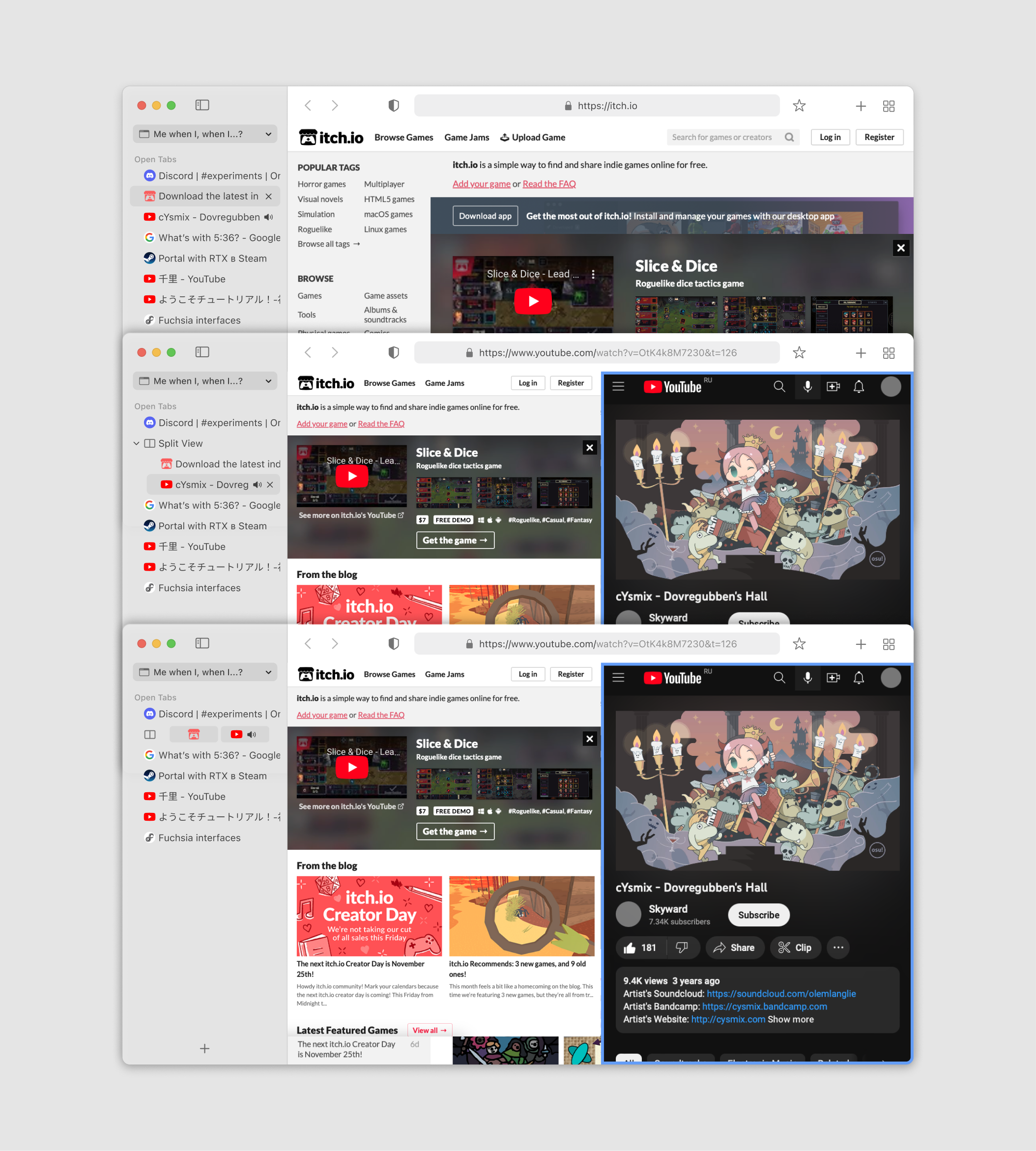
The use case here is when using apps full screen, on a wide screen monitor (this case, an ultra wide).
I do not use multiple windows to organize my tabs, and instead use vertical tabs with nested tab tree views.
In vivaldi, i command click two tabs, and choose tile tabs. I then spend a few hours with those tabs side by side to compare and use data from both tabs as they related to eachtoher.
While those tabs are tiled, I can click on any other tab ,and those 2 tiled tabs disappear, and I just see my other tabs full screen.
I then click on either of those tiled tabs again, and I see my side by side tab up again.
When done, I right click them, and choose un-tile.
To get this done currently, I have to:
Pull both tabs out in to their own windows, and set them up side by side. I now have 2 separate full screen setups. One with my original tabs still full screen, and a second window with 2 windows side by side.
Then when done, I have to put those tabs back in to the main window, and then drag the tabs around to put them back in the order they were originally in.