Currently connecting an iPhone to a wired external display(xr glasses/portable monitor/desktop monitor/TV) simply mirrors the screen. This creates a redundant display and wastes battery.
Some IOS apps will display the main application content on the external display and a simplified dashboard on the actual iPhone with controls or other useful features. Eg Netflix, HULU
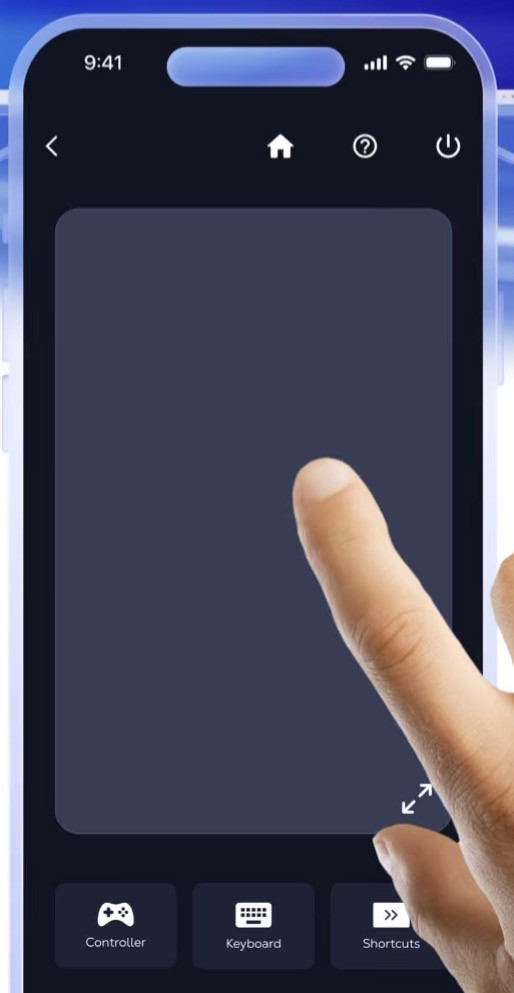
I recently found a Remote Desktop application that utilizes the iPhone screen as a trackpad for the remote client displayed on the external display.
Eg https://apps.apple.com/us/app/voidlink-extreme/id6755103808 https://github.com/The-Fried-Fish/VoidLink-previously-moonlight-zwm
(it also appears to be present in this app: https://apps.apple.com/us/app/shadow-pc/id1446621967)
If Orion for IOS was able to implement this functionality it would basically become an IOS based version of a Chromebook. This could be a feature to launch Orion into the headlines and provide a very desired and sought after functionality.
Once a user connects a wired external display (xr glasses/portable monitor/desktop monitor/TV) a popup would prompt user to enter “trackpad” mode. If no continue default IOS screen mirroring if yes send full screen display to wired external display and change iPhone display to the trackpad interface.
The feature would ultimately emulate the Apple trackpad with the same features as on the MacBook trackpad, Magic Trackpad and Magic Keyboard. Visually all it would need is large a black screen to take advantage of the battery savings of OLED. Alternately it could also contain widgets or buttons such as quick links as well as the trackpad surface. Preferably it would be configurable to show or hide any additional elements. See attached image from Shadow PC app as reference.