When using Orion on macOS with only a single tab open, the sidebar height is inconsistent depending on whether the Mini Toolbar is enabled or disabled.
The issue occurs immediately after toggling the Mini Toolbar: the sidebar does not resize to the correct height and leaves extra empty space.
The layout corrects itself only after opening a second tab, at which point the sidebar height updates properly.
Steps to reproduce (from a clean profile):
- Launch Orion with a fresh profile.
- Ensure only one tab is open.
- Enable or disable the Mini Toolbar.
- Observe the sidebar height.
- Open a second tab and observe that the sidebar height adjusts correctly.
This issue does not occur in Safari.
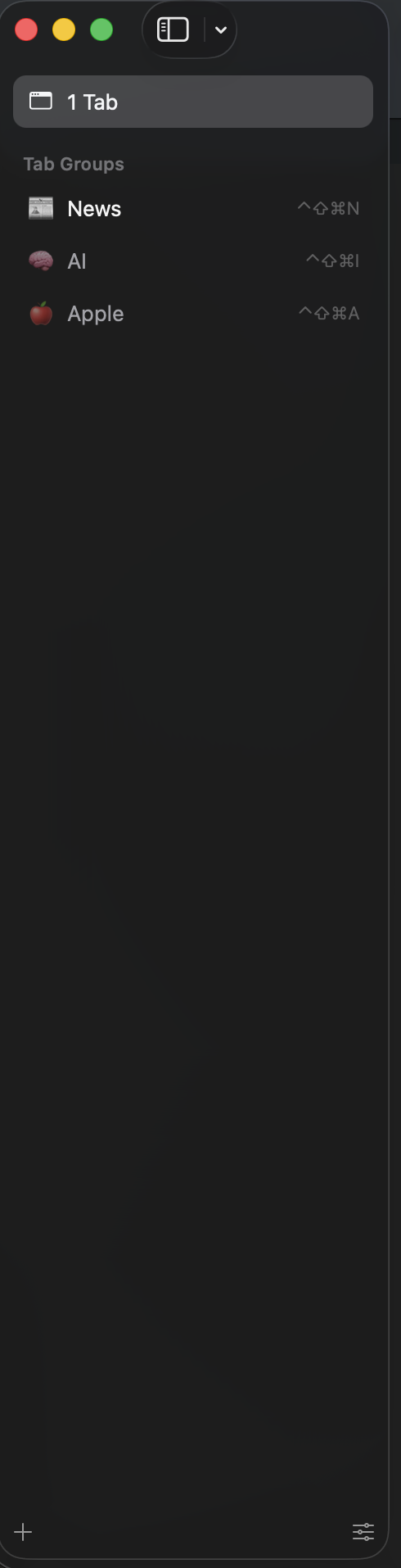
The sidebar height should update immediately and remain consistent when the Mini Toolbar is enabled or disabled, regardless of the number of open tabs.
The layout should not depend on opening additional tabs to correct itself, and the sidebar should always match the available window height correctly.
Version 1.0.3 (142), WebKit 624.1.2.19.2
