I study French on speakly.com and one of their modules requires the user to press and hold the microphone button, speak the indicated words, then when the user releases the mouse button, it provides feedback (which is usually depressing, but that's not really relevant here 😩).
In any other browser (Chrome-based Arc & Vivaldi and Safari), once I give permission to use the mic (even with various blockers in place), there's no issue with speakly.com understanding what I said.
But Orion somehow doesn't send the audio to the server, even if all blocking is disabled (which you can see in the attached image). I've tried multiple settings but nothing seems to let Speakly "hear" what I'm saying, even though it seems to recognize the mic and has no issue with permissions.
One clue may be related to the holding down on the mic icon: Speakly seems to know when I'm clicking and holding on the mic icon because it starts to listen, but upon releasing the mouse button, it just doesn't get the audio (maybe because there isn't any because Orion isn't letting the audio from the mic come through...just a guess).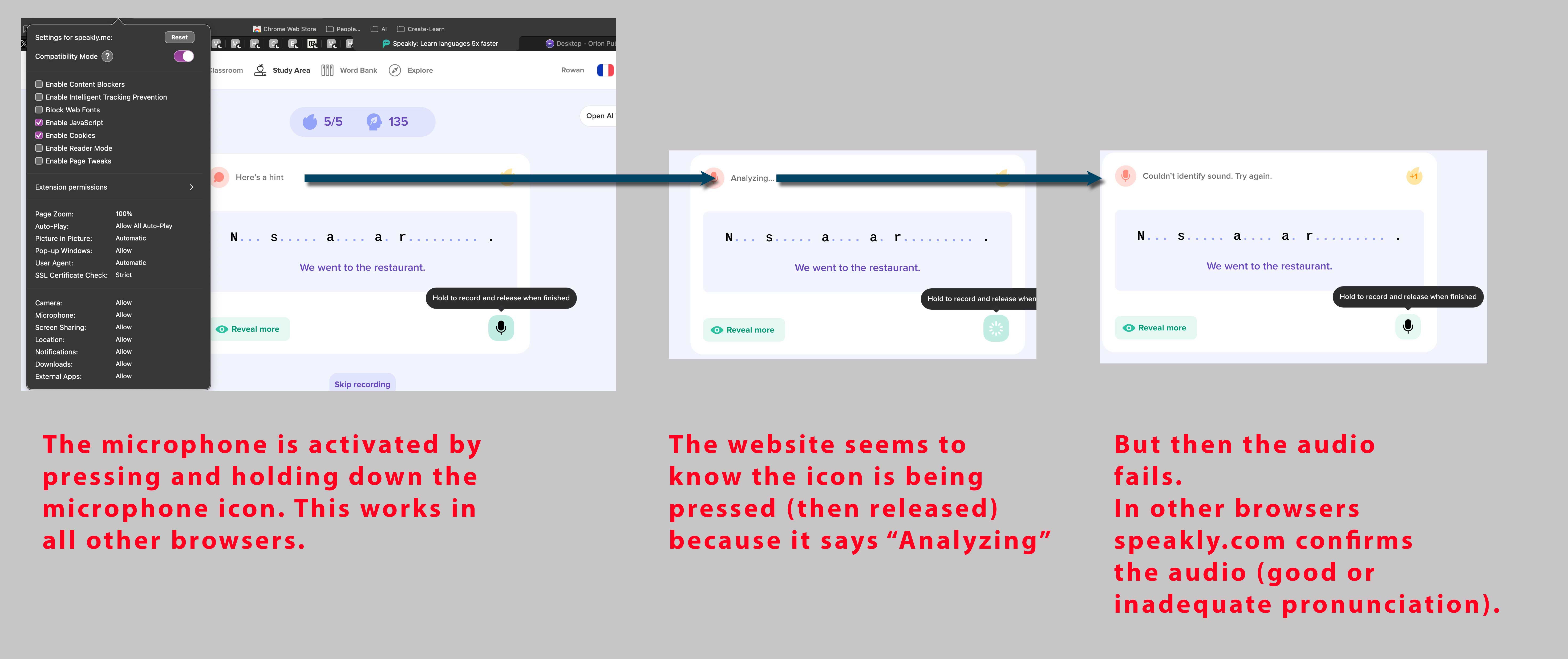
I would expect the website to accept the audio waveform, process it, and then show if I've pronounced the text correctly or not (as shown in the attached Safari example).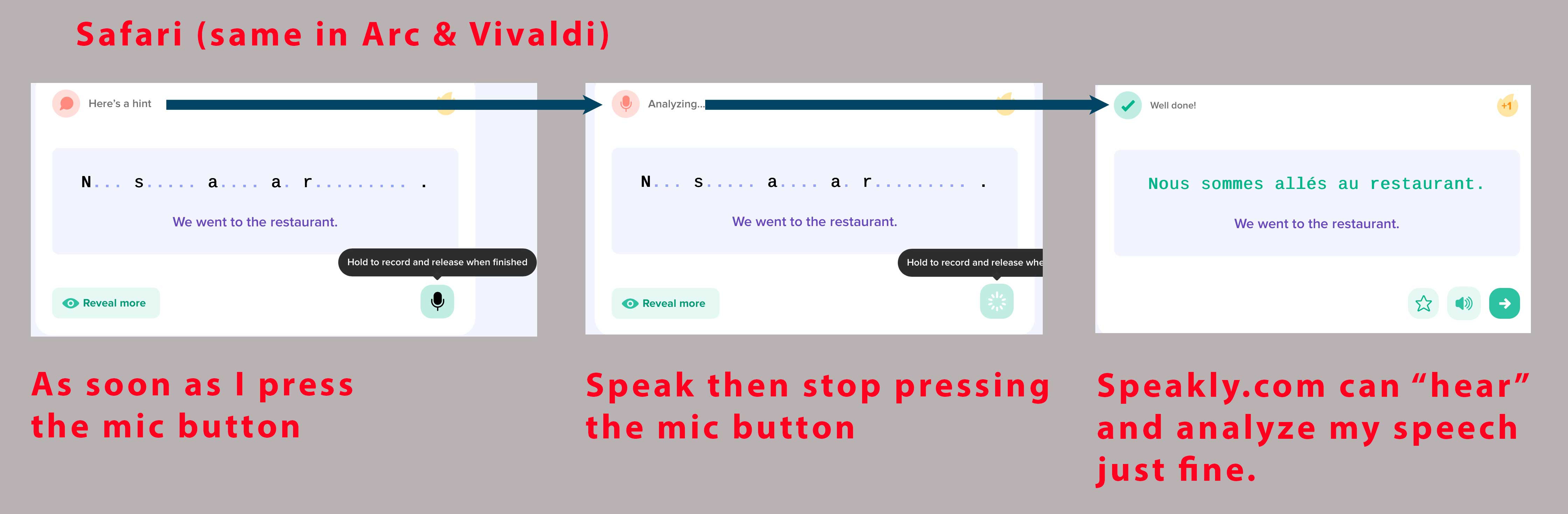
1.0.0
Sequoia (15)
