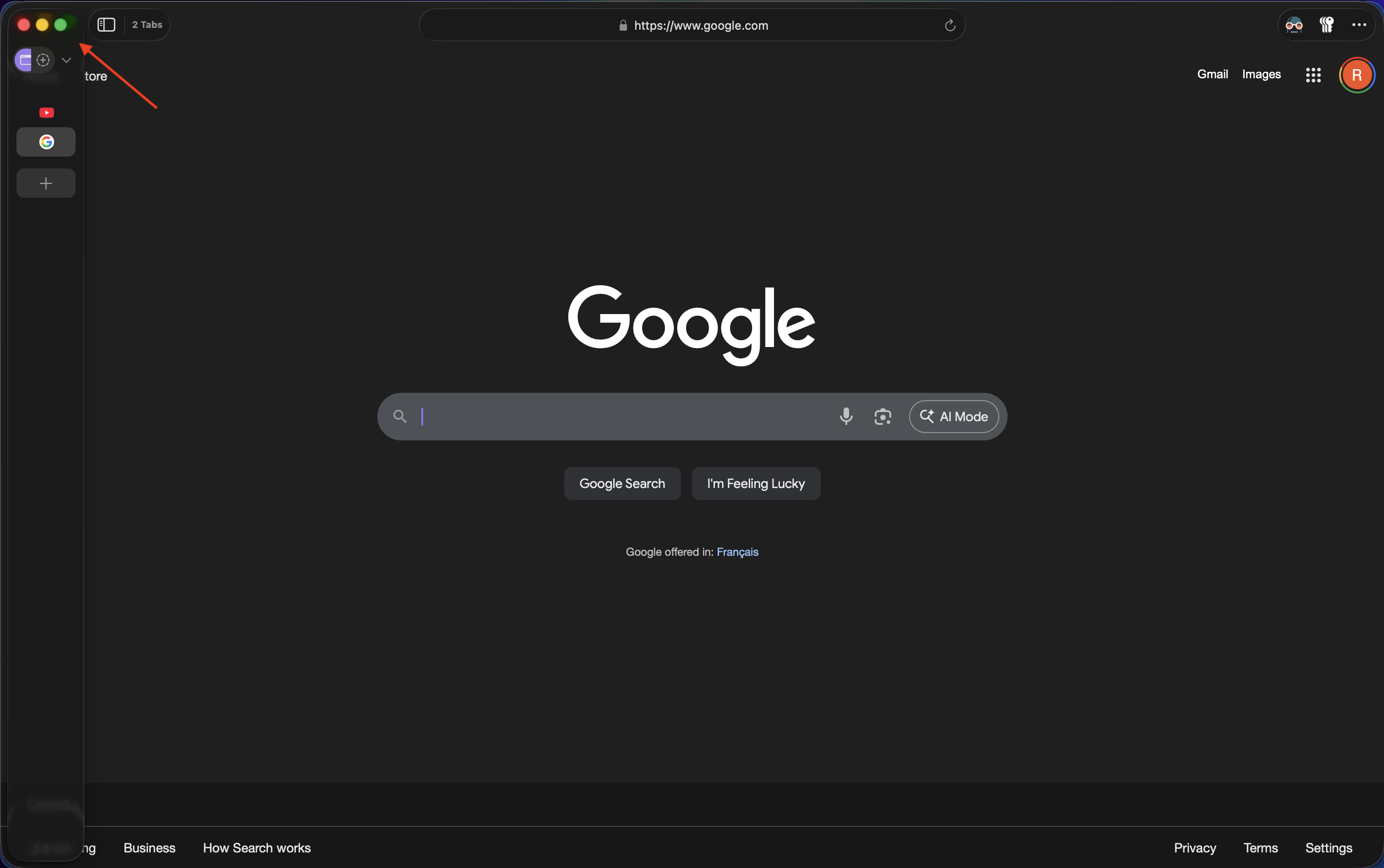
Right now, with the current implementation of the sidebar in Orion with Liquid Glass, the sidebar comes in over top of the other window UI elements.
The sidebar has its own traffic light window buttons and comes overtop the original traffic light window buttons. This was fine when the sidebar was not Liquid Glass, but now you can see parts of the UI elements underneath the sidebar, because it's translucent.

The traffic light buttons on the sidebar are also slightly smaller than the normal traffic light buttons which is very noticeable when you shrink the sidebar down.
Other Apple apps, like the macOS Mail app, have a Liquid Glass sidebar that slides in underneath the window management UI. Other UI elements that are in the way of the sidebar, move out of the way, to the right. Buttons, like the "show sidebar" button, merge into the sidebar, instead of the sidebar just moving overtop of them.
I would love to see Orion's sidebar work something like what's shown in this video.
However, a small note, the Mail app's sidebar, does not automatically show when you move your cursor to the left, a feature I love in Orion. In the video, I am manually using the "show sidebar" keyboard shortcut as I move my cursor to the left to illustrate what I would like the sidebar in Orion to look like.
