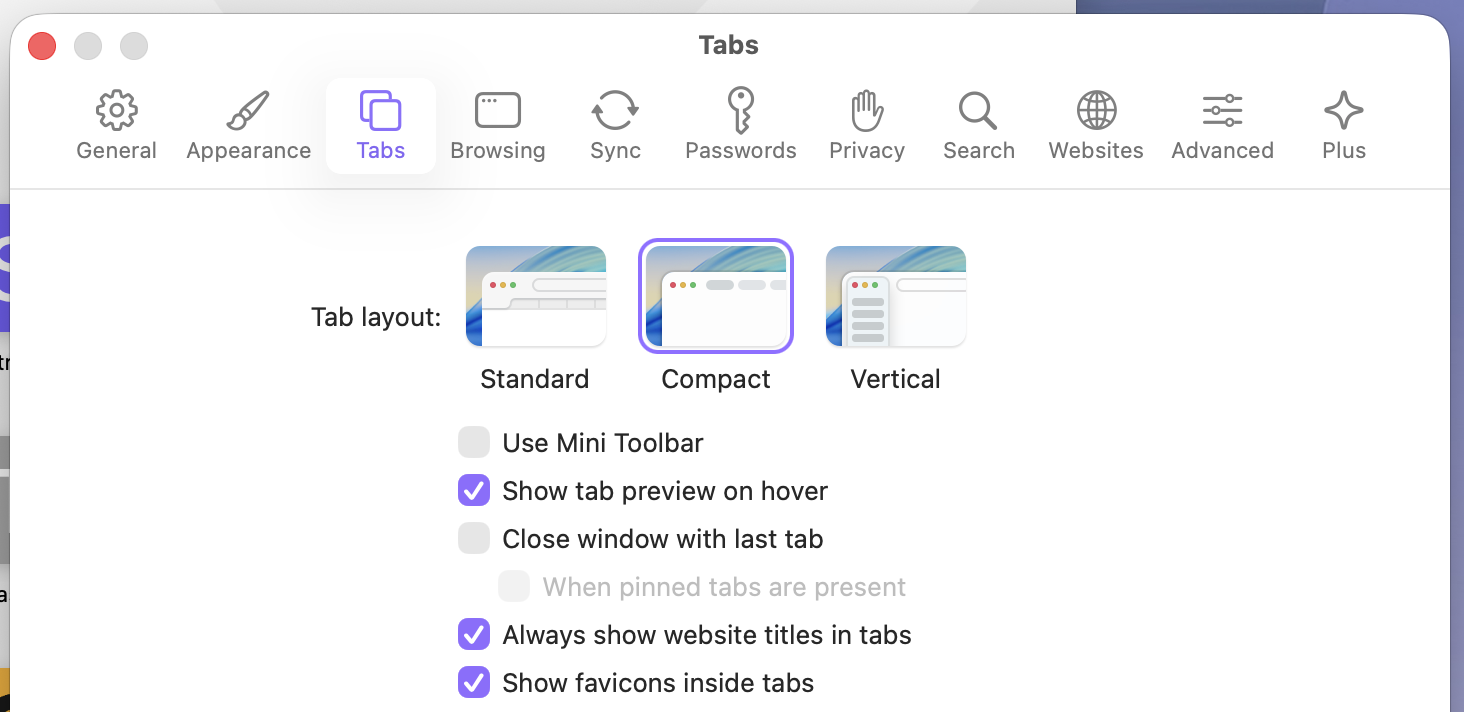
The Feature: When enabled, closing the last remaining tab in a window will not close the entire window. Instead, the window will remain open, and a new Start Page tab will automatically be generated and displayed.
Purpose:
Improves Workflow for Non-macOS Users: This is the default behavior in many popular browsers (like Chrome, Firefox on Windows/Linux) and addresses the workflow preference of users accustomed to this convention.
Reduces Friction: It eliminates the need for the user to remember the ⌘ + T shortcut to open a new tab before closing the last one, preventing the window from disappearing unintentionally.
Enhances Productivity: It keeps the user "in the flow" of browsing by ensuring the browser window is always instantly available, pre-loaded with the Start Page, even after a task is completed.
Effect on Existing Workflows/User Experience:
It does not affect the existing default macOS behavior (closing the window when the last tab closes) for users who prefer it, as this is a toggled option.
For users who enable it, the experience becomes smoother, as the browser window will behave more like a persistent application frame rather than a container that closes upon clearing all its contents.
What are the exact ways that you see a user using your proposed feature?
Discovering and Enabling the Feature:
The user navigates to Orion Preferences (Orion Menu > Settings/Preferences).
The user clicks on the "Tabs" or "General" settings pane.
The user finds a new setting checkbox labeled: "Keep window open and show Start Page when the last tab is closed."
The user checks the box to enable the behavior.
In a Browsing Session (With Feature Enabled):
The user has one tab open (e.g., a news article).
The user finishes reading the article and closes the tab using the "X" button or the shortcut ⌘ + W.
RESULT: The window does not close. Instead, the previous tab is replaced instantly by the Orion Start Page in a new tab, ready for the next action.
Disabling the Feature:
If the user wishes to revert to the default macOS behavior (window closes), they simply uncheck the same box in the Preferences.