Overview
- Product: Orion Browser
- Version: 0.99.136.2-rc (WebKit 623.1.8.0.0)
- Build Date: (To be filled by developer; not specified in provided info)
- Operating System: macOS Version 26.0 (Build 25A354)
- OS Theme: Dark
Description:
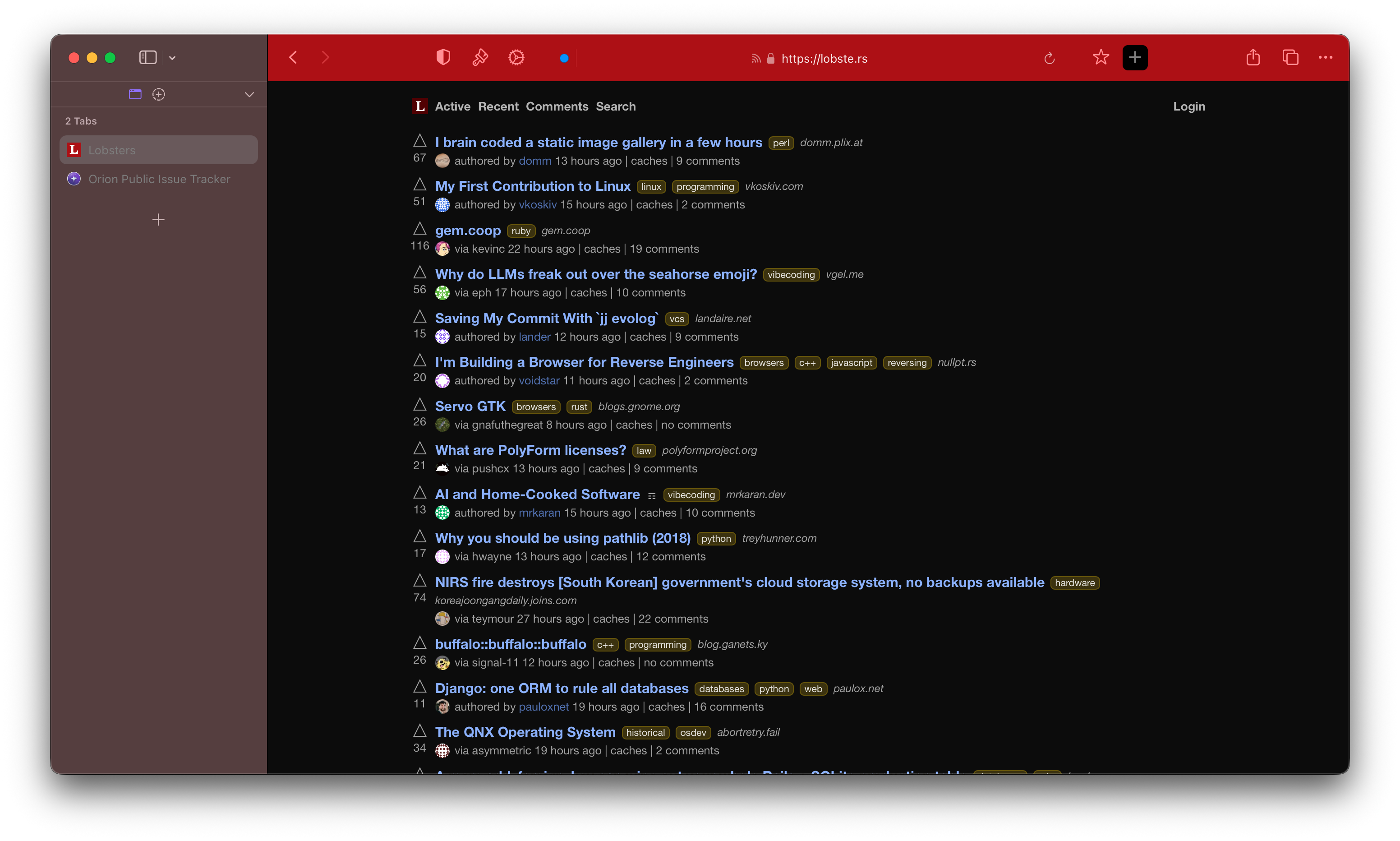
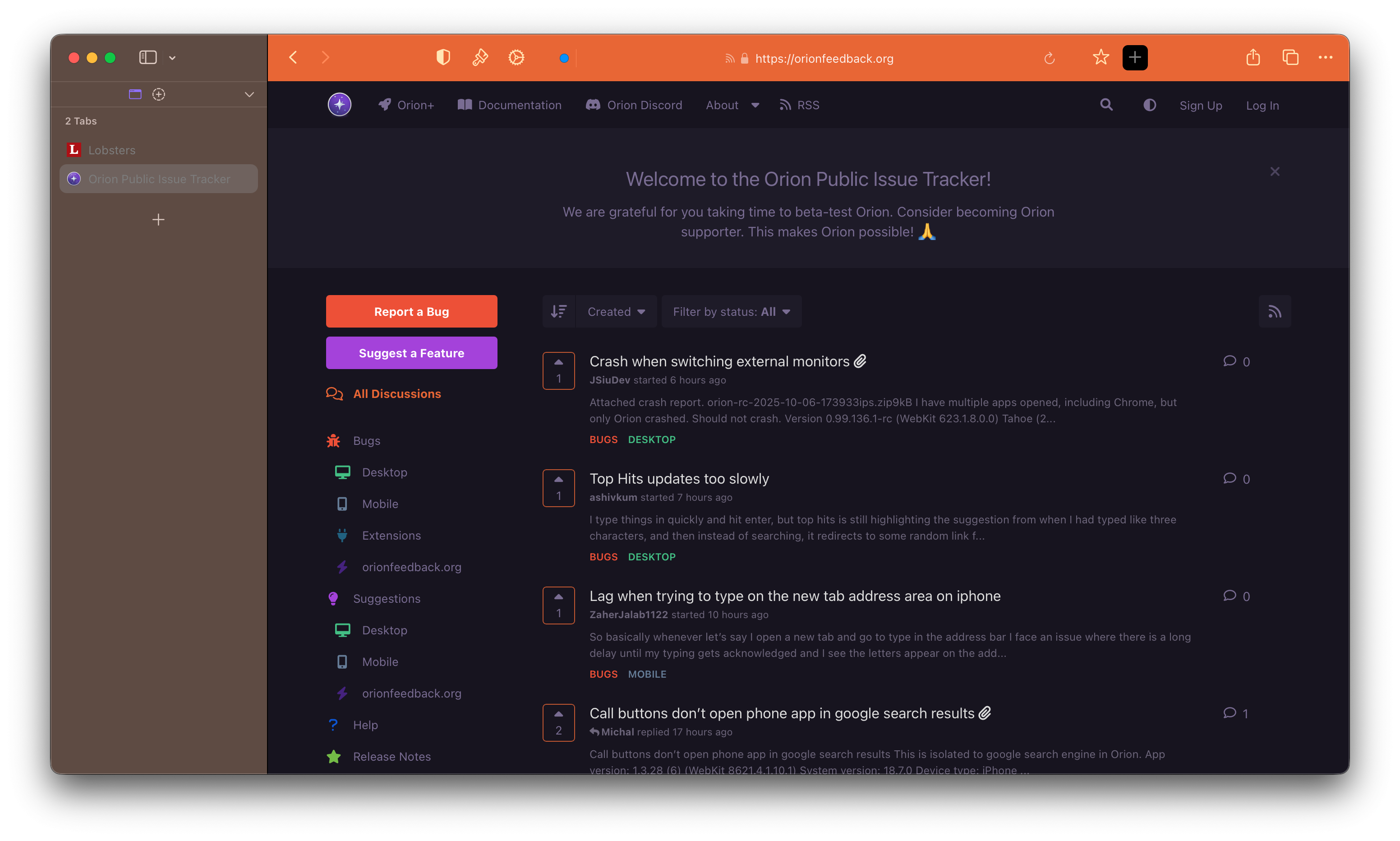
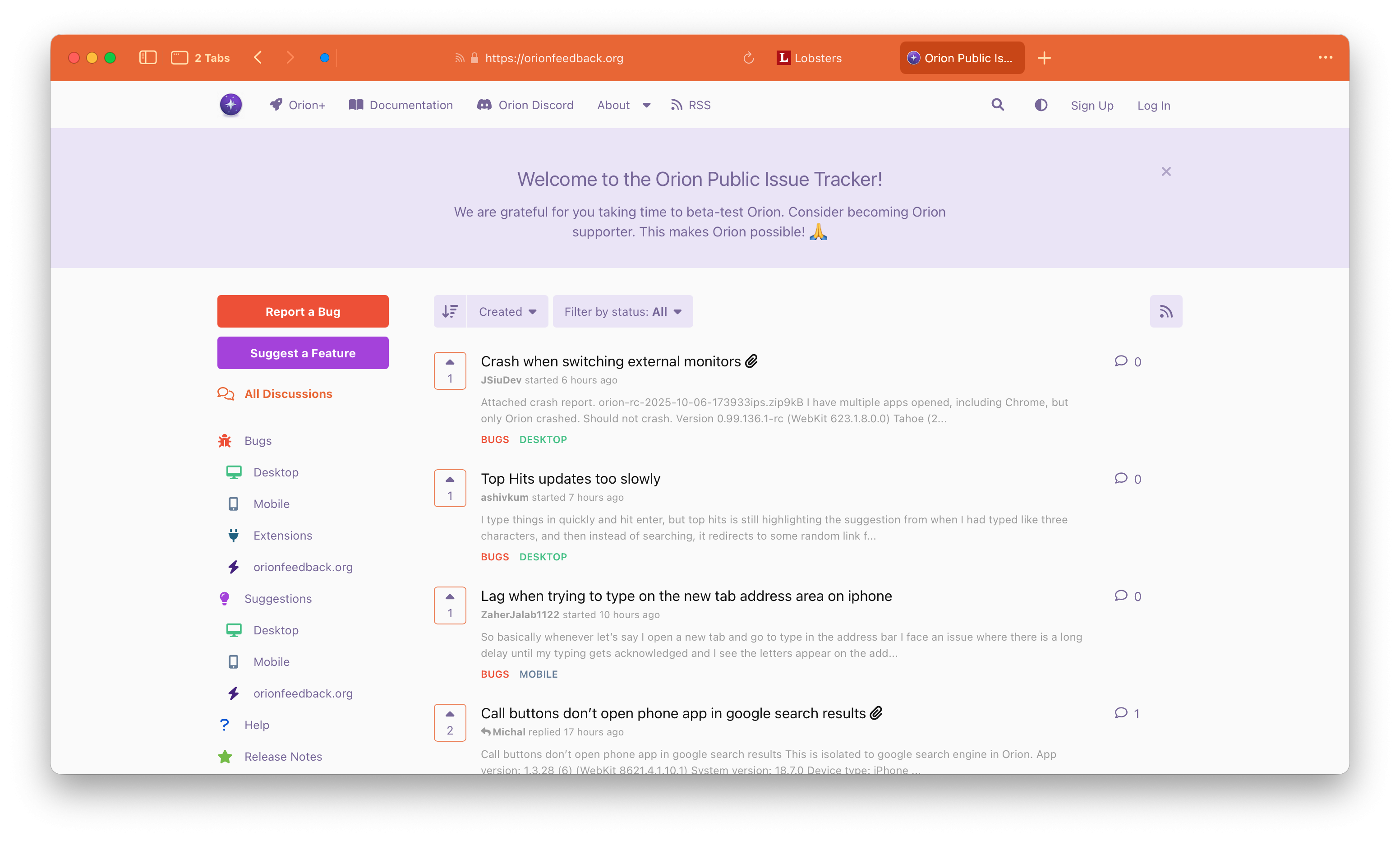
The "Plus" button's title bar does not respect or match the custom title bar color set for the Orion browser window. The button's title bar area remains a default color (e.g., white or light gray), creating a visible and inconsistent UI mismatch when a custom, darker title bar color is active.
Steps to Reproduce
Open Orion Browser (version 0.99.136.2-rc) on a MacBook Pro (MacBookPro16,1) running the specified macOS build.
Navigate to https://orionfeedback.org
Observe that the main browser window's title bar correctly adopts the new color

Click on the "Plus" button (location/context of the button to be specified) to open its associated window or panel.
Observe the title bar of the "Plus" button's window.
Actual Result
The title bar of the window or panel associated with the "Plus" button does not change to match the custom title bar color set for the main browser window. It remains a default system color, resulting in a visually inconsistent and potentially jarring user interface.
Expected Result
The title bar of all browser windows and panels, including the one associated with the "Plus" button, should consistently use the custom title bar color selected by the user in the settings.
Relevant Context
- The issue is specific to the "Plus" button's UI component; other parts of the browser may correctly respect the title bar color.
- The problem occurs on a MacBookPro16,1 hardware model.
- The macOS version 26.0
- Orion RC Browser 0.99.136.2-rc (WebKit 623.1.8.0.0)
Please investigate the theming logic for the "Plus" button's window to ensure it properly adopts the user-defined title bar color.
macOS 26.0 Build 25A354 ; Orion RC 0.99.136.2-rc (WebKit 623.1.8.0.0)
Tahoe (26)