FYI: all versions mentioned are Testflight versions.
Versions and problem description
Since Orion 1.3.27 (4), iOS, deeplinks for the banking app I use, ASN Bank (in The Netherlands), no longer work (nor for any other deeplinks of the form {NAME}://{LINK}), whereas they did before (up to and including 1.3.27 (1). FYI, in Testflight there's no available versions between 1.3.27 (1) and 1.3.27 (4).
Steps to reproduce
In Orion, just enter the following in the address bar: “nl-asnbank-ideal://test” an press enter. This should trigger the pop up. Any other deeplink of the form {NAME}://{LINK} should work too; so test://test should also successfully trigger the pop-up.
Both of these work in 1.3.27 (1) and don’t in 1.3.27 (4).
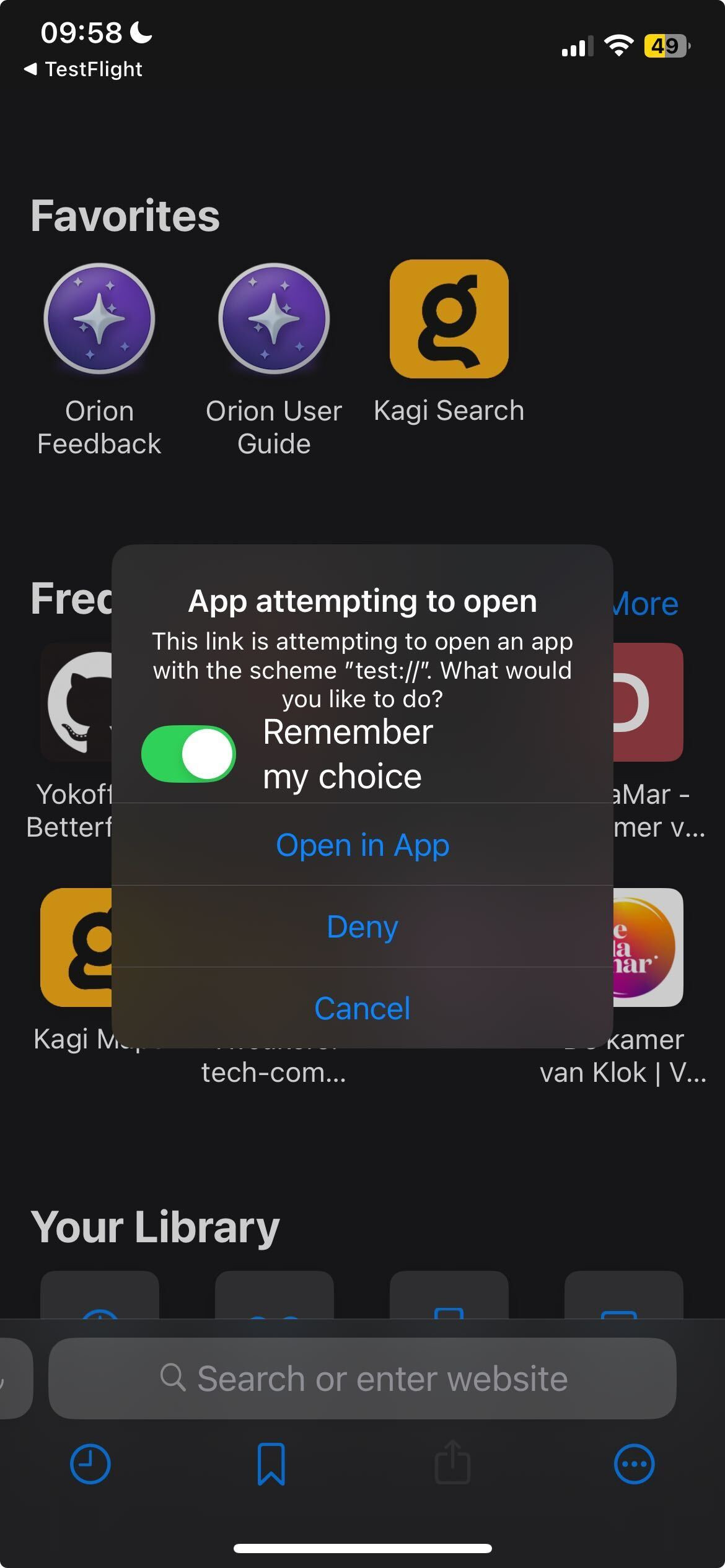
caption: expected pop-up
Reproducibility, things I've tried
This does not happen in Safari (it has always worked there), and I can reproduce the issue very easily locally. Cleaning the App Opener settings does not resolve the issue.
Versions
1.3.27 (4)
18
(irrelevant?) Use case specific problem description / steps to reproduce
Steps to reproduce, problem example
The issue occurs when I want to start an iDeal transaction (a Dutch standard for transferring money, created the the banks); usually when I click on the bank I use, it opens the transaction in the banking app to be handled there, but since the mentioned version, this no longer works (and thus I can't proceed).
Steps summary
So summary of the steps: clean Orion profile, get iDeal transaction link (by creating a payment request for example) and navigate there, click on the ASN Bank option (and have the app installed).
Screenshots
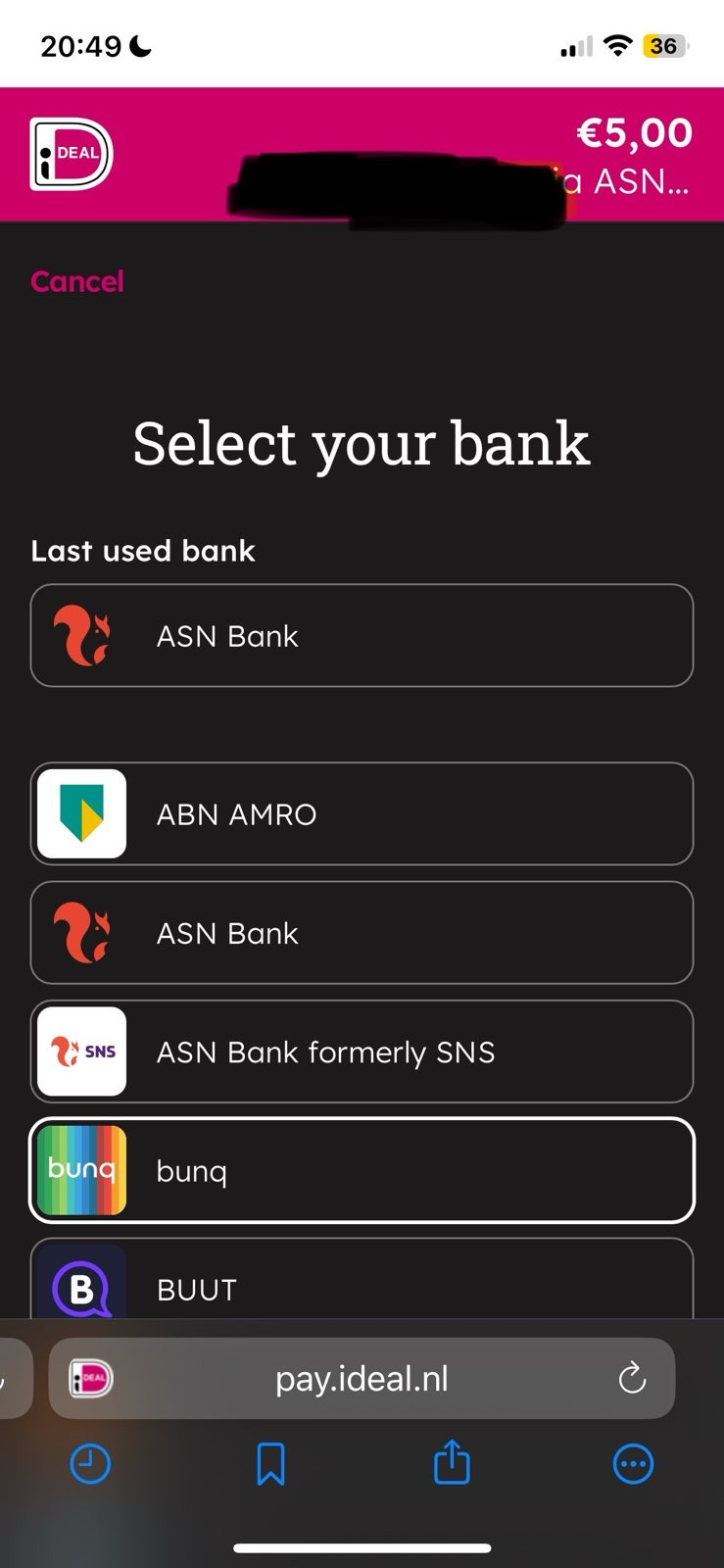
caption: iDeal transaction with list of bank options, where I'll click the top one.
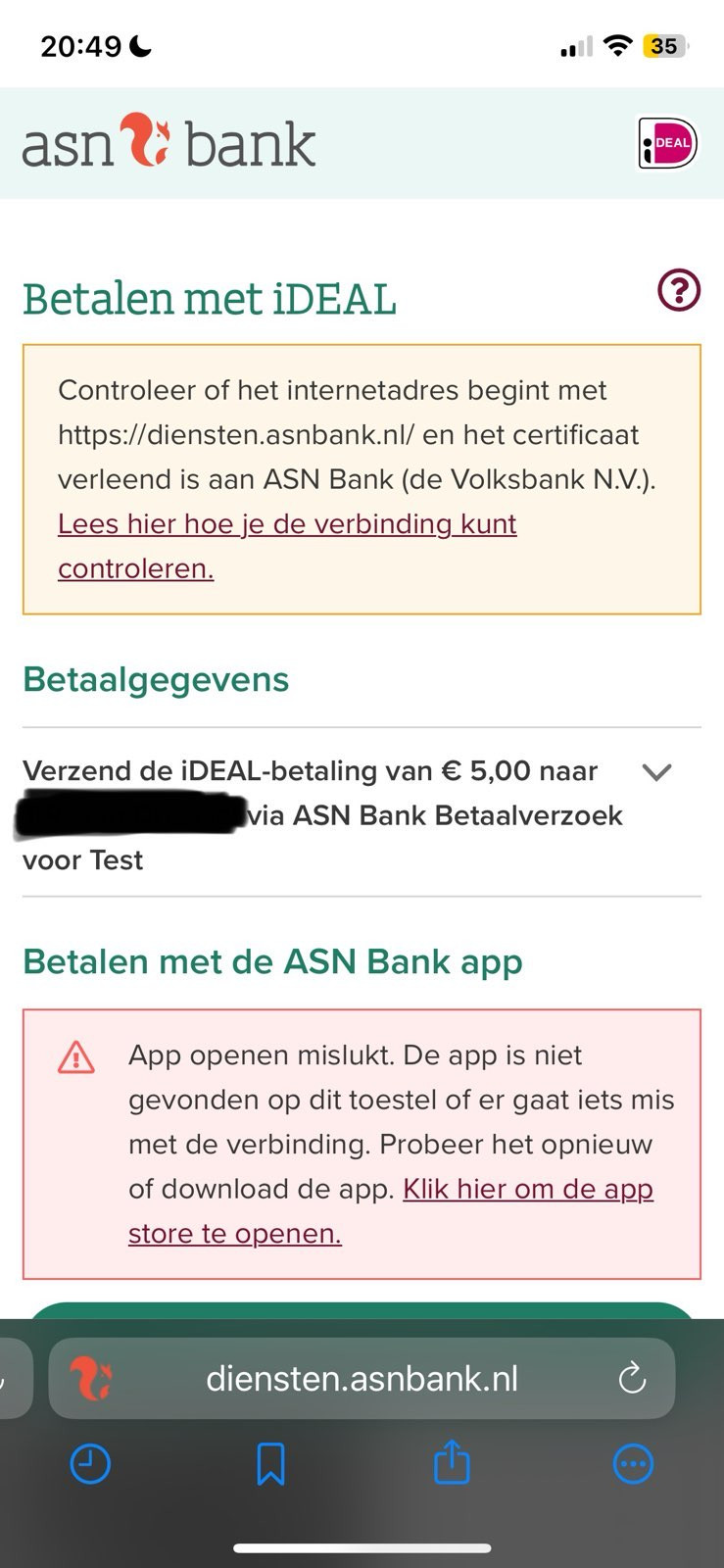
caption: ASN Bank page that you'll arrive at after clicking the button. At the bottom you see the text in the red rectangle section, it says there that it failed to open the banking app.
Expected behaviour
I expected the last step to trigger the 'Do you want to open the link in xxx app' pop-up the first time such a link is clicked, or just open the app when such a link has been opened before and you chose 'Open in App'.
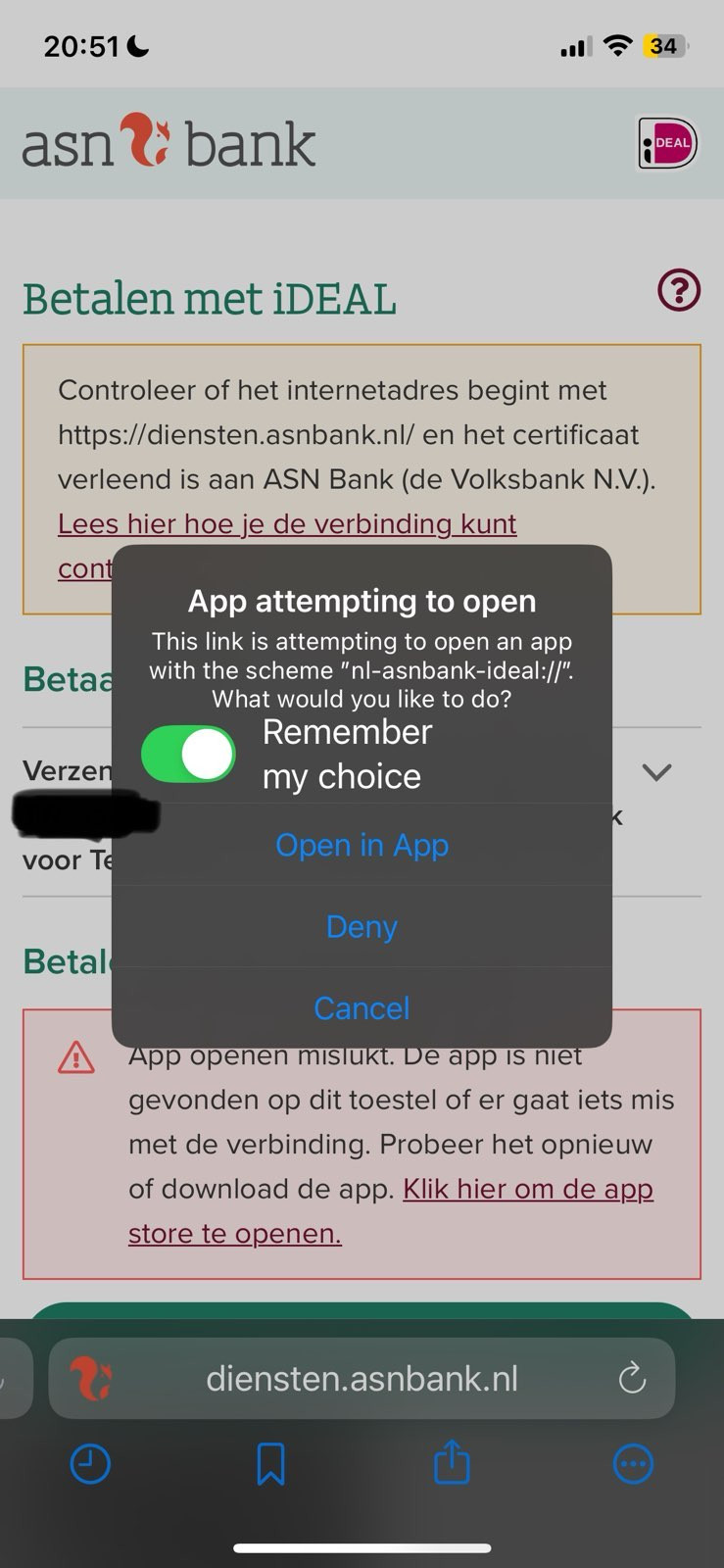
caption: The same ASN Bank page that you'll arrive at after clicking the button, but now there's a pop-up asking you to open the transaction in the app. Note that this screen is skipped after remember the choice and clicking 'Open in App', so usually you don't see this screen.
