I have just installed macOS 26 on my M1 MBA and have been tinkering around with the UI styles. I turned on the sidebar view, and turned on the auto hide mode, and hid the sidebar. Once I clicked the sidebar button again to keep it visible instead of auto hiding, scrolling wouldn't work, and I got a weird UI glitch where the top bar was displayed twice - the regular top bar, and the broken one right below it above the webpage. I wasn't able to get it on video, but I did get a screenshot. The issue only occured after I showed it using the auto-hide feature, then pressed the sidebar icon. It worked fine when I hadn't used auto show, and manually hid/showed it.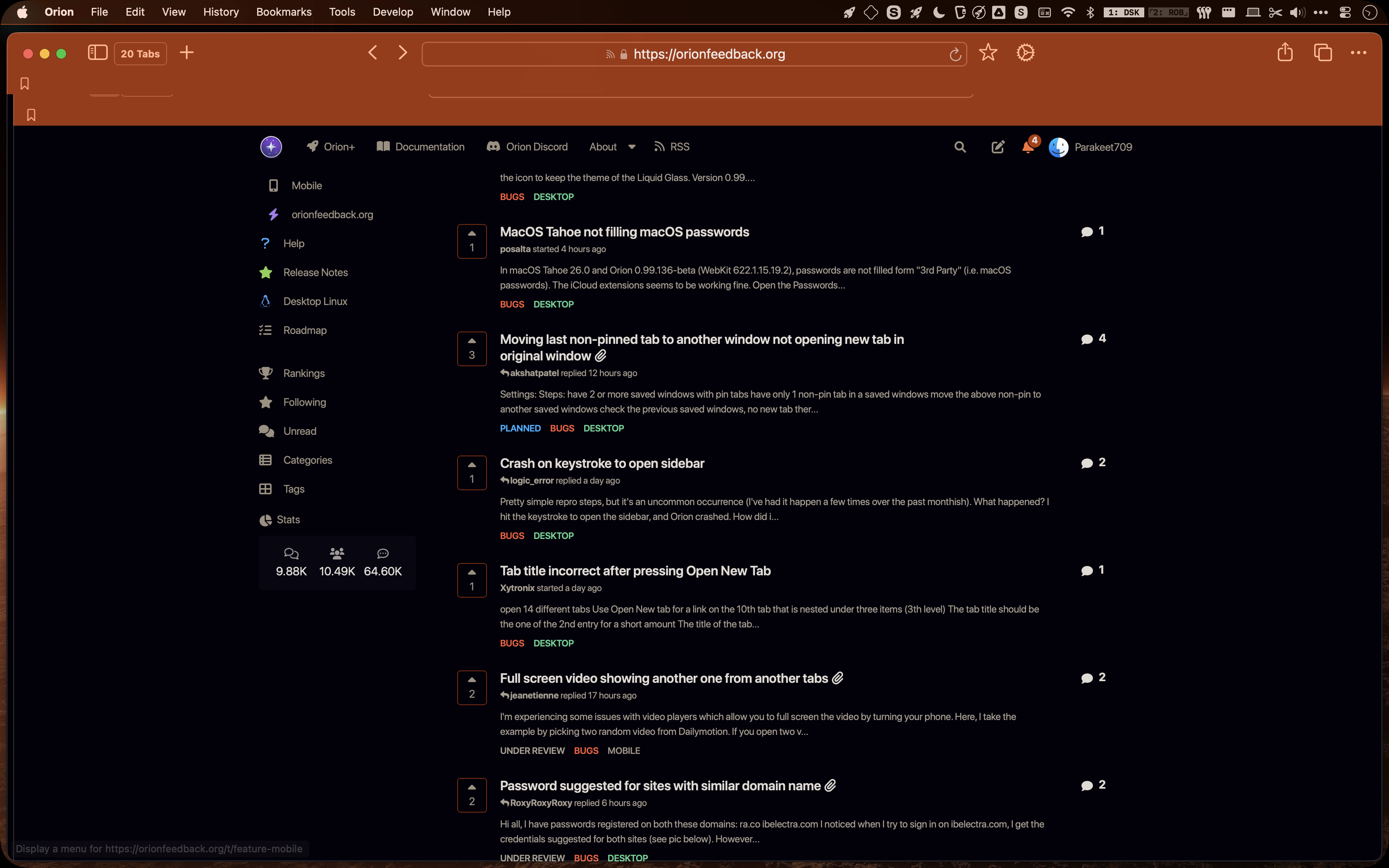
I expected the sidebar to appear normally.
Version 0.99.136-beta (WebKit 622.1.15.19.2)
Tahoe (26)
