Was cleaning out all existing bookmarks, preparing to re-import bookmarks from another browser:
- Opened
Show Bookmarks... (⌃⌘B)
- Clicked the first bookmark in the list
- Selected all (⌘A)
- Deleted all (⌘-Delete)
- All bookmarks removed from the list visually, but the Bookmarks item count in the top of the window remained at the previous item count (169 items)
- Closed the Bookmarks window
- Re-opened the Bookmarks window and the previous item count (169 items) remains even though Favorites and Bookmarks Bar both show "0 items"
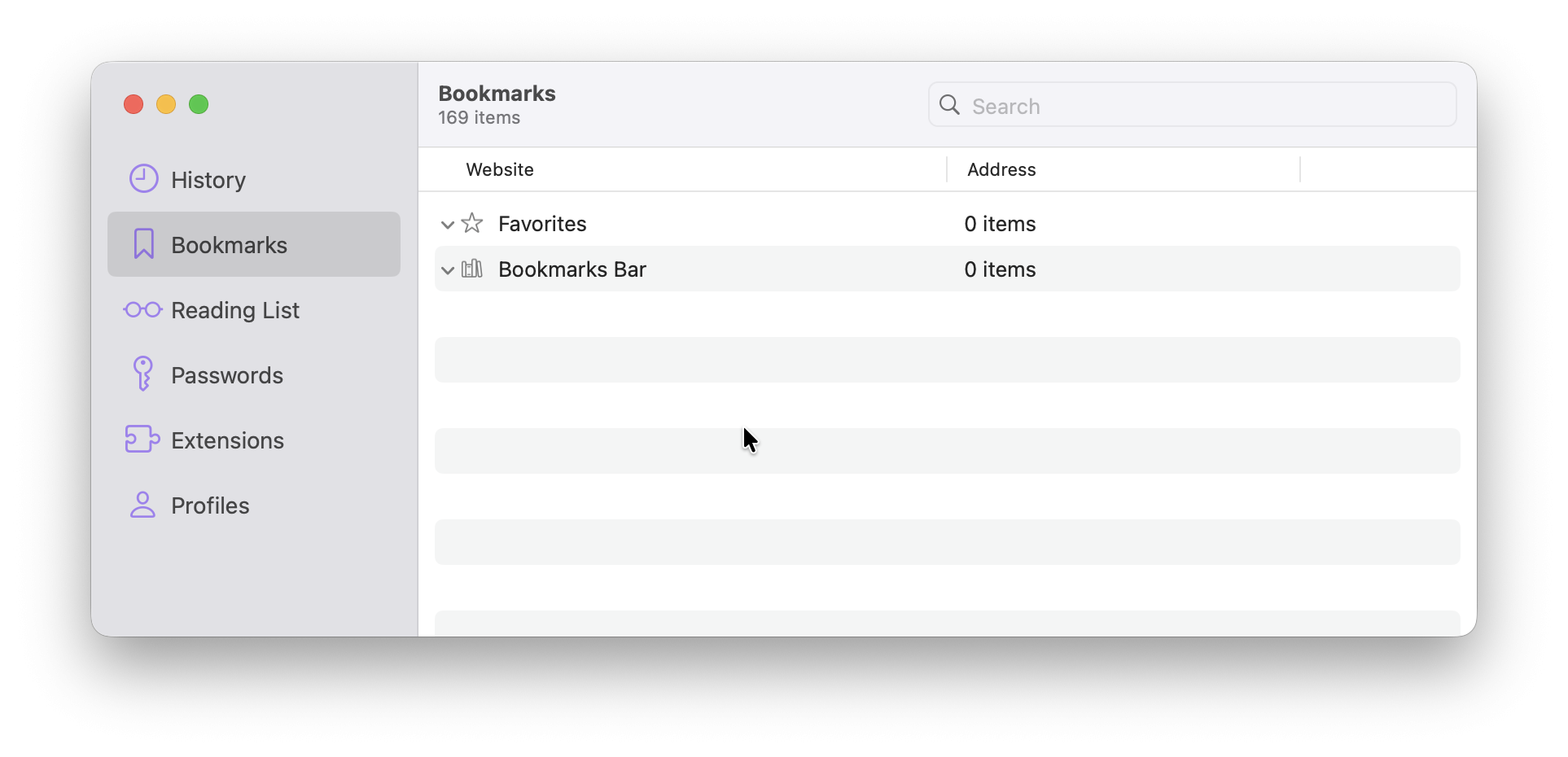
Even after quitting Orion and re-opening it, the Bookmarks window still shows the incorrect item count (169 items).
Expected scenario was:
- Open
Show Bookmarks... (⌃⌘B)
- Click the first bookmark in the list
- Select all (⌘A)
- Delete all (⌘-Delete)
- All bookmarks should be removed from the list and the item count should reflect 0 items
Version 0.99.136-rc (WebKit 622.1.15.19.2)
Tahoe (26)
