Hi, this isn't an extremely pressing issue for the majority of users, but it is rather important in the culture of Dungeons & Dragons and other TTRPG players, and would mean a lot to those of us who love Orion. When using Foundry Virtual Tabletop (version 13 build 347) in Orion, several UI elements, such as the "Create Actor," "Create Scene," and similar buttons, cause pop-out menus to display incorrectly. The menus appear extremely small, usually, only one line of text is visible, making them unusable.
I have tested this in:
- Orion (latest version) → Bug occurs
- Safari (Version 18.3) → Has a separate issue regarding JavaScript, and can't even run the site properly
- Chrome (same site, same world) → No issue
- Opera (Latest Version)
Steps I've taken:
- Disabled all extensions (including LastPass)
- Enabled Compatibility Mode
- Tried in a clean Orion profile
None of these resolved the issue. The problem seems to be specific to how Orion renders the Foundry UI components.
This seems like a CSS/rendering bug unique to Orion. Would love to see it fixed—happy to provide a screen recording, access to my Foundry server, or more technical details if needed.
Thanks for your work on Orion!
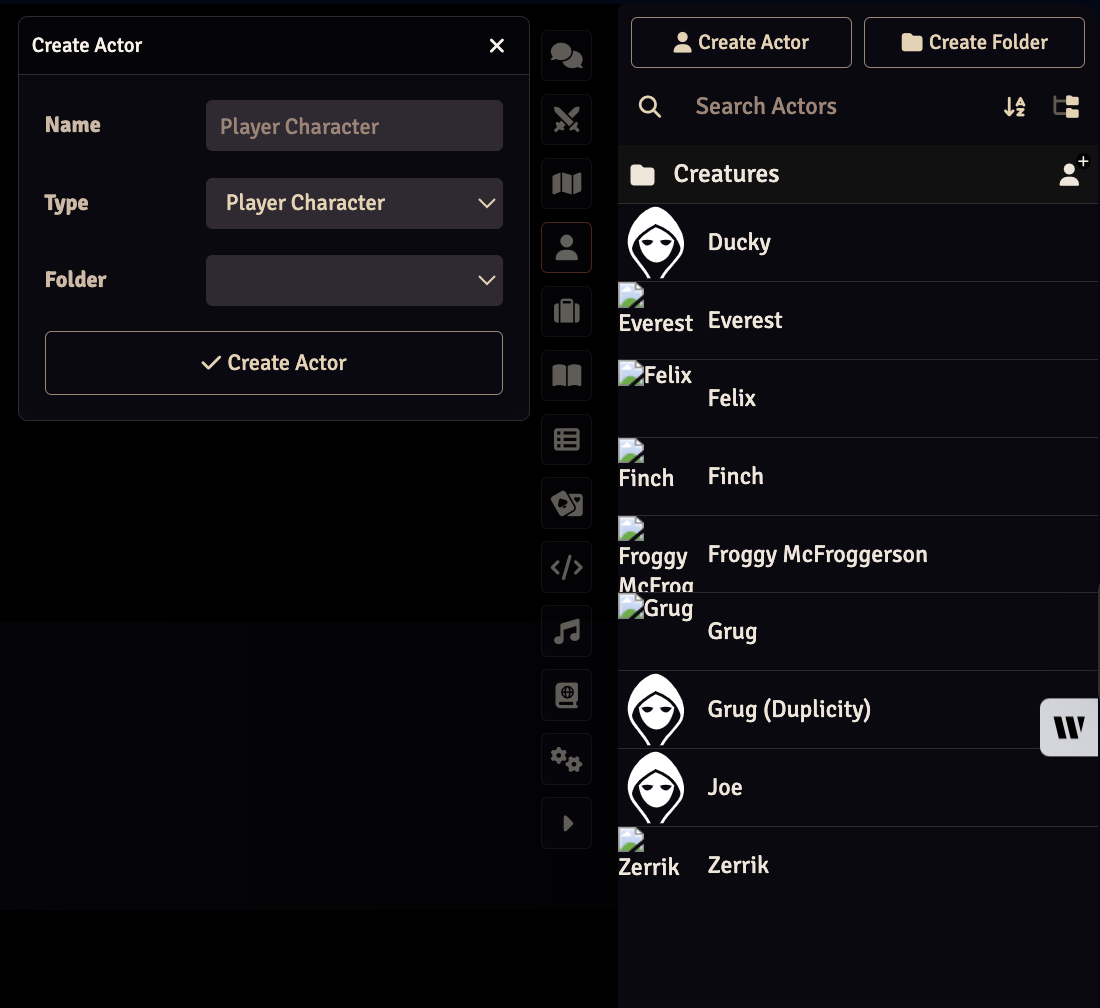
The menu is supposed to pop up with several options, not as small as it is on Orion
Version 0.99.135.0.1-beta (WebKit 619.1.11.111.2
Sequoia (15)
