I visit slantsix.org frequently; at least once a day. The other day, Orion started rendering it poorly: page elements missing, jumbled up, placed wrong, etc. I thought it was a problem with the site; it's a small, basic, old-fashioned, un-fancy site run by one guy. He leaves it alone for long-long stretches of time (years) until something forces an upgrade. I checked with him, and no, nothing's been changed at all recently.
So I tried loading it in Safari, where it renders correctly.
I tried Orion in Compatibility Mode, and it renders correctly. I can toggle back and forth between Compatibility Mode ON (renders correctly) and OFF (renders incorrectly). I tried toggling individual settings on and off in the Compatibility Mode dropdown, and none of them makes any difference — only Compatibility Mode itself.
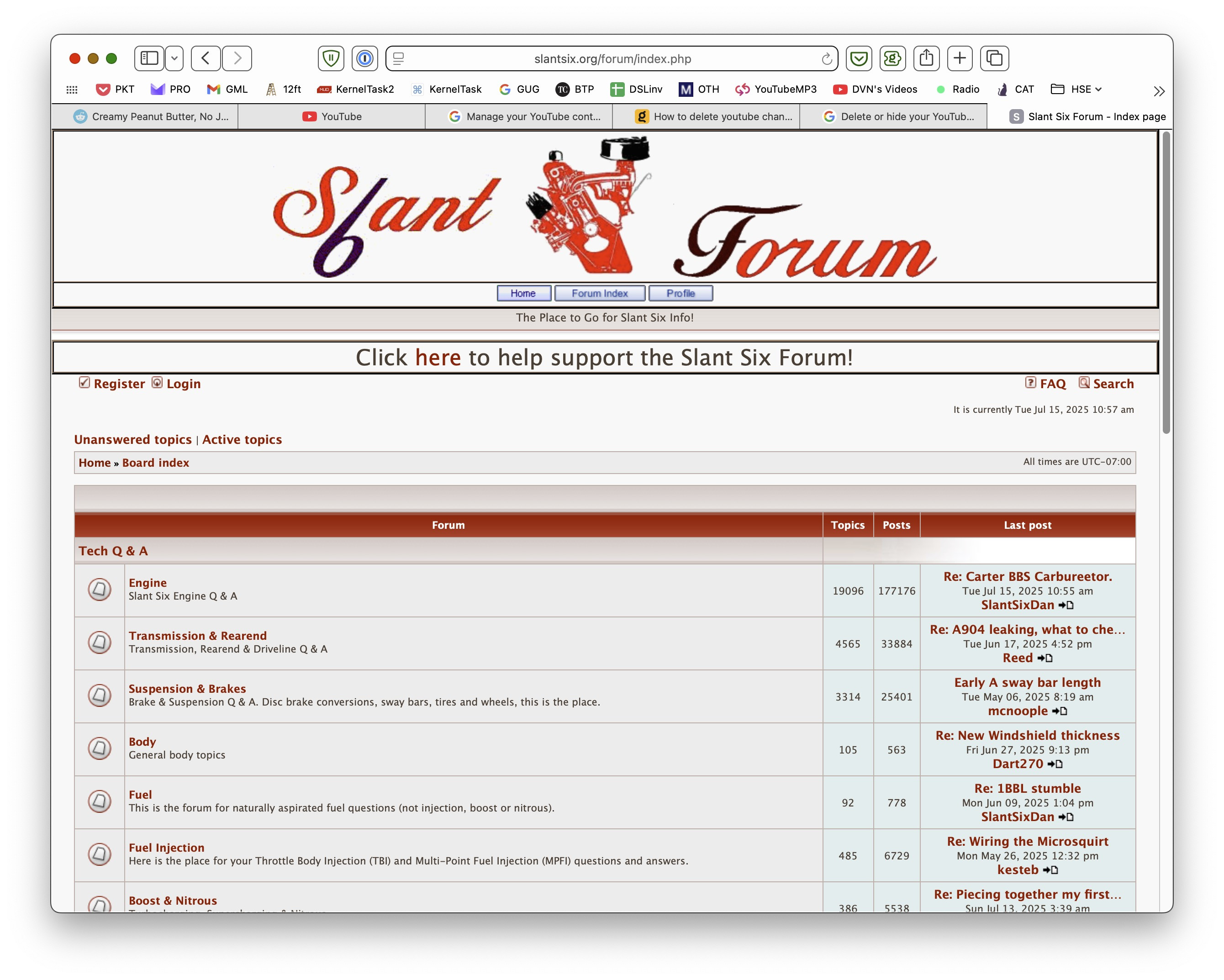
Here is what the forum index page looks like in Safari:
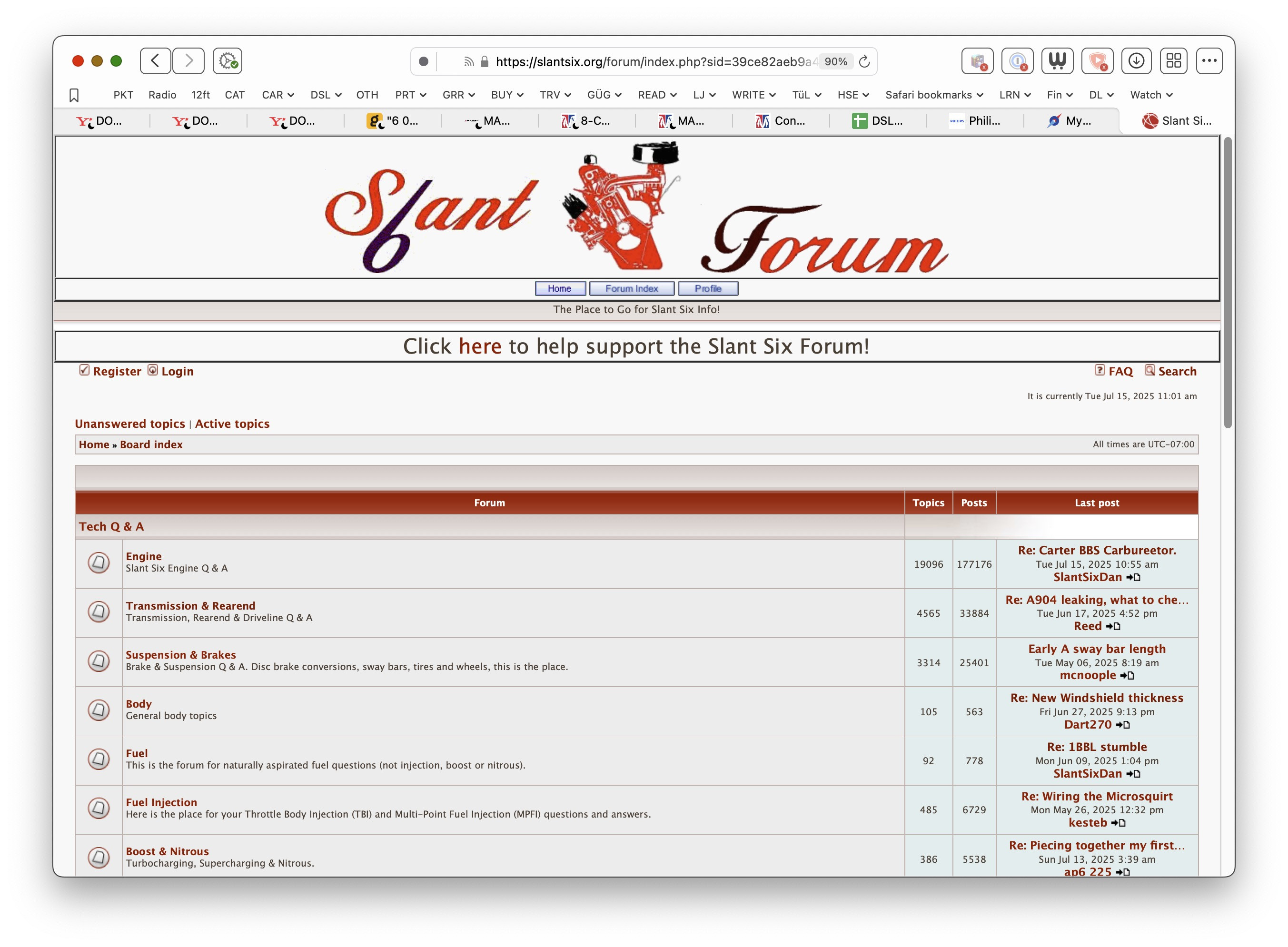
Here's what that same page looks like in Orion with Compatibility Mode switched ON (rendered correctly):
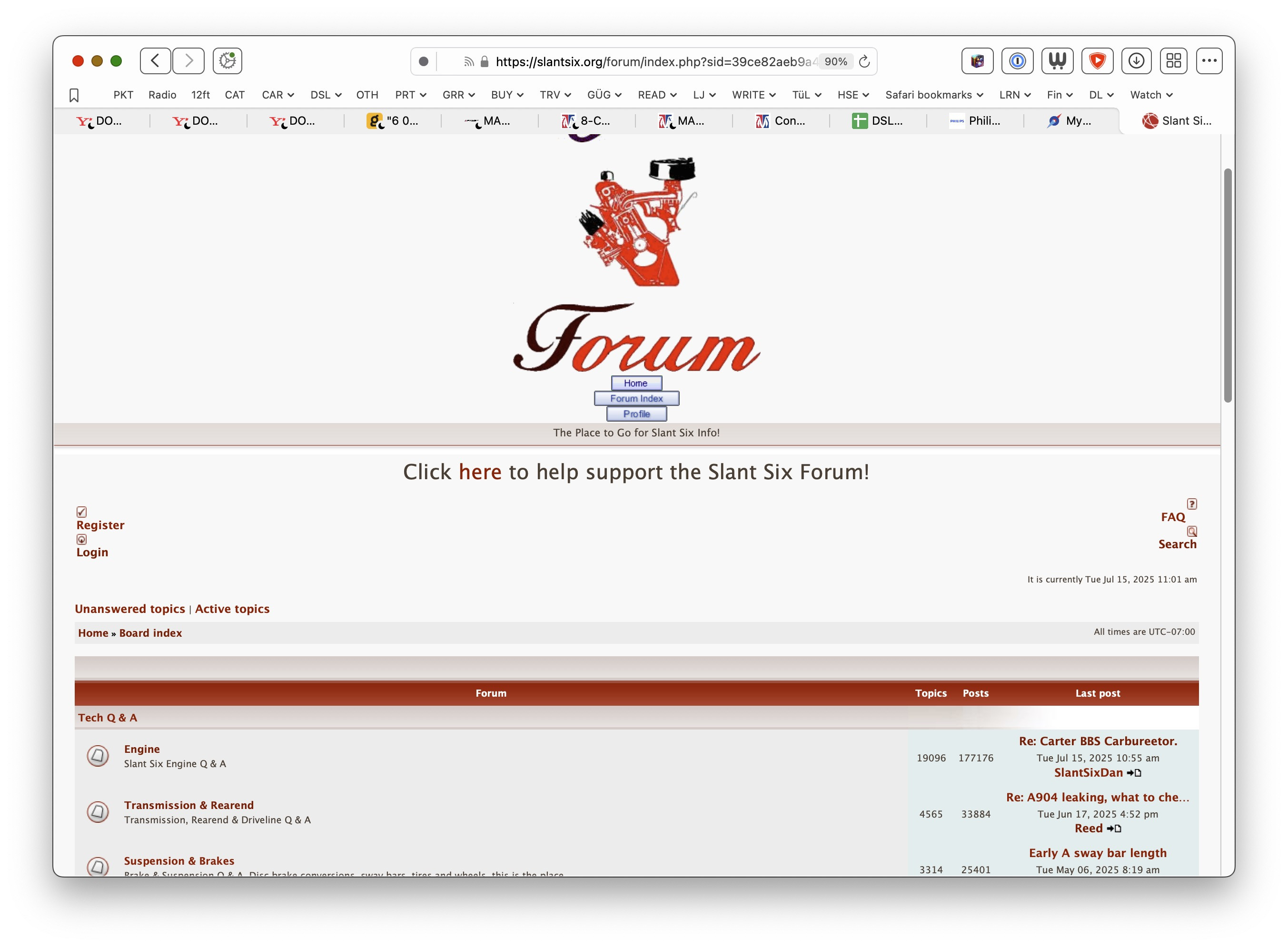
Here's that same page in Orion, with Compatibility Mode switched OFF (incorrect rendering):
Here are some more pairs of screen grabs. Compatibility Mode ON:
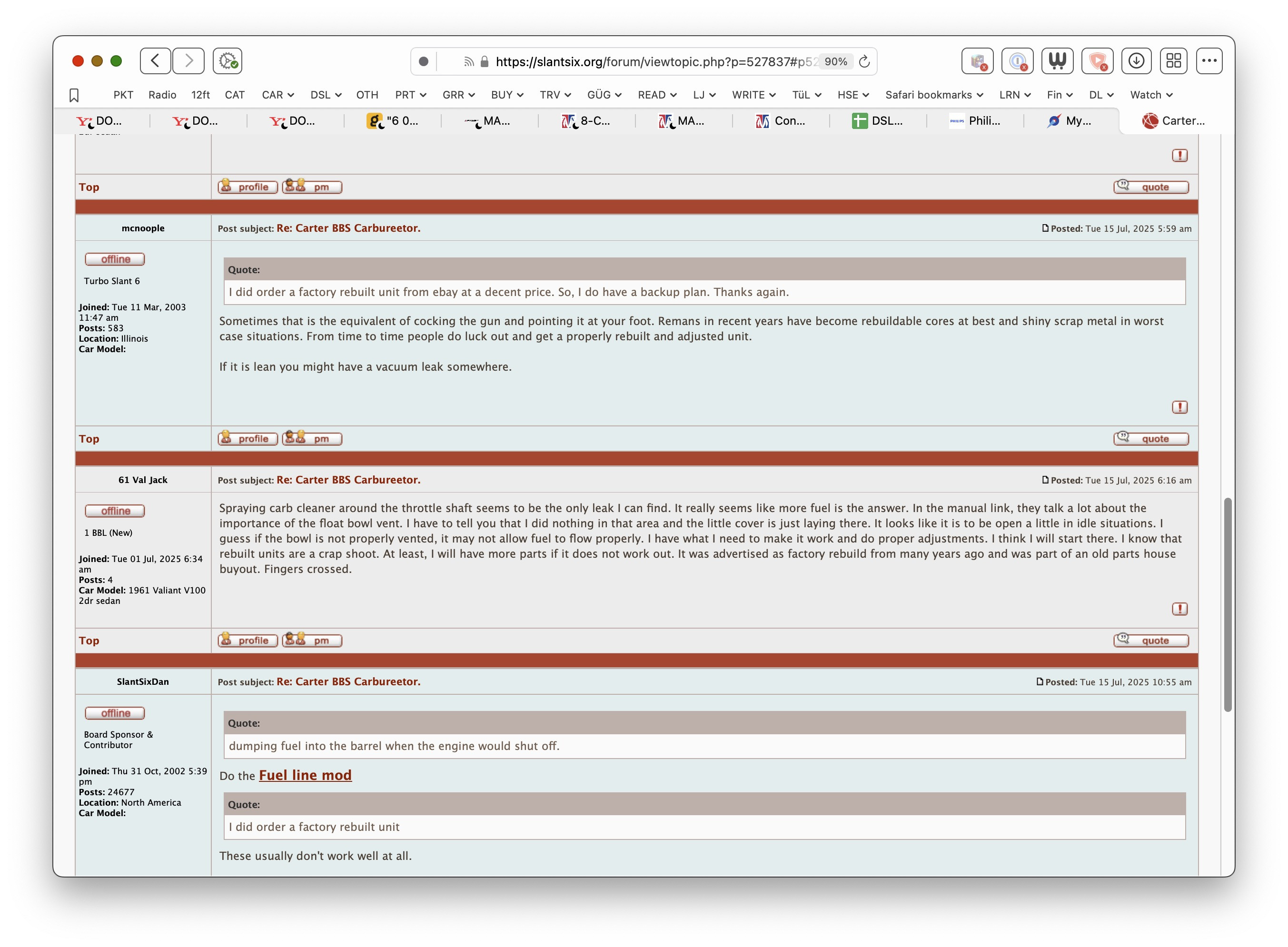
Compatibility mode OFF:
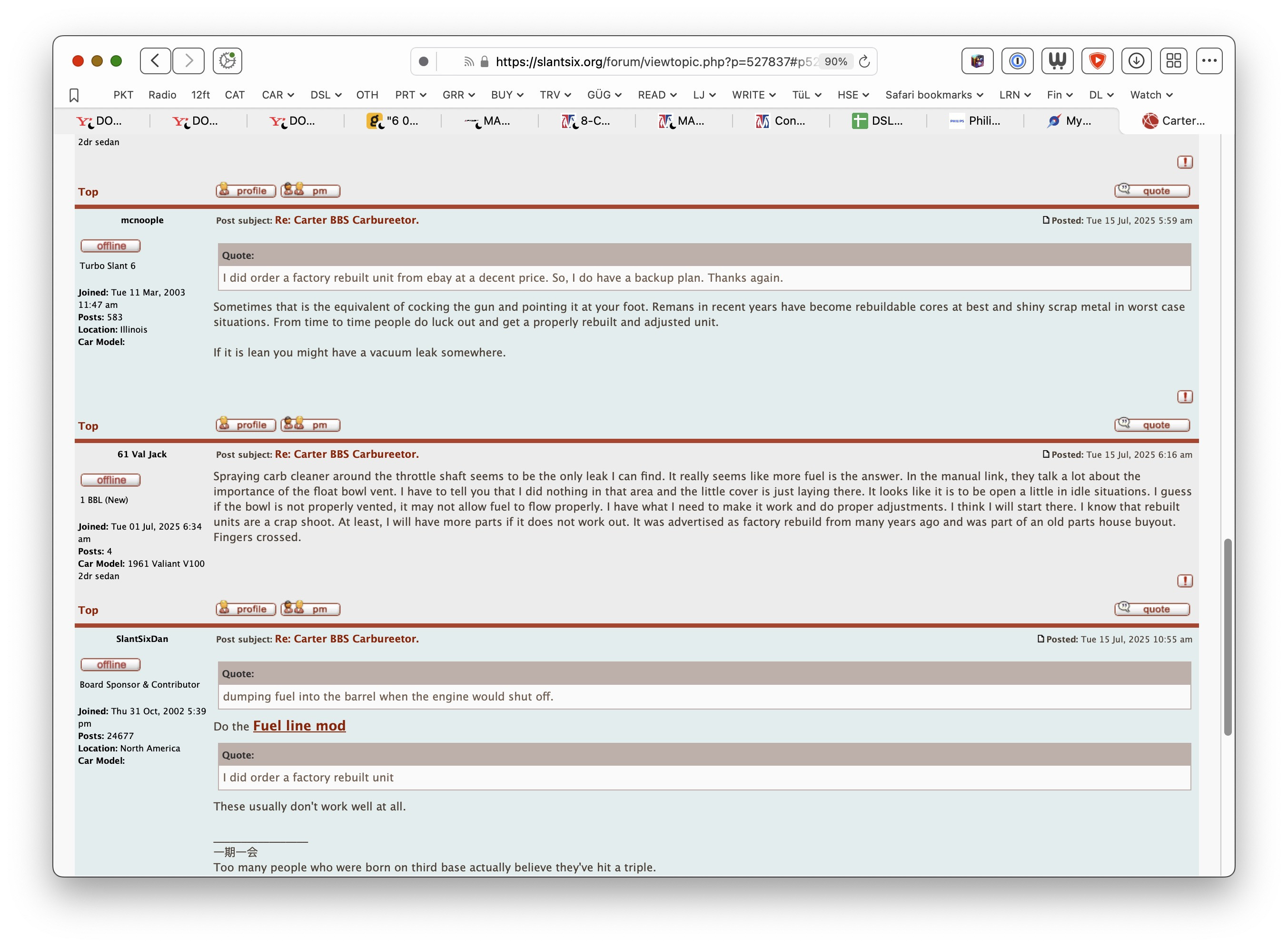
Compatibility mode ON:
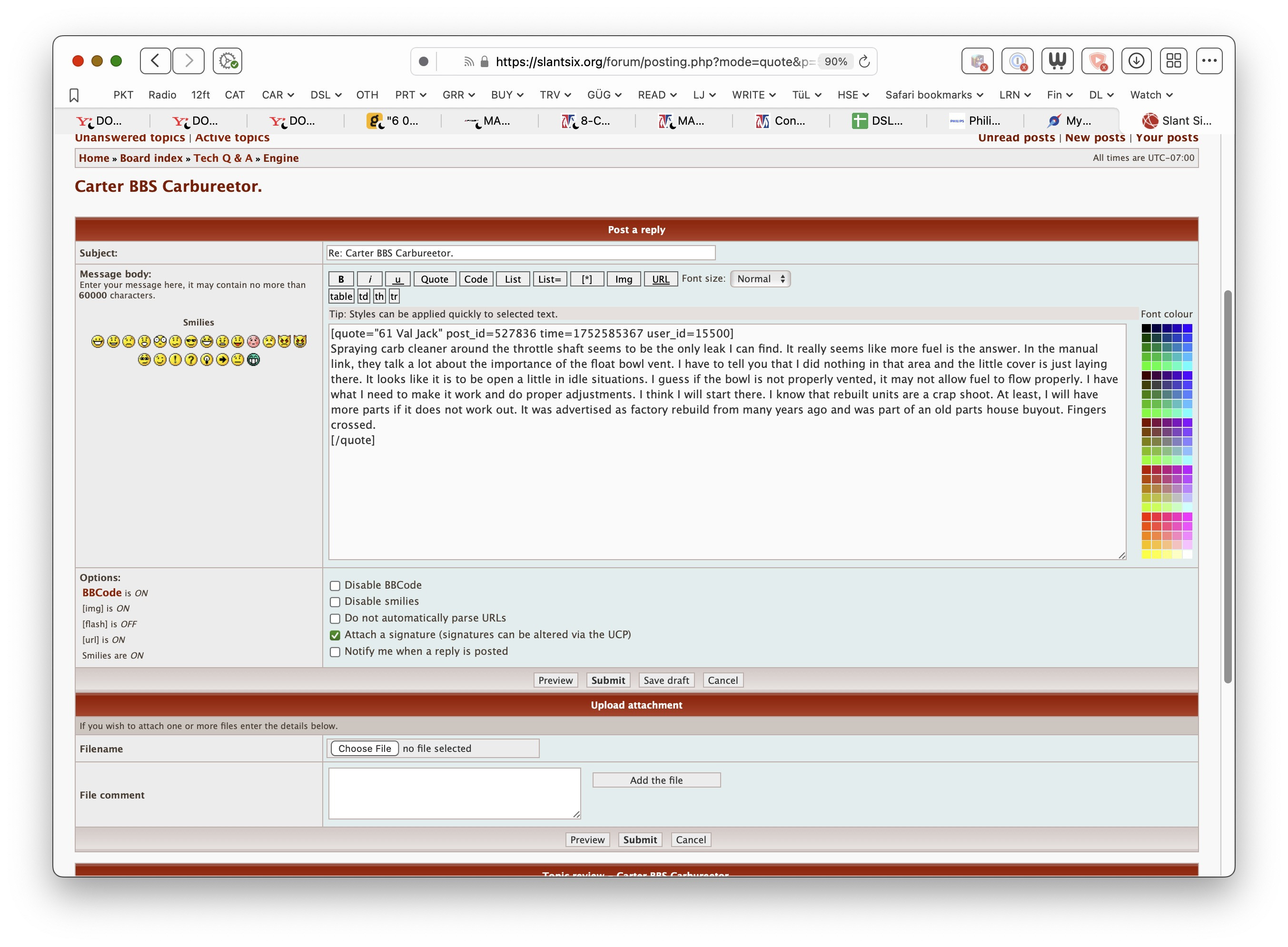
Compatibility mode OFF:
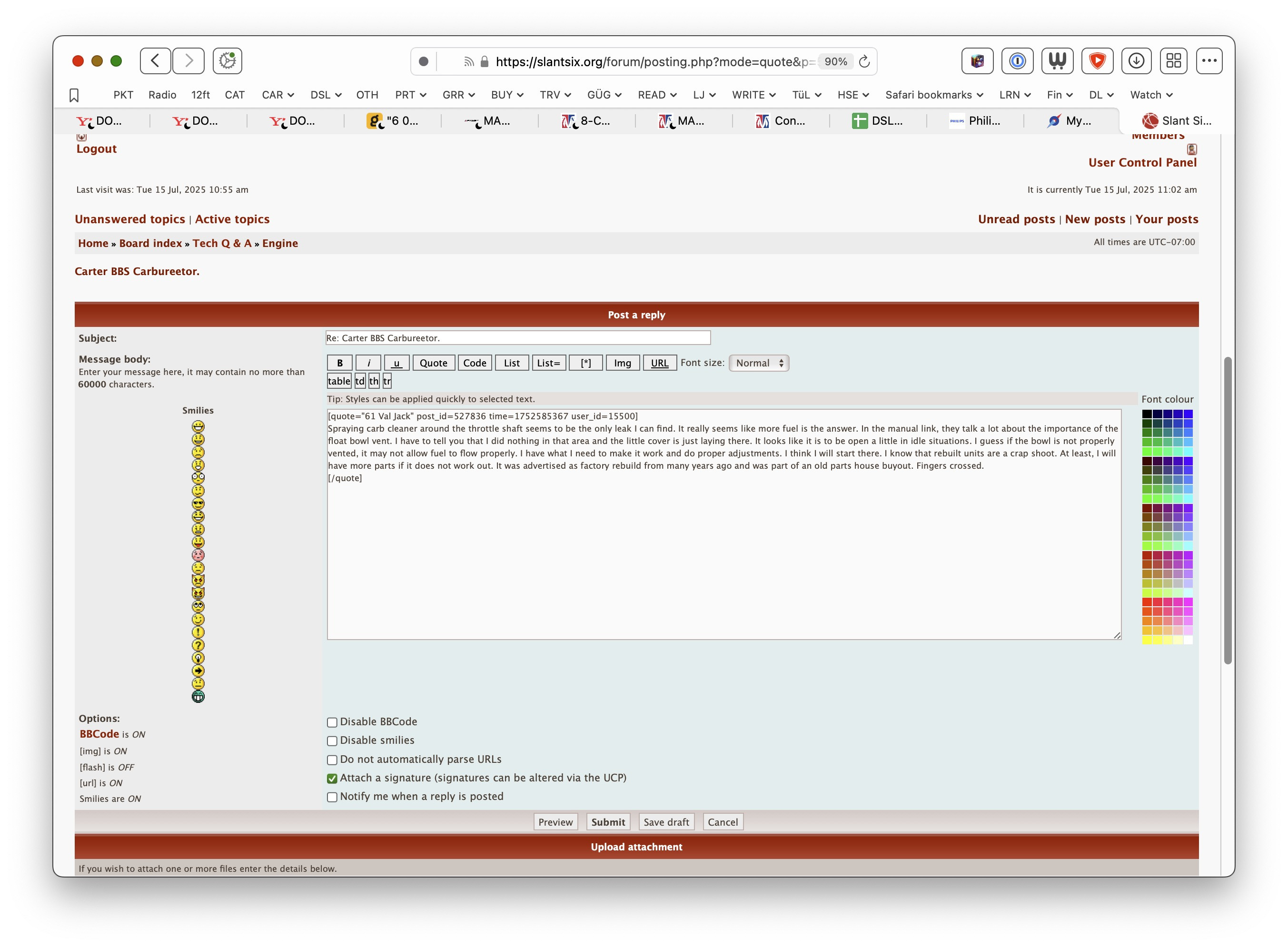
I've tried quitting and restarting Orion, which I've found to clear glitches before, but it doesn't address this one. Same with changing user agent from Automatic to Safari or Firefox. This problem is only present on Desktop, not on Mobile (the site renders properly in Orion on my phone).
The problem does not occur in a new/clean profile, which is great, but all my bookmarks and configs and stuff are in my main profile, and as far as I can tell (I could certainly be wrong) they'd have to all be rebuilt from scratch because there's no way to neatly import them from one profile to another.
(desired functionality: Orion should go back to rendering the site correctly, even with Compatibility Mode switched off.)
0.99.133-beta (WebKit 621.1.2.111.4) under MacOS 14.7.4
Sonoma (14)
