Hey! I believe almost everything you are requesting can be achieved with Orion's programmable buttons.
To get started, right click your toolbar → Customize Toolbar → Drag the Programmable Button onto your toolbar

Click the symbol to edit it, and make the following edits:
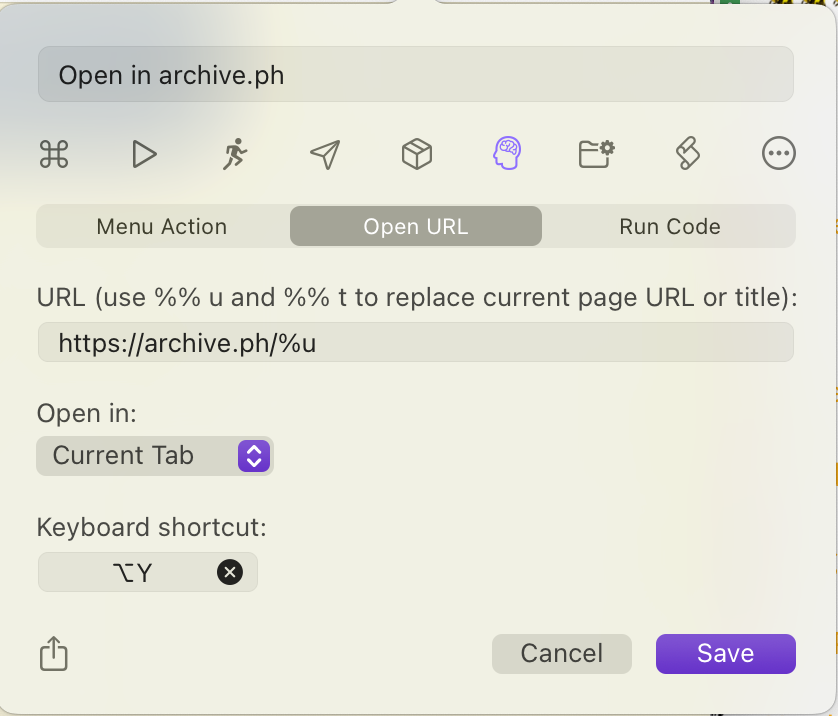
Then click save! Now you can quickly and efficiently open the page in archive.ph (or any other archive service by editing the URL), including using a keyboard shortcut!
N.B. The URL description has an error; use %u to replace the current page URL. I'll create a bug report for that.
