Before updating Orion, I had a saved window with a pinned tab and a non-pinned tab:
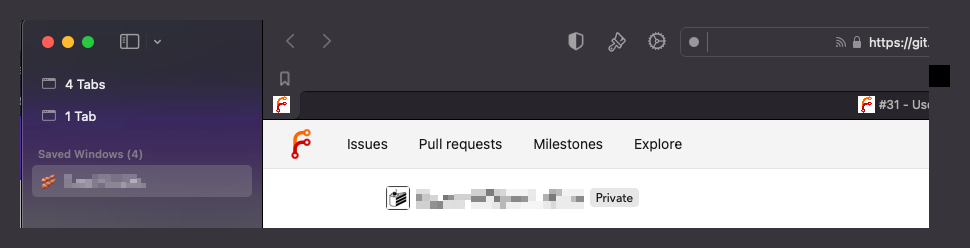
Both tabs point at the same private Forgejo instance: the pinned tab to a project's Kanban board, and the non-pinned tab to an open issue on that board.
Orion offered the update to Version 0.99.134-beta (WebKit 622.1.9.19.2), which I installed. On restarting, my Orion windows were all restored correctly, except this one, which no longer showed a pinned tab, just the non-pinned one.
When I pressed ⌘T, the pinned tab reappeared. But it was now a copy of the non-pinned tab, and showing the open issue rather than the project Kanban board. Clicking the bookmark for the Kanban board opened it in another new tab rather than changing the URL of the pinned tab (opening a pinned tab's links in a new tab might be correct, but I'd argue it should be possible to change the URL of a pinned tab by clicking a bookmark or editing the URL without having to unpin it first 🙂
I ended up having to close the pinned tab, and then pin the one that was opened with the correct URL. And I have to do this dance every time Orion restarts. (The behaviour continues after updating to 0.99.134-beta)
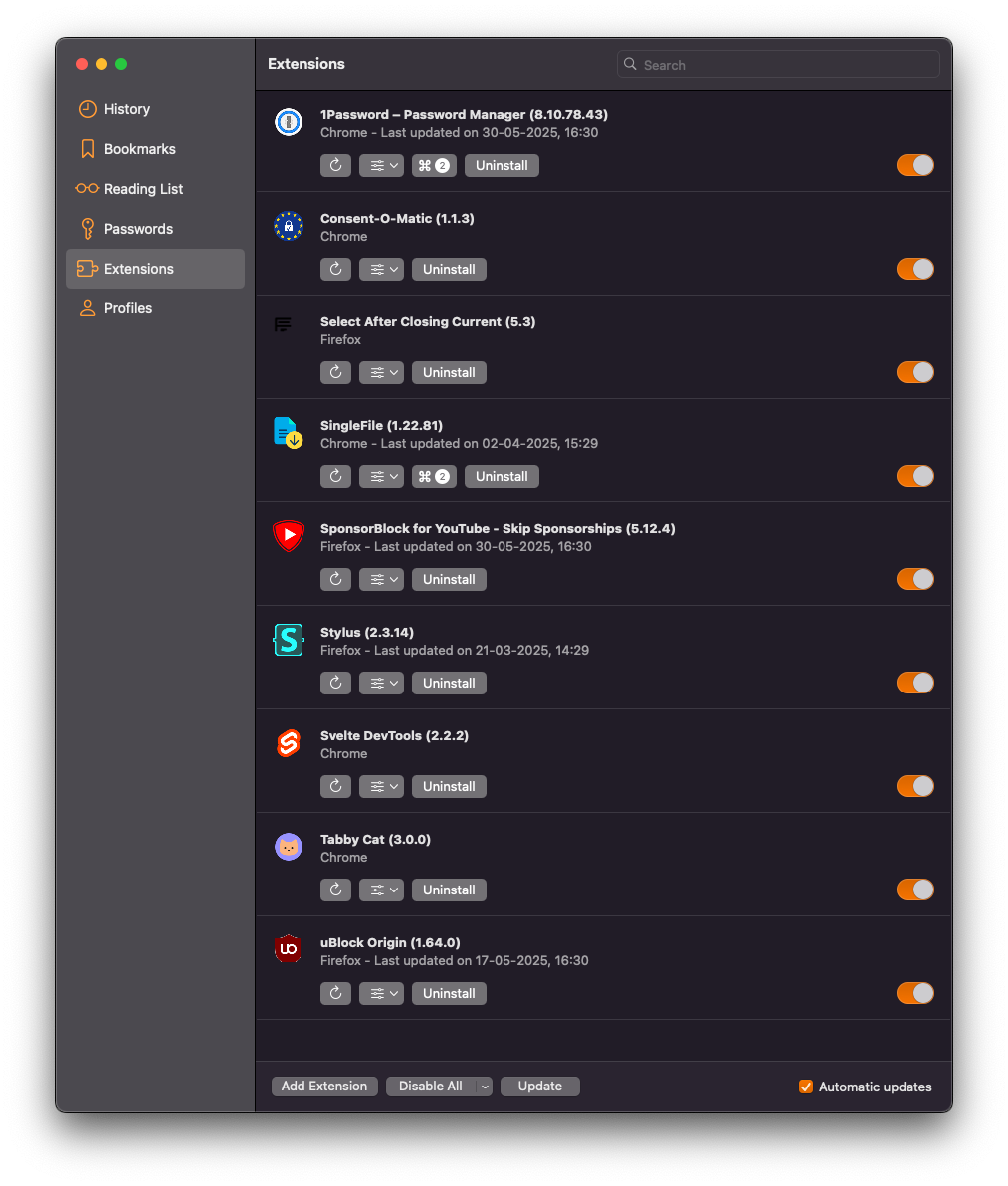
Installed extensions:
I've seen https://orionfeedback.org/d/2411-enpass-extension-casues-constantly-losing-pinned-tabs but I'm not using Enpass.
When I restart Orion, pinned tabs:
- still show in the tab bar
- still have the same URL as they did before I restarted Orion
Version 0.99.134-beta (WebKit 622.1.9.19.2) Build date June 10, 2025 Mac Studio (macOS Sequoia 15.5 build 24F74)
Sequoia (15)
