When in Focus mode the toolbar only appears when the cursor hovers at the top edge of the screen. Clicking the Tabs button results in a popup of available tabs to switch to, and clicking one of them would select that tab. except that as soom as you move the cursor down off the tool bar, the toolbar and the popup disappears as you re-enter focus mode, making it impossible to click any of the buttons in that popup.
This is the button and popup for reference:
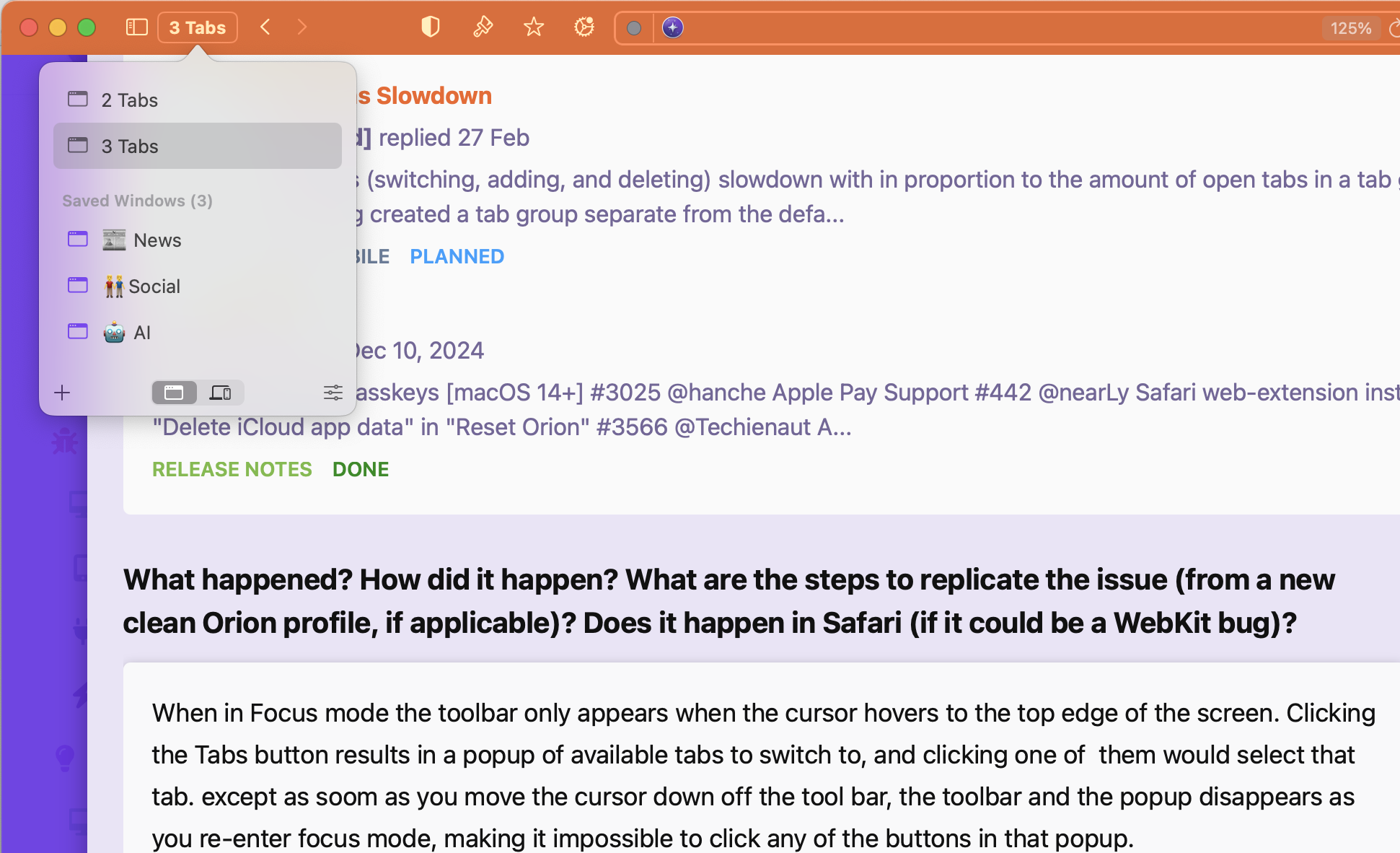
This button should be made to behave like the other button in the toolbar, like the share sheet or settings gear buttons, where pressing them makes the toolbar stay present until another click is registered, even when the cursor moves off the toolbar.
Version 0.99.133-beta (WebKit 621.1.2.111.4)
Sequoia (15)
