Description of the suggestion:
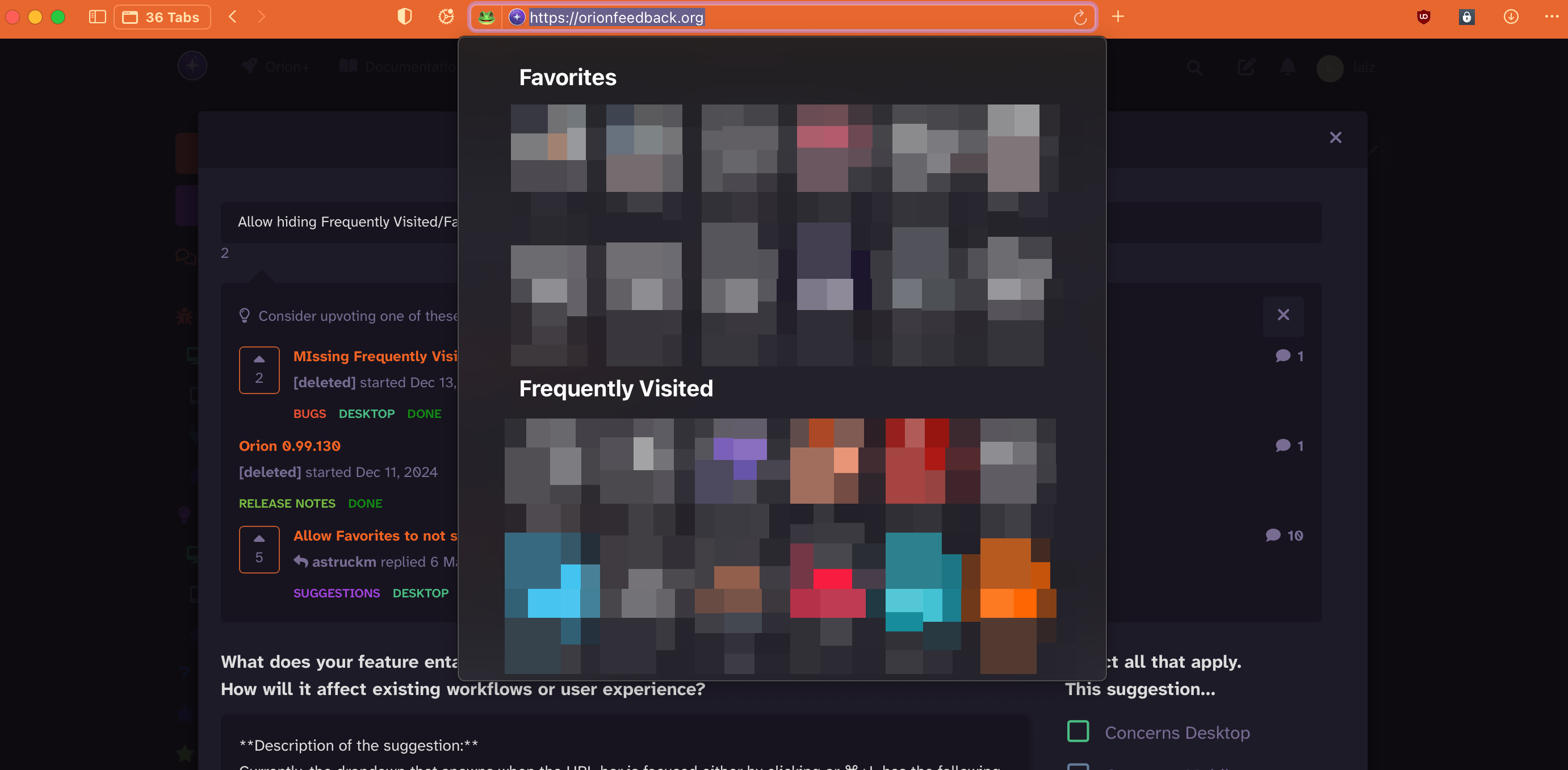
Currently, the dropdown that spawns when the URL bar is focused either by clicking or ⌘+L has the following categories (when applicable):
- Favorites
- Frequently Visited
- Reading List
This can lead to a very crowded dropdown whenever the URL bar is focused.
The only way to remove these from the menu is to disable them in your start page:
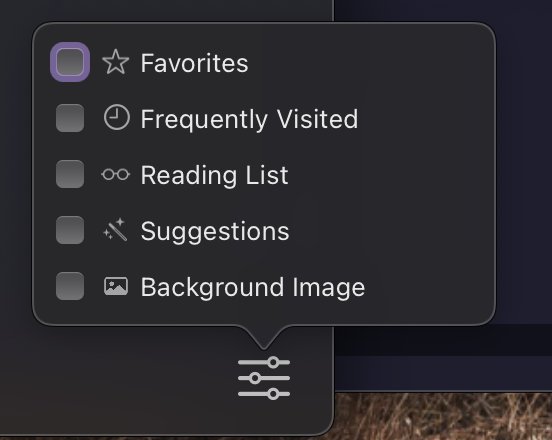
This results in there being no dropdown menu when the URL bar is focused.
However, this compactness comes at a cost of not having anything on one's start page which is an undesirable consequence. A way to improve the situation would be to add separate toggles or in some other way make the configuration more detailed.
Safari's start page edit button looks like this, which could be used as a starting point.
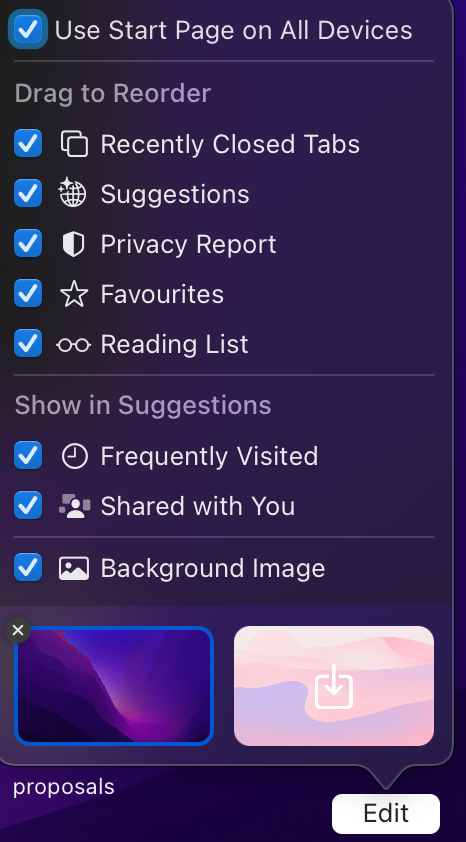
Alternatively the configuration could be moved to Settings -> Search or Browsing.
Lastly, it is worth noting that the current behavior of Orion is identical to Safari. If I hide favorites from my start page on Safari, they will not appear in the URL bar dropdown either. I believe Orion could improve on Safari in this regard.
What makes this suggestion worth considering:
Implementing this would allow users to have a compact/minimalistic URL bar dropdown menu without sacrificing their start page usability.
