Summary
Vimium C extension has stopped functioning in Orion RC browser. The browser displays a notification that "Vimium C is not running on this page" despite being installed and enabled.
Steps to Reproduce
- Install Vimium C extension in Orion RC browser (https://addons.mozilla.org/en-US/firefox/addon/vimium-c/)
- Navigate to any webpage
- Attempt to use Vimium C keyboard shortcuts or commands
- Observe error message displayed in a black notification box
Actual Behavior
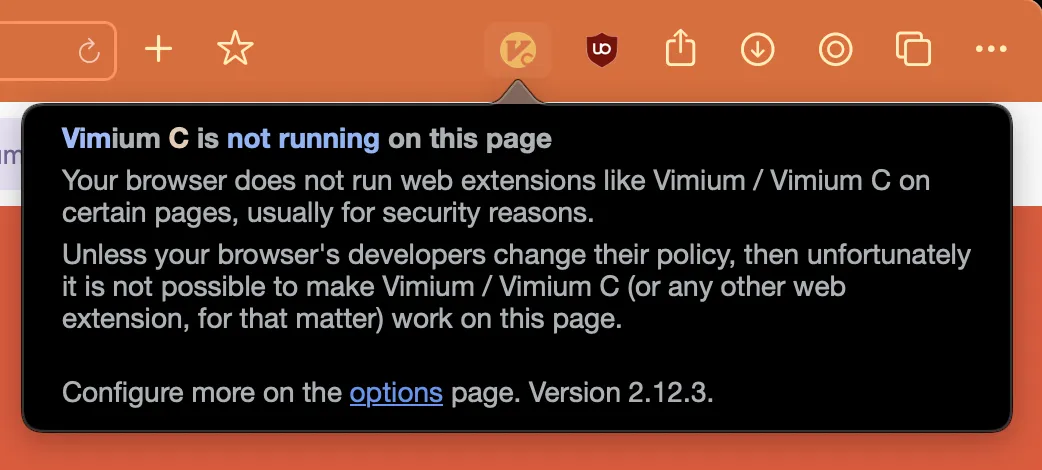
When attempting to use Vimium C on any webpage, a black notification box appears with the following message:
Vimium C is not running on this page
Your browser does not run web extensions like Vimium / Vimium C on certain pages, usually for security reasons.
Unless your browser's developers change their policy, then unfortunately it is not possible to make Vimium / Vimium C (or any other web extension, for that matter) work on this page.
Configure more on the options page. Version 2.12.3.
Expected Behavior
Vimium C extension should function normally, allowing keyboard navigation and shortcuts on webpages.
Screenshots
Screenshot shows the error notification displayed when attempting to use Vimium C in Orion browser.
Additional Information
- The extension appears to be properly installed and enabled in the browser
- The extension version is 2.12.3 as shown in the error message
- This issue appears to be related to how Orion browser handles extensions, possibly due to its security policies or WebKit implementation
Possible Causes
- Incompatibility between Vimium C and the specific Orion RC build
- Security restrictions in Orion RC preventing extensions from running on certain pages
- WebKit implementation in Orion RC may differ from Chromium's extension handling
Environment
- Browser: Orion RC 0.99.133.2-rc (WebKit 619.1.11.111.2)
- Operating System: Apple macOS Ventura 13.4 (22F66)
Orion RC 0.99.133.2-rc (WebKit 619.1.11.111.2) ; Apple macOS Ventura 13.4 (22F66)
Ventura (13)