Issue Summary
When Website Tinting is enabled and iOS dark theme is active, status bar text becomes invisible on websites with white backgrounds.
Steps to Reproduce
- Set iOS device to dark mode (system-wide)
- Open Orion Browser
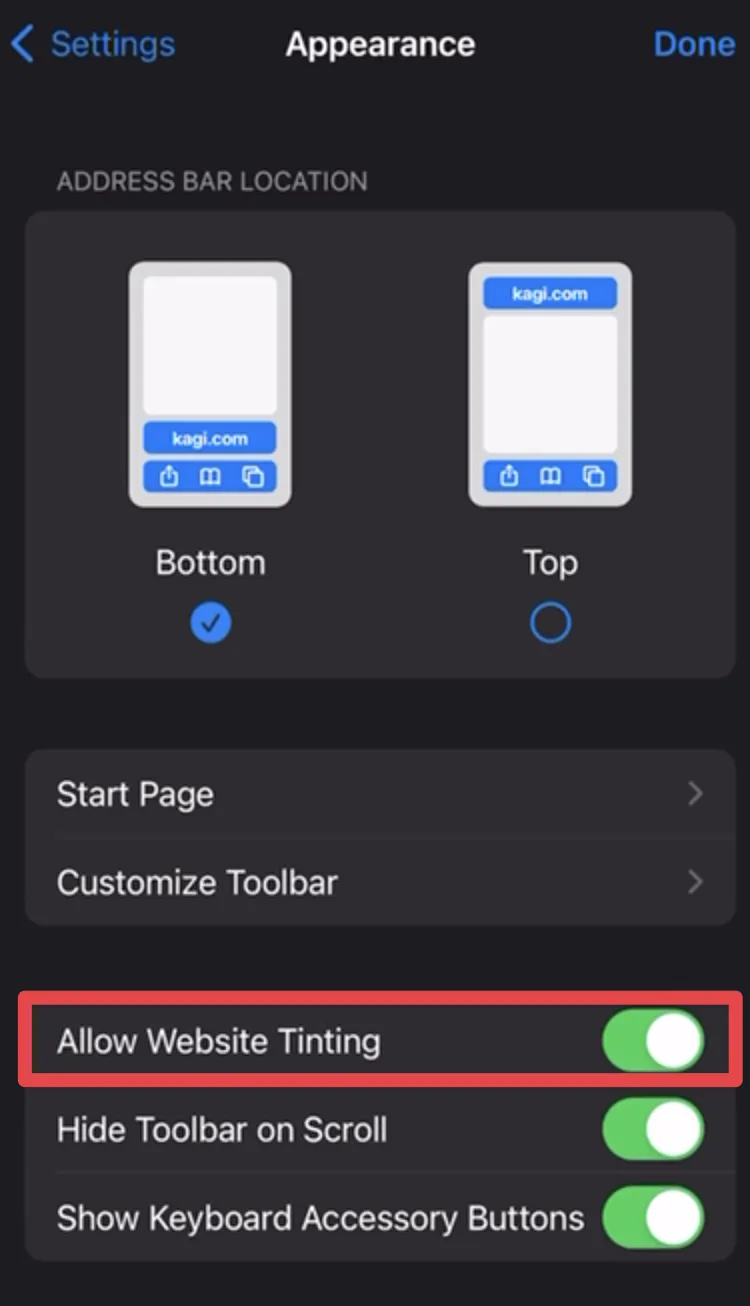
- Enable "Allow Website Tinting" in browser settings (Appearance section)
- Navigate to a website with a white background (e.g., Google.com)
Actual Behavior
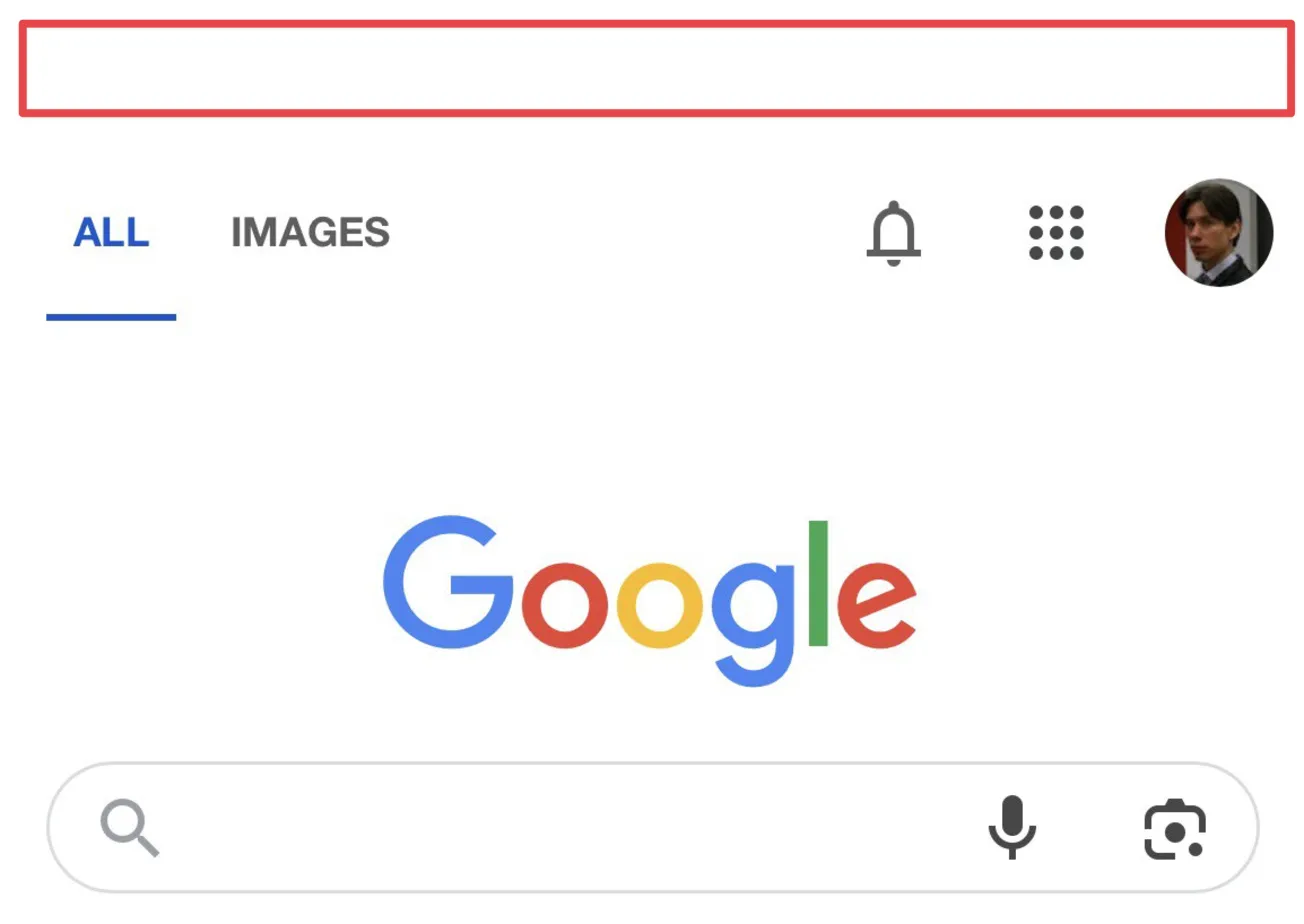
When on a site with white background (as seen in Image 1), the status bar text (time, signal strength indicators, etc.) becomes invisible or extremely difficult to see because white text is displayed against a white background.
Video:
Website Tilting Settings
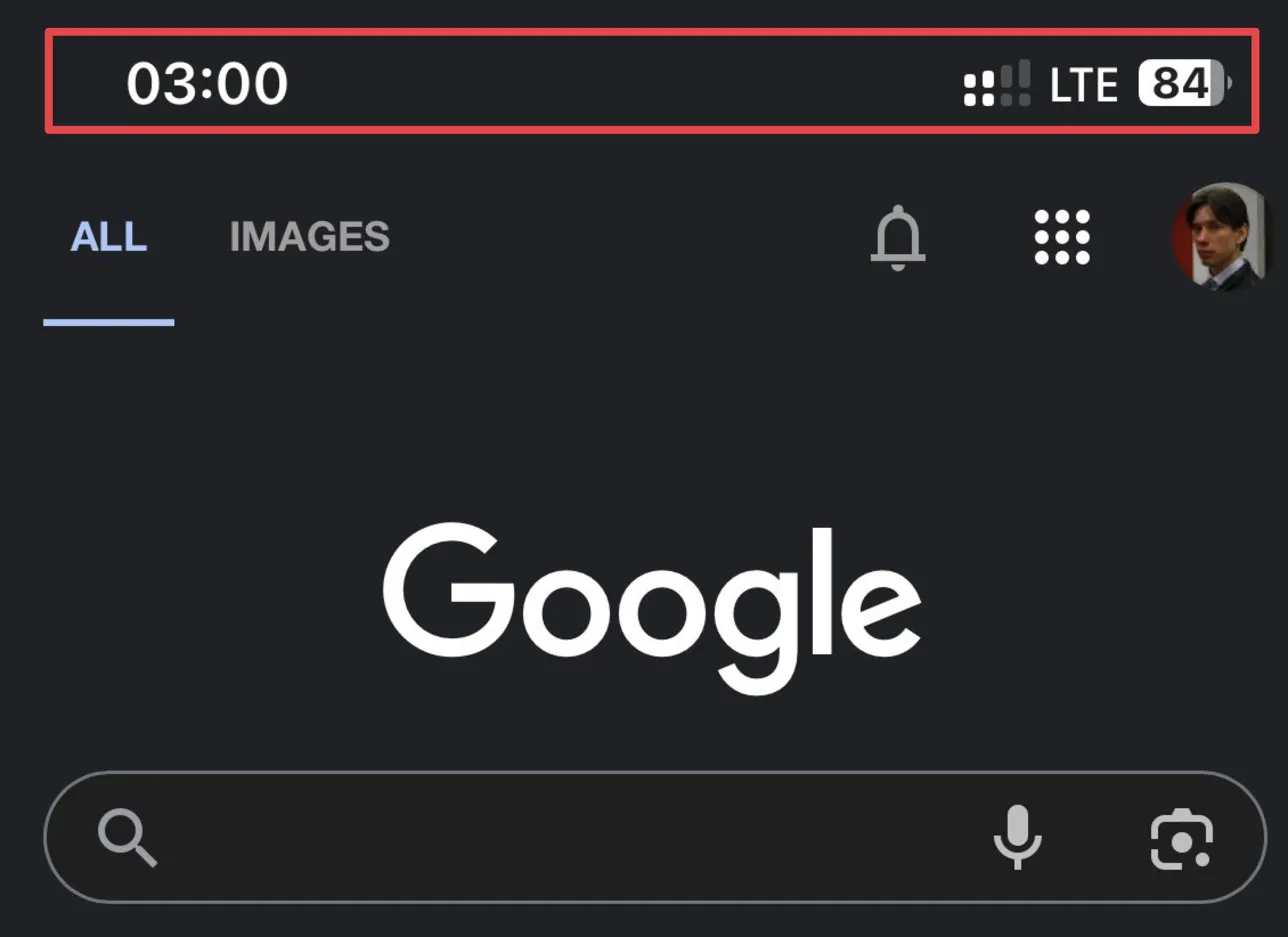
Google Dark Theme On
Google Dark Theme Off
Expected Behavior
Status bar text should remain visible regardless of website background color, either by maintaining dark text or by adding a contrasting background/shadow to ensure readability.
Visual Evidence
- Image 1 shows Google's white background with (presumably) white status bar elements
- Image 2 shows Google's dark theme at 3:00 with visible white status bar elements
- Image 3 shows the browser settings with "Allow Website Tinting" enabled
Impact
This bug significantly impacts usability as users cannot see essential information like time, battery level, and connection status while browsing light-colored websites.
Additional Notes
The issue appears to be caused by the "Website Tinting" feature adapting the status bar color to match website colors without ensuring proper contrast for readability.
Configuration:
OS: Apple iOS 16.6.1
App: Orion Browser by Kagi
Version: 1.3.23 (1) (WebKit 8615.3.12.10.2)
Platform: iOS
