Summary
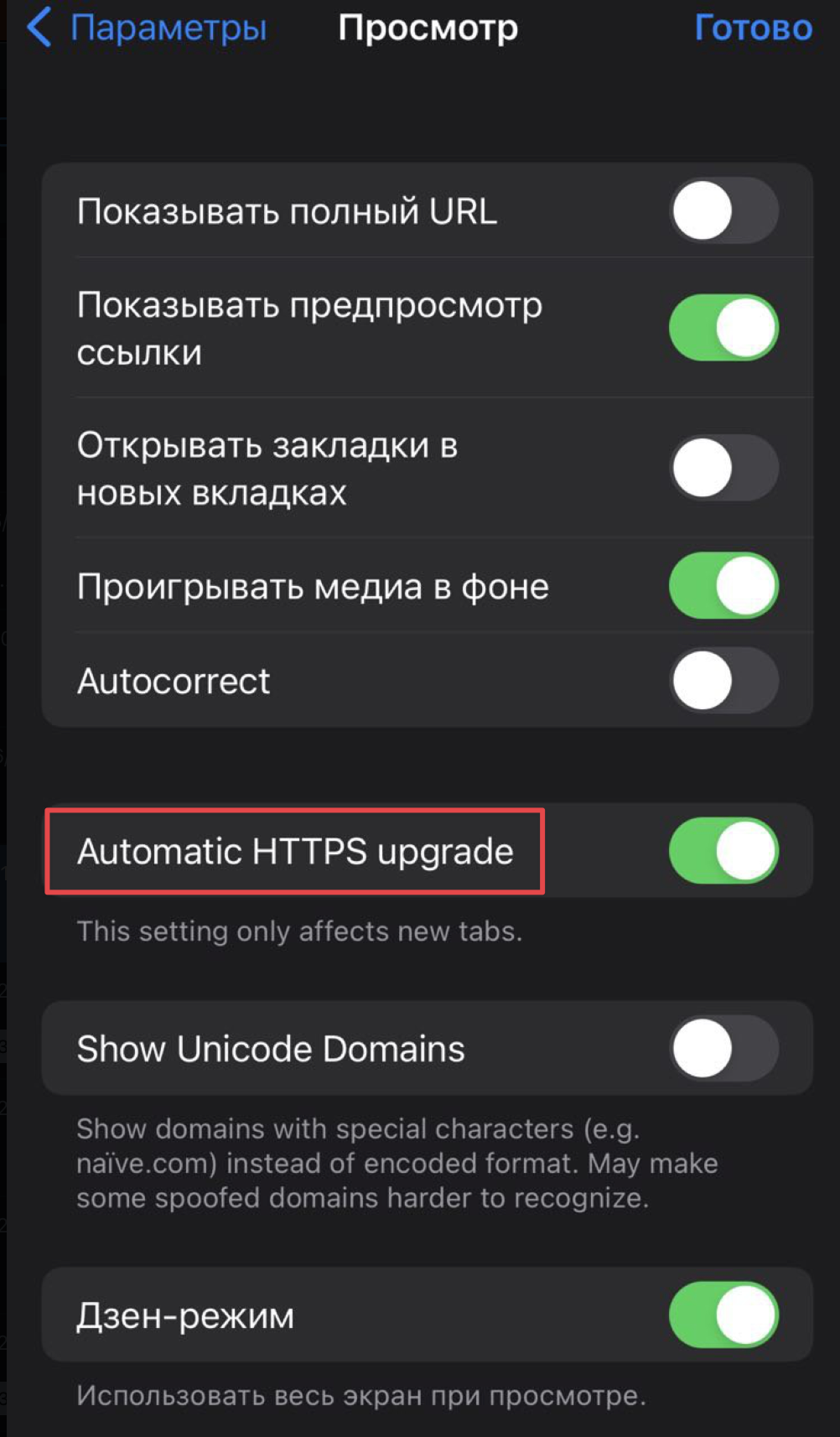
The string "Automatic HTTPS Upgrade" appears untranslated (remains in English) within the Russian language interface of the Orion Browser.
Description
While browsing the settings interface in Russian language mode, the toggle switch for "Automatic HTTPS Upgrade" remains in English while all surrounding text elements are properly translated to Russian. This inconsistency disrupts the user experience for non-English users.
Steps to Reproduce
- Set device language to Russian
- Open Orion Browser
- Navigate to Settings (Параметры)
- Go to Browse (Просмотр) settings
- Observe the untranslated "Automatic HTTPS Upgrade" text
Actual Behavior
The string "Autocorrect" remains in English despite the rest of the interface being properly localized in Russian.
Expected Behavior
The string "Automatic HTTPS Upgrade" should be translated to Russian, matching the rest of the interface language.
Supporting Evidence
- Image 1 shows the search results screen with "Automatic HTTPS Upgrade" search term and Russian interface
- Image 2 shows the settings screen where "Automatic HTTPS Upgrade" appears untranslated
Additional Information
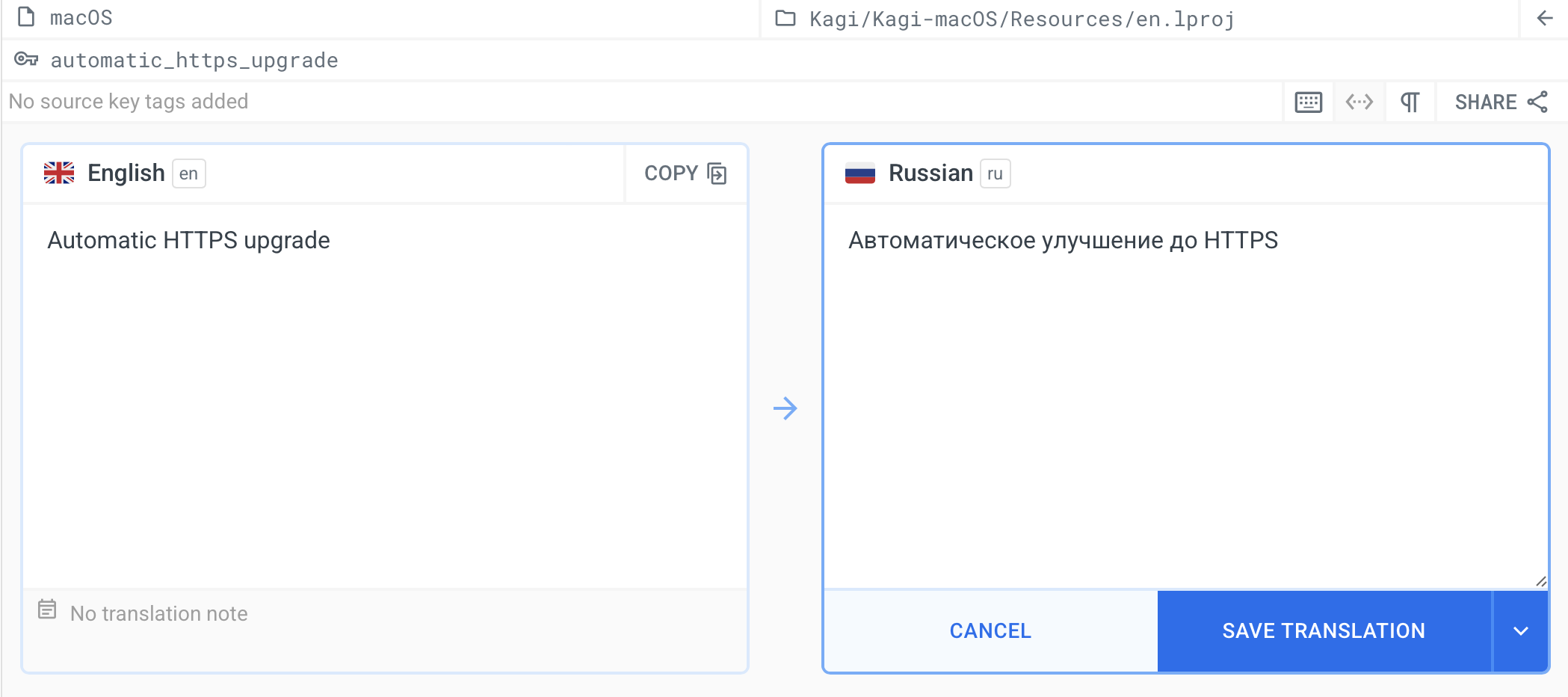
It looks like the translation exists for macOS only:
https://localazy.com/p/orion-browser/phrases/1105/edit/_a8028217319800353844
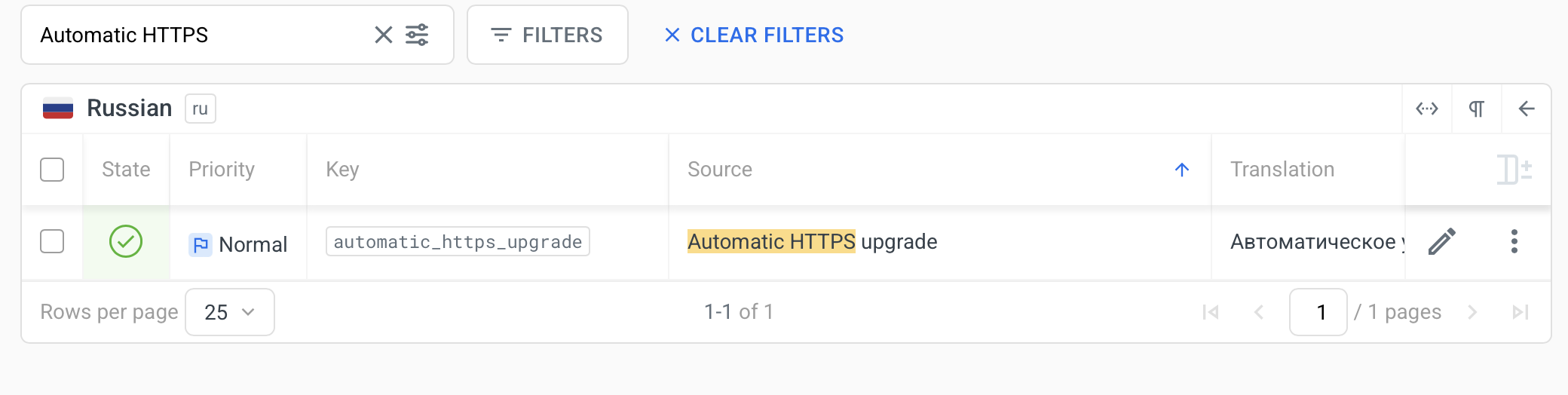
Verification confirms it's not present for iOS in the Localazy translation platform (https://localazy.com/p/orion-browser).
https://localazy.com/p/orion-browser/phrases/1105/?search=Automatic%20HTTPS&sort=1&sortBy=source
Severity
Medium - Does not prevent functionality but negatively impacts user experience for non-English speakers
Environment
- OS: Apple iOS 16.6.1
- App: Orion Browser by Kagi
- Version: 1.3.23 (1) (WebKit 8615.3.12.10.2)
- Platform: iOS
- Language setting: Russian
