Summary
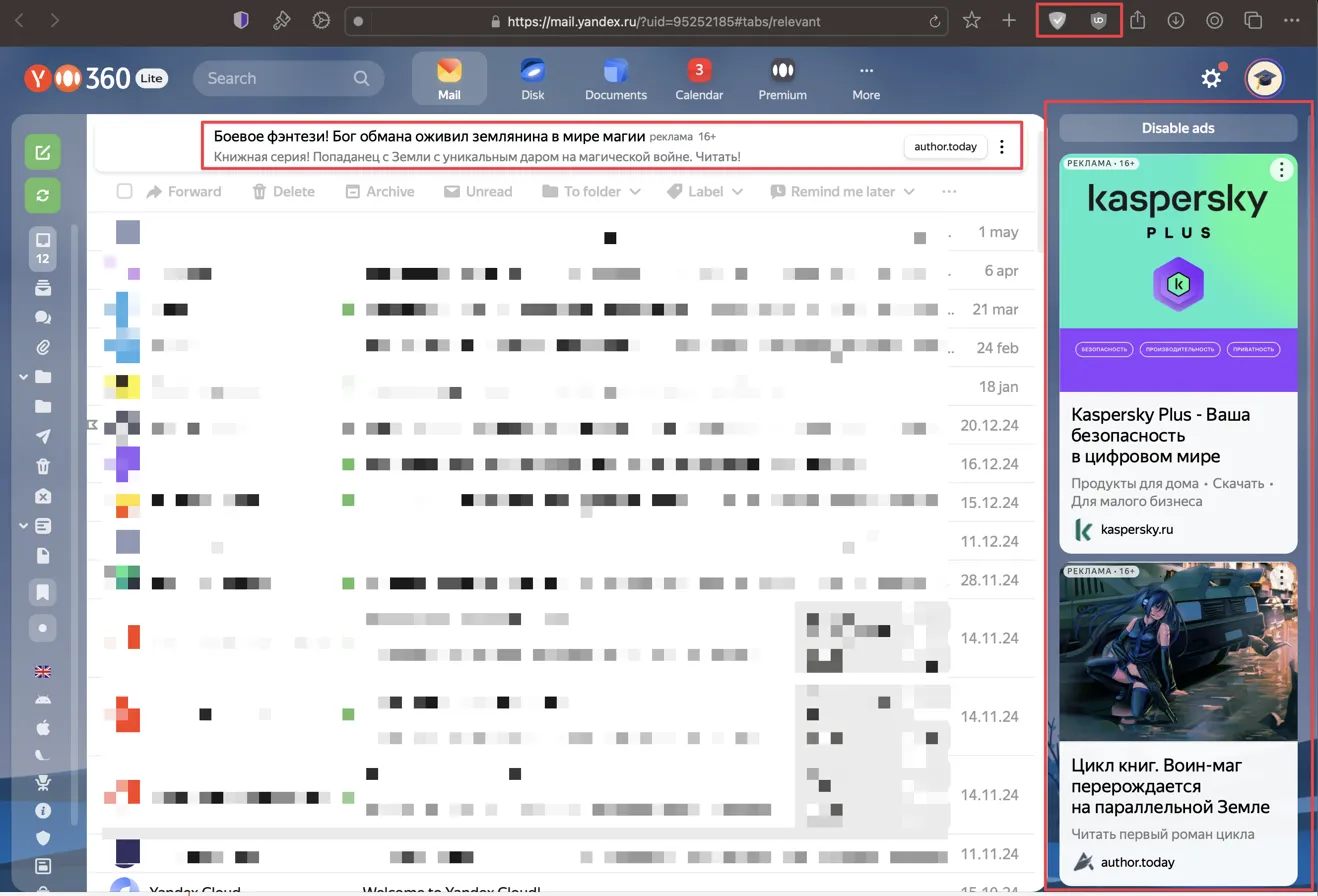
The cntblock.txt filter list from EasyList does not appear to be working effectively in the Orion RC browser when viewing mail.yandex.ru:
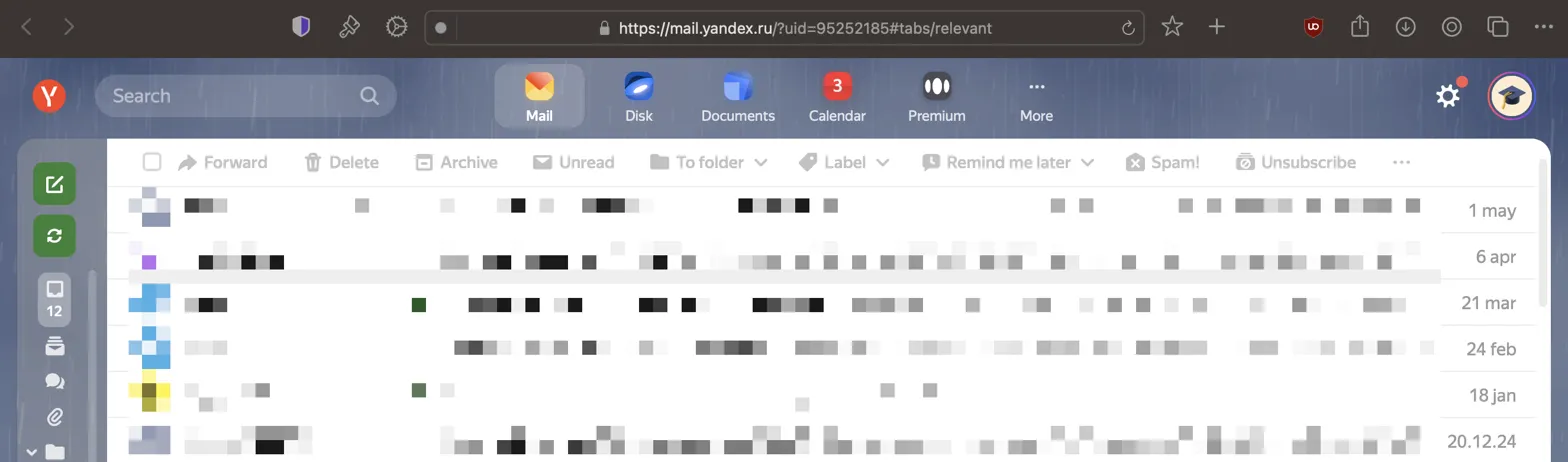
The same filter works properly when added to uBlock Origin.
Steps to Reproduce
- Open Orion RC browser
- Navigate to Settings → Extensions → Ad Blocker configuration
- Add the filter list: https://easylist-downloads.adblockplus.org/cntblock.txt
- Visit https://mail.yandex.ru
- Log into Yandex Mail account
Actual Result
As visible in the screenshots:
- Multiple Russian-language advertisements are displayed in the mail interface
- A prominent advertisement with the text "Боевое фэнтези! Бог обмана оживил землянина в мире магии" appears at the top
- A Kaspersky Plus advertisement is shown in the sidebar
- Another advertisement for a book series "Цикл книг. Воин-маг перерождается на параллельной Земле" is displayed
Expected Result
All or most advertisements should be blocked as they are when using the same filter list with uBlock Origin.
Additional Information
- The Orion browser's built-in shield icon is visible in the toolbar (highlighted with a red box in the first screenshot)
- The "Disable ads" option is visible in the interface but appears ineffective
- Content seems to be particularly Russian-language targeted advertisements
Comparison
When the same filter list is added to uBlock Origin in other browsers, these advertisements are successfully blocked on the same website.
Possible Causes
- The Orion browser's ad blocker might not be properly implementing the filter list syntax
- The ad blocker might not be detecting these specific ad elements
- There might be compatibility issues with Yandex's advertising implementation
- The filter list might require additional complementary filters to function properly in Orion
Environment
Any chance to get this corrected?
Thank you in advance,
Yuriy
