Description
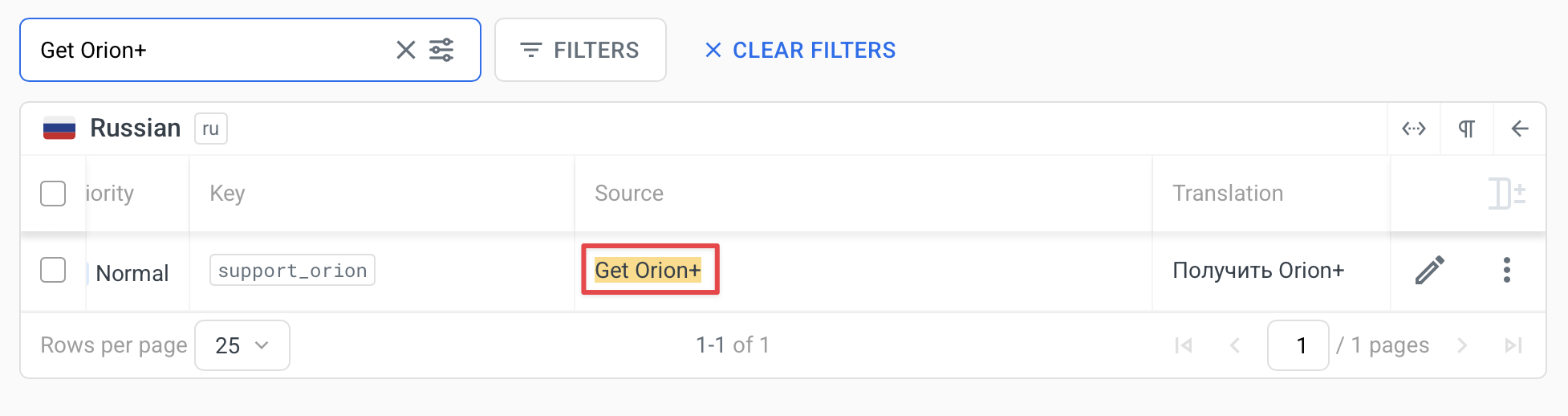
There is an inconsistency in the Russian localization of the "Get Orion+" string. On the translation site https://localazy.com/p/orion-browser/phrases/1105?search=Get%20Orion%2B, the string is correctly translated to Russian as "Получить Orion+"
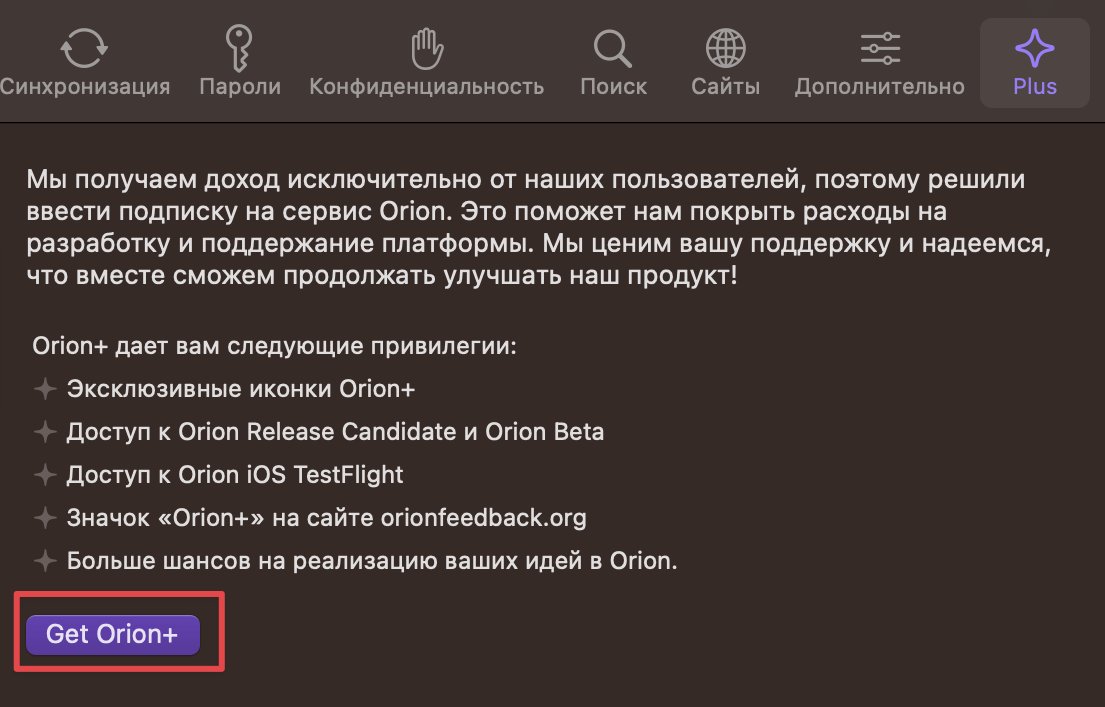
However, in the actual application UI (Image 2), the string remains in English as "Get Orion+" in the purple button.
Steps to Reproduce
- Set Orion Browser language to Russian
- Navigate to the Plus/Premium subscription page
- Observe the "Get Orion+" button text remains in English rather than displaying the translated "Получить Orion+"
Expected Behavior
The "Get Orion+" button in the Plus subscription page should display the Russian translation "Получить Orion+" as shown in the translation management interface.
Actual Behavior
The button text remains in English ("Get Orion+") despite the rest of the interface being properly translated to Russian.
Additional Information
- The translation string appears to be correctly defined in the translation management system with the key "support_orion" (as seen in Image 1)
- The translation database shows the correct Russian translation is available
- Other elements on the same page appear to be properly localized to Russian
- The issue appears to be isolated to this specific button text not being applied correctly
Visual Evidence
Two screenshots provided demonstrate:
- The translation management interface showing the correct Russian translation is available
- The actual UI showing the English text still being displayed on the button
Impact
This inconsistency affects the user experience for Russian-speaking users and creates an impression of incomplete localization.
Configuration
- Browser: Orion Browser
- Version: 0.99.133.1-rc (WebKit 619.1.11.111.2)
- Operating System: macOS Ventura 13.4 (22F66)
- Language Setting: Russian
- Issue Type: Localization/Translation
