Description:
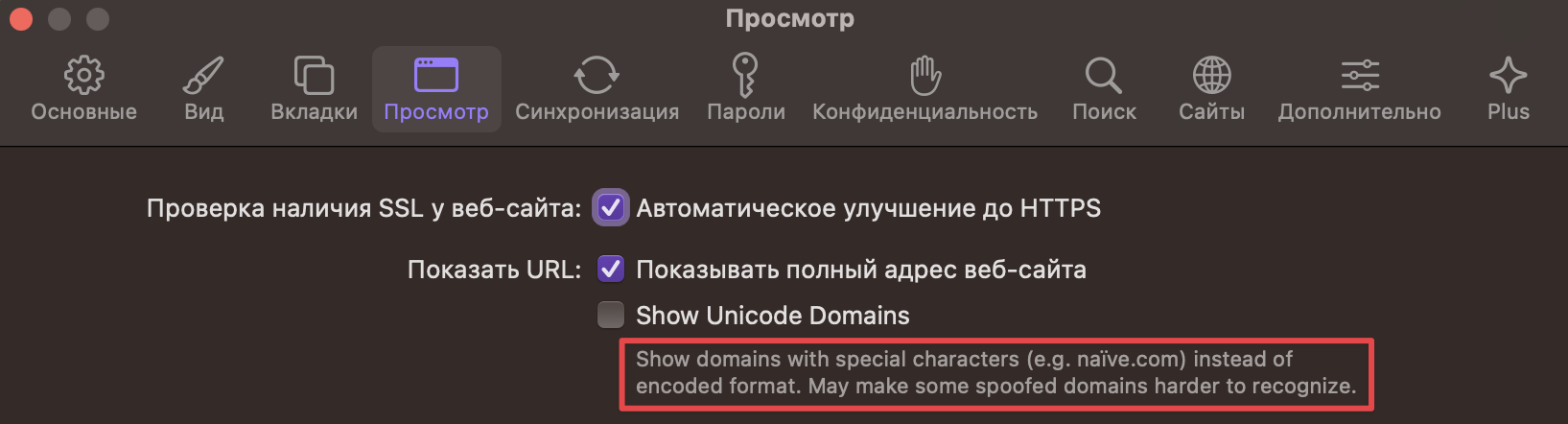
When using Orion Browser with the system language set to Russian, a missing translation string is observed in the UI. Specifically, under the "Show domains" section of the application (presumably related to domain display or SSL settings), the UI shows "Show domains" in English without a localized (Russian) translation.
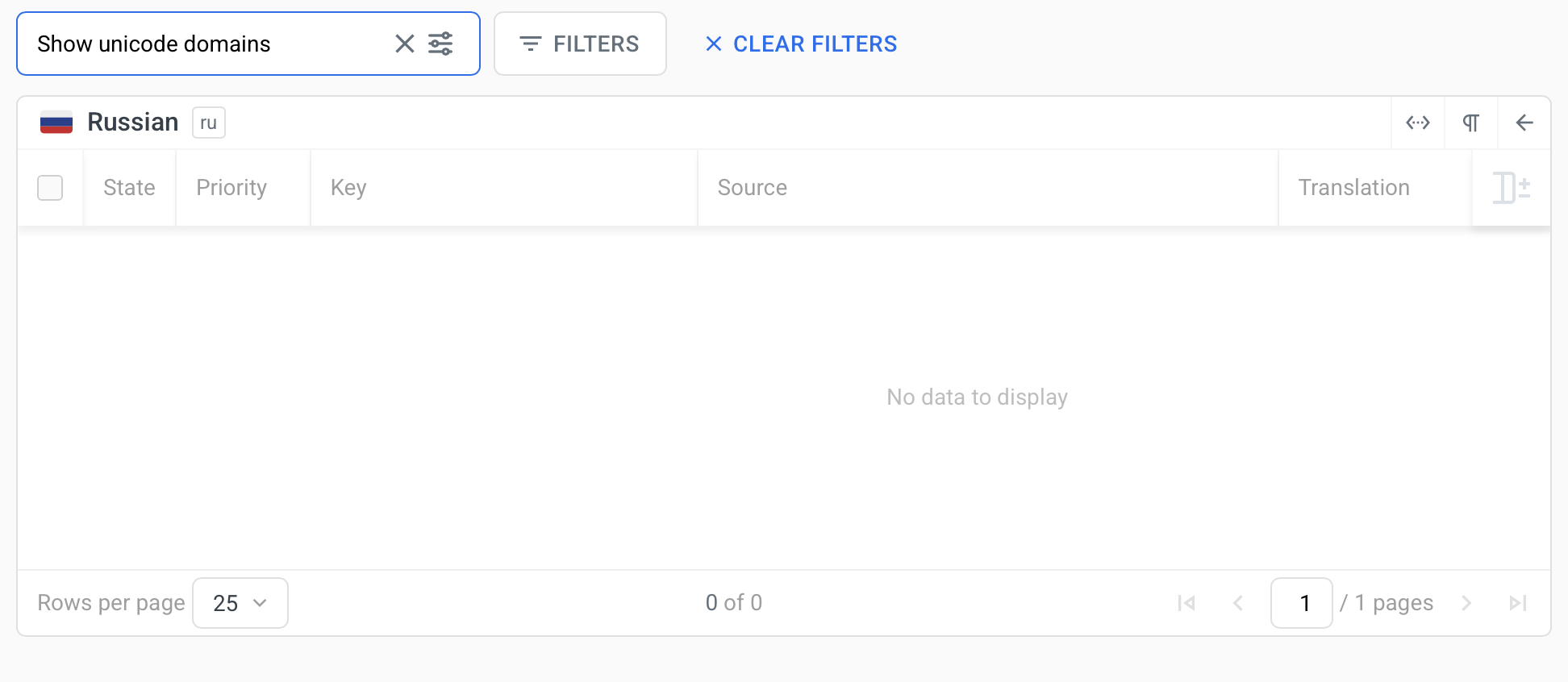
Furthermore, the domain management table under the link is empty and shows "No data to display" — while the lack of data may be expected, the untranslated label "Show domains" suggests a missing i18n (internationalization) string.
Steps to Reproduce:
- Set macOS system language to Russian.
- Open Orion Browser version 0.99.133.1-rc.
- Navigate to Orion > Параметры > Просмотр
- Observe that the label "Show domains" remains untranslated.
Expected Result:
The "Show domains" label should appear translated into Russian, consistent with the rest of the UI (e.g., "Показать домены" or another appropriate translation).
Actual Result:
The "Show domains" label is displayed in English.
Additional Observations:
- Other UI elements in the same sections ("Просмотр", "Проверка наличия SSL", etc.) are correctly translated into Russian.
- The tooltip text for "Show Unicode Domains" is displayed correctly in English but could also be localized.
- No JavaScript or console errors were noticed during this observation.
- It appears to be a missing key in the translation file rather than a rendering issue.
- Missing translation string under "Show domains" search bar on the site https://localazy.com/p/orion-browser/phrases/1105?search=Show%20unicode%20domains
Severity:
Minor (cosmetic UI issue; does not affect core functionality, but affects UX for non-English users)
Configuration
Product: Orion Browser by Kagi
Version: 0.99.133.1-rc (WebKit 619.1.11.111.2)
Build Date: April 30, 2025
Operating System: macOS Ventura 13.4 (Build 22F66)
Language Settings: Russian (ru)
Issue Type: Missing Translation String
