which files were downloaded recently from the internet or simply curled
@Fortrikka fyi browser downloads have a couple extended attributes set on them that distinguishes them from other downloads (e.g. curl):
kMDItemWhereFroms URL of download sourcekMDItemDownloadedDate date time of download
There's a few ways to view this data, but right in Finder is the easiest. For example, download the Doggo image from the mascot help page, right-click the file in Finder, and open Get Info. You should see the help.kagi.com link it was downloaded from.
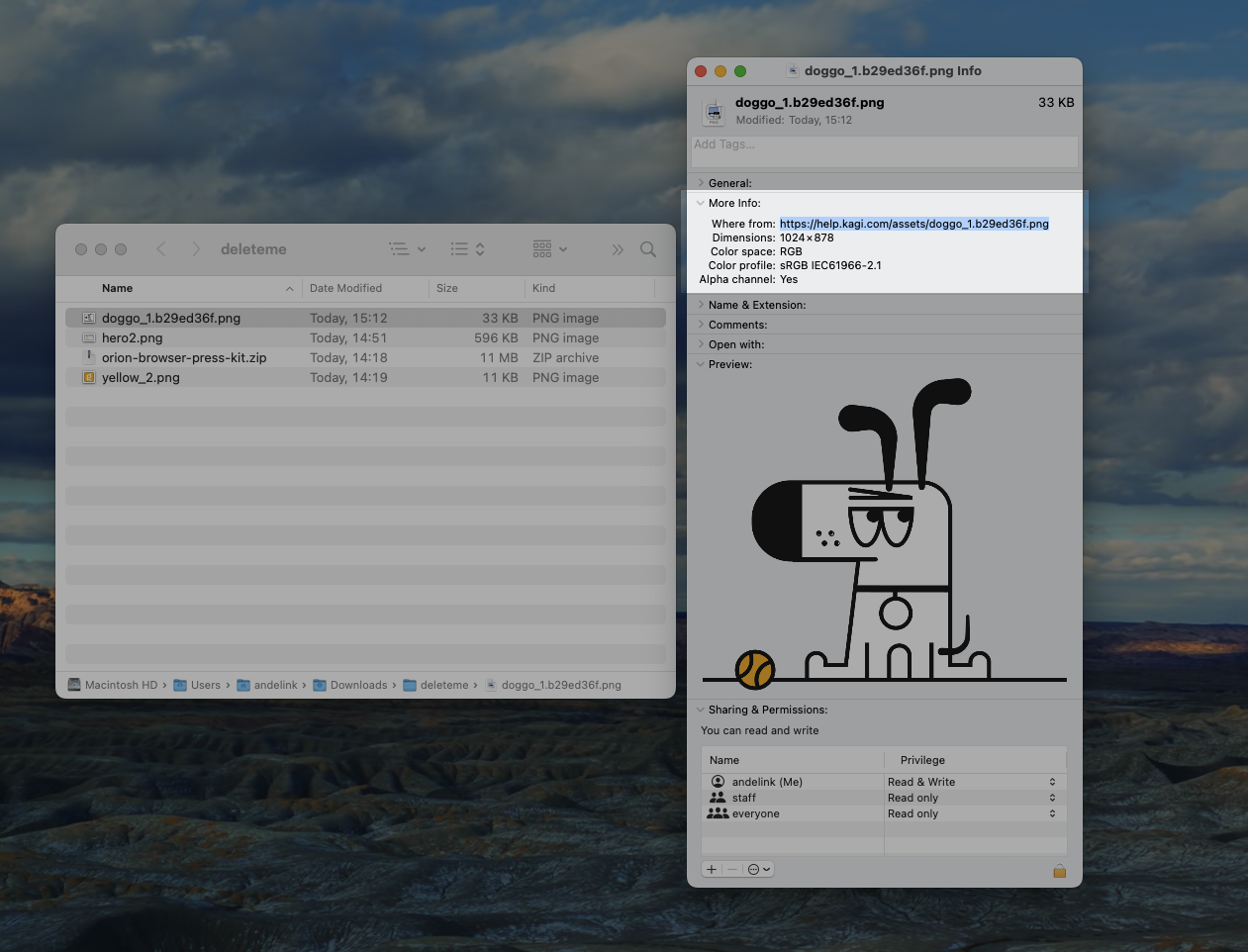
These xattrs are surfaced in Finder so long as you've downloaded them to a location that is indexed by Spotlight. And because they're in Spotlight you can do a search (cmd+space) and type wherefrom:kagi.com and have the relevant downloads returned.
But even if the files aren't Spotlight indexed, you can still view xattr data by dropping down to the terminal:
# ls only reads
ls -@ doggo_1.b29ed36f.png
# xattr can read/write
xattr -l doggo_1.b29ed36f.png
xattr -p com.apple.metadata:kMDItemWhereFroms doggo_1.b29ed36f.png
# exiftool can read/write
exiftool -a -s -MacOS:"*Froms" doggo_1.b29ed36f.png
# The below commands rely on Spotlight index
# mdls read attributes
mdls -name kMDItemWhereFroms -name kMDItemDownloadedDate doggo_1.b29ed36f.png
# search with mdfind (set -attr kMDItemWhereFroms to print urls as well)
mdfind "kMDItemWhereFroms == '*kagi.com*'"
Hope this helps!